Top 11 multilingual agentic AI tools of 2026
Scaling AI-powered customer and employee service across languages and regions is easier than it sounds. This guide compares the top multilingual agentic AI tools to help you automate, personalise, and resolve issues globally.



Candace Marshall
Vice President of Product, AI and Automation at Zendesk
Last updated July 24, 2026
What are multilingual agentic AI tools?
Multilingual agentic AI tools are AI-powered systems that autonomously resolve service interactions across multiple languages. More than chatbots that translate, multilingual agentic AI tools reason, take actions, and integrate with business systems. Combining generative AI, workflow automation, and contextual knowledge retrieval, these tools perform real resolutions in any language.
Why multilingual agentic AI matters for modern service teams
Multilingual agentic AI tools matter for modern service teams because today, service is global by default. Companies need to meet customers and employees on any channel, at any time, in their preferred language. Instead of just pulling data from a knowledge base and translating it, multilingual agentic AI tools can understand context, adapt to requests, and take action across systems.
This means when a customer requests a refund in Portuguese, a multilingual agent can understand the issue, process the refund, and resolve it. In the same way, if an employee reports a frozen account in German, it can identify the issue, verify their identity, unblock the account, and resolve it immediately—instead of just providing a generic translated article.
However, many tools still reside within disconnected systems, which can create data silos, inconsistent answers, and fragmented experiences across regions and channels. That’s a major risk for organizations trying to unify service across the business.
The best agentic AI tools deeply integrate into the service platform. They connect knowledge, workflows, and service data so teams can deliver more accurate, scalable support.
In this guide, we’ll review the top agentic AI tools for organizations that need multilingual support, enterprise automation, and a more unified approach to customer and employee service.
More in this guide:
- Benefits of multilingual agentic AI tools
- Key features to evaluate in multilingual AI agents
- Multilingual agentic AI tools comparison chart
- 11 best agentic AI tools with multilingual support
- Best practices for implementing multilingual agentic AI
- Frequently asked questions
- Scale multilingual service with Zendesk
Benefits of multilingual agentic AI tools
Multilingual agentic AI tools do more than translate support. They help unify service across the enterprise, improve consistency at scale, and make automation more reliable in complex, multilingual environments. Here are five of the biggest benefits organizations can take advantage of when using these tools.
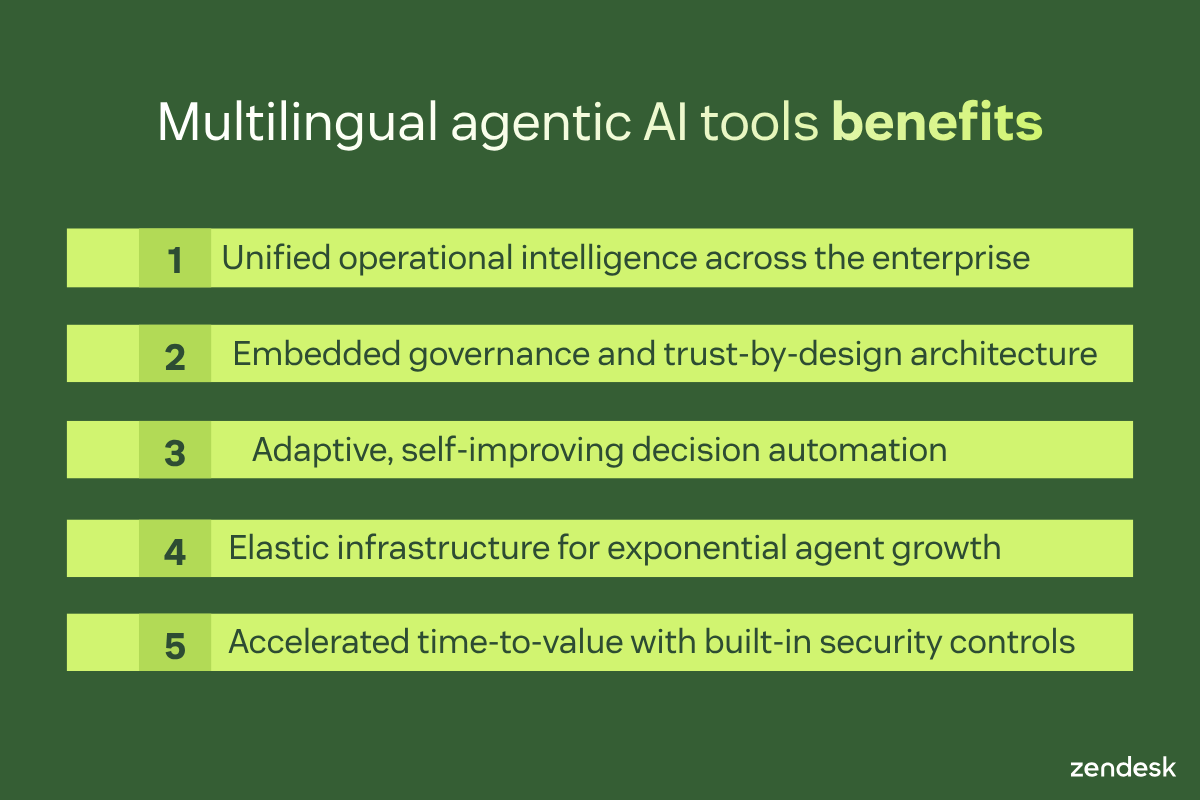
Unified operational intelligence across the enterprise
A centralised agentic platform acts like a control tower for service. Instead of running isolated automations, it connects ticketing, knowledge, workflows, QA, analytics, and business systems. This allows AI and human teams to work from the same context, giving organizations a more unified way to support customers and employees across the enterprise.
Embedded governance and trust-by-design architecture
In enterprise service, governance can’t be an afterthought. The strongest AI agent tools build in reasoning visibility, prompt testing, QA for AI agents, and policy controls from the start. As a result, teams can audit behavior, reduce risk, and deploy AI more confidently in sensitive environments. This is especially important when service spans languages, regions, departments, and regulated workflows.
Adaptive, self-improving decision automation
Agentic AI marks a shift from scripted chatbots for customer service to systems that can reason through requests, ask follow-up questions, and take action across business systems. This makes automation more resilient when requests are complex, multilingual, or constantly changing. With built-in QA and continuous tuning, these tools can also improve accuracy and consistency over time.
Elastic infrastructure for exponential agent growth
Beyond handling more conversations, scalability is about expanding from a few automations to service-wide coverage without rearchitecting systems or increasing operational complexity. Powerful multilingual agentic AI tools like Zendesk scale seamlessly across channels, brands, and languages, with a unified service stack that lowers TCO and simplifies vendor management.
Accelerated time-to-value with built-in security controls
The best multilingual AI agent tools shorten the path from evaluation to production. Prebuilt integrations, natural-language setup, and built-in controls reduce engineering lift while helping teams stay secure and compliant. The combination of speed and guardrails is what makes enterprise-wide adoption more practical for both customer and employee service teams.
Key features to evaluate in multilingual AI agents
The best multilingual AI agents coordinate work across systems, stay grounded in trusted knowledge, and give teams visibility into how decisions are made. Here are the core features to look for when evaluating agentic AI tools.
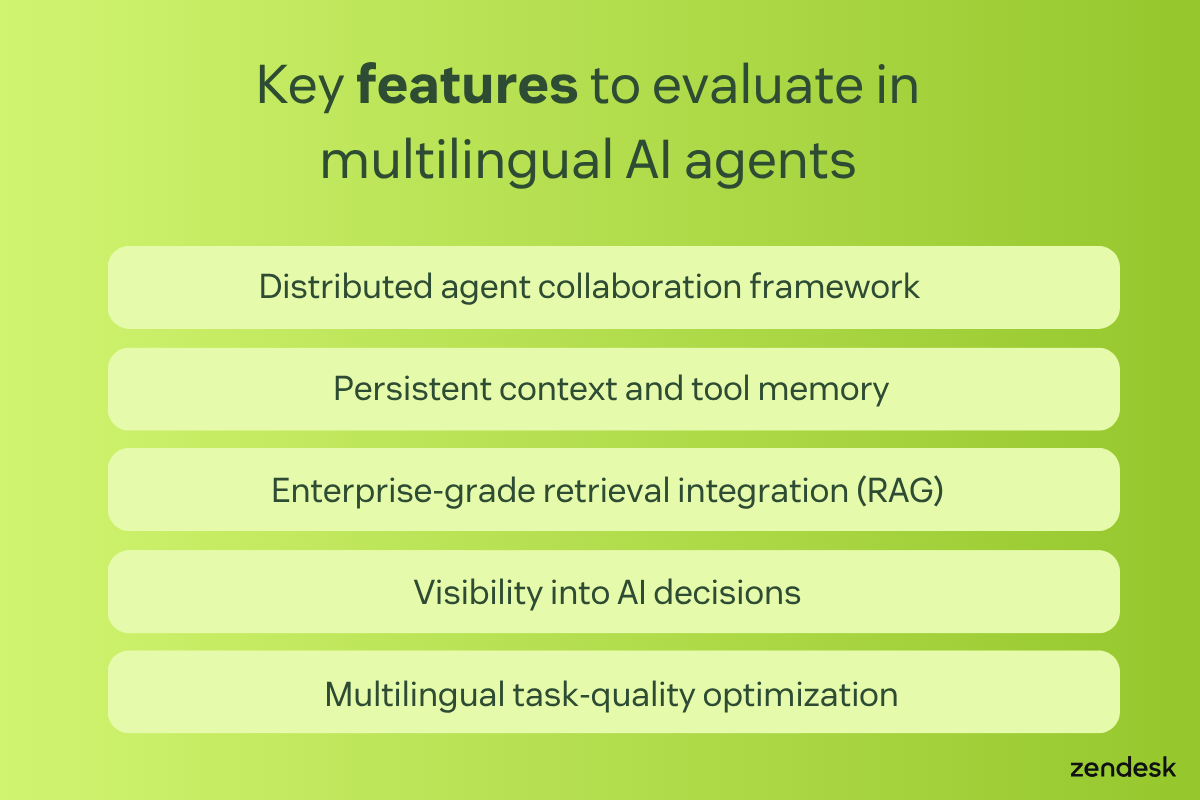
Distributed agent collaboration framework
Strong agentic platforms can coordinate multiple specialised agents instead of relying on one general-purpose bot. This makes it easier to classify requests, pull the right knowledge, execute tasks, and complete multi-step workflows across teams and systems. In practice, this helps organizations automate more complex customer and employee service requests without creating disconnected automations.
Persistent context and tool memory
The best AI agent tools keep track of context across steps, systems, and conversations. They're able to remember what users need, the actions they’ve taken, and the tools or workflows they used. This kind of memory improves accuracy on multi-step tasks. It also helps agents avoid repeating work or losing context during handoffs.
Enterprise-grade retrieval integration (RAG)
A multilingual AI agent is only as good as the knowledge behind it. Real-time retrieval from trusted sources such as help centres, internal knowledge bases, and connected systems helps ground answers in approved enterprise content. This reduces hallucinations and improves consistency across languages, channels, and service teams.
Visibility into AI decisions
Teams need to see how an AI agent reached an answer or action. The strongest platforms provide visibility into reasoning, conversation logs, tool usage, and QA results. This allows teams to monitor performance, troubleshoot issues, and improve automation over time. Such a high level of transparency is especially important in high-stakes service environments where trust, governance, and accountability matter.
Multilingual task-quality optimisation
Language coverage alone isn’t enough. What matters is whether the platform can deliver accurate, policy-aligned, high-quality outcomes across different languages and task types. Companies should look for tools that support multilingual service at scale while also measuring quality, consistency, and resolution performance across AI and human interactions.
Multilingual agentic AI tools comparison chart
This comparison chart shows how the top multilingual agentic AI tools stack up, considering what they’re best for, starting prices, and free trial availability. Start here to narrow down your options before looking at each tool in more detail.
|
Software |
Best for |
Starting price |
Free trial |
|
Zendesk |
Unified AI-powered resolutions across multiple languages |
$55 per agent/month (billed annually) |
14 days |
|
Forethought AI agents by Zendesk |
Support automation overlays |
Custom pricing |
Unavailable |
|
Parloa |
Voice-focused automation |
Custom pricing |
Not available |
|
Kore.ai |
Custom enterprise AI workflows |
$50 per month |
14 days |
|
Kustomer AI |
CRM-based service automation |
Custom pricing |
30 days |
|
LivePerson AI |
Conversational support at scale |
Custom pricing |
14 days |
|
Aisera |
Internal service automation |
Custom pricing |
30 days |
|
Intercom |
AI-first digital support |
$29 per agent/month |
14 days |
|
ServiceNow AI |
Workflow-heavy enterprise environments |
Custom pricing |
30 days |
|
Cognigy AI |
Custom conversational automation |
Custom pricing |
30 days |
|
HubSpot |
SMB service teams using HubSpot |
$20 per agent/month |
14 days |
11 best agentic AI tools with multilingual support
Each one of the top agentic AI tools takes a different approach to automation, orchestration, and language coverage. Keep reading to evaluate which option best fits your service strategy.
- Zendesk: Best for unified AI-powered resolutions across multiple languages
- Forethought AI agents by Zendesk: Best for support automation overlays
- Parloa: Best for voice-focused automation
- Kore.ai: Best for custom enterprise AI workflows
- Kustomer AI: Best for CRM-based service automation
- LivePerson AI: Best for conversational support at scale
- Aisera: Best for internal service automation
- Intercom: Best for AI-first digital support
- ServiceNow AI: Best for workflow-heavy enterprise environments
- Cognigy AI: Best for custom conversational automation
- HubSpot: Best for SMB service teams using HubSpot
1. Zendesk
Best for unified AI-powered resolutions across multiple languages
|
Starting price |
Free trial |
Key features |
|
$55 per agent/month billed annually Explore more Zendesk pricing plans. |
14 days |
|
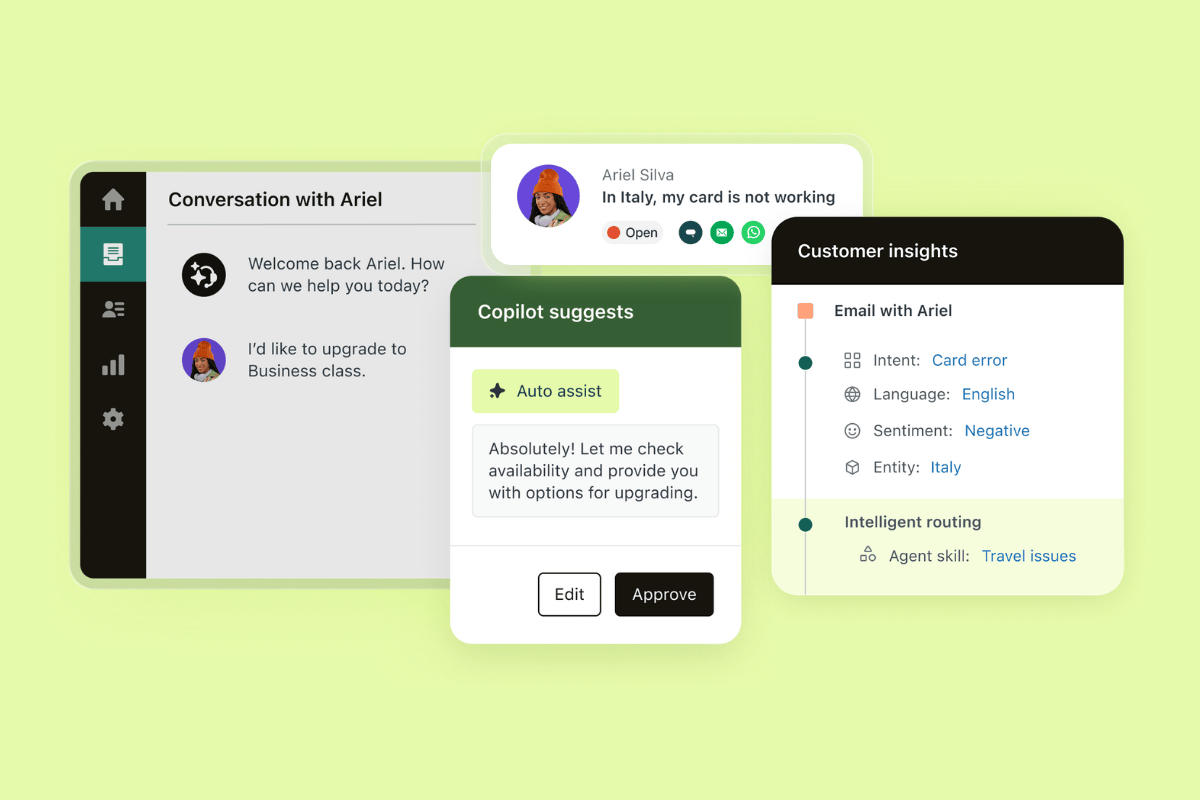
Zendesk is built for organizations that want AI to do more than answer questions in different languages. Zendesk AIis deeply integrated into the service platform, connecting knowledge, workflows, analytics, and customer data in one place. This gives teams a more reliable way to deliver consistent resolutions across channels, regions, and departments, instead of relying on disconnected bots or point solutions.
Zendesk's feature set enables this unified approach, with autogenerated replies in up to 80 languages, autonomous AI agents, AI Copilot for agents, and knowledge-grounded answers connected to trusted sources. It also supports omnichannel service across channels, along with native QA, built-in transparency and control for monitoring and improving AI behavior, and analytics and reporting. Together, these features help teams automate over 80% of service interactions at scale while maintaining accuracy, visibility, and trust.
The combination of these robust features makes Zendesk the strongest fit for unified AI-powered resolutions across multiple languages. Zendesk gathers broad language support with native intelligence, governance, and service orchestration in a single platform.
Users of the tool highlight the practical benefits: faster and more efficient ticket handling, less repetitive manual work through automation, and a centralised workspace for managing conversations across channels. These advantages reinforce Zendesk’s value for teams that need scalable, multilingual customer and employee service without adding complexity.
|
Pros |
Cons |
|
|
What people are saying:
- “I also like the newer AI features and automation tools — they’ve made handling tickets faster and more efficient. The ability to streamline workflows, set up triggers, and reduce manual work has been a big plus. Reporting has also improved, giving better visibility into performance and helping us make quicker decisions.” - Verified user, G2 review.
- “I still really appreciate having cross channel support with email, calls, and chats all in one central platform. One thing I’ve continued to value is how easy it is to review a customer’s full ticket history, which helps provide better context and continuity when assisting them.” - Verified user, G2 review.
- “It helps agents very fast to understand the conversation without reading the entire thread. And also, Intelligent Triage, which categorises and prioritises tickets so the right team (for particular tickets) can respond faster.” - Verified user, G2 review.

Replace patchwork bots with a unified AI-powered service platform
It only takes 30 seconds to start a demo.
2. Forethought AI agents by Zendesk
Best for support automation overlays
|
Starting price |
Free trial |
Key features |
|
Custom pricing |
Unavailable |
|
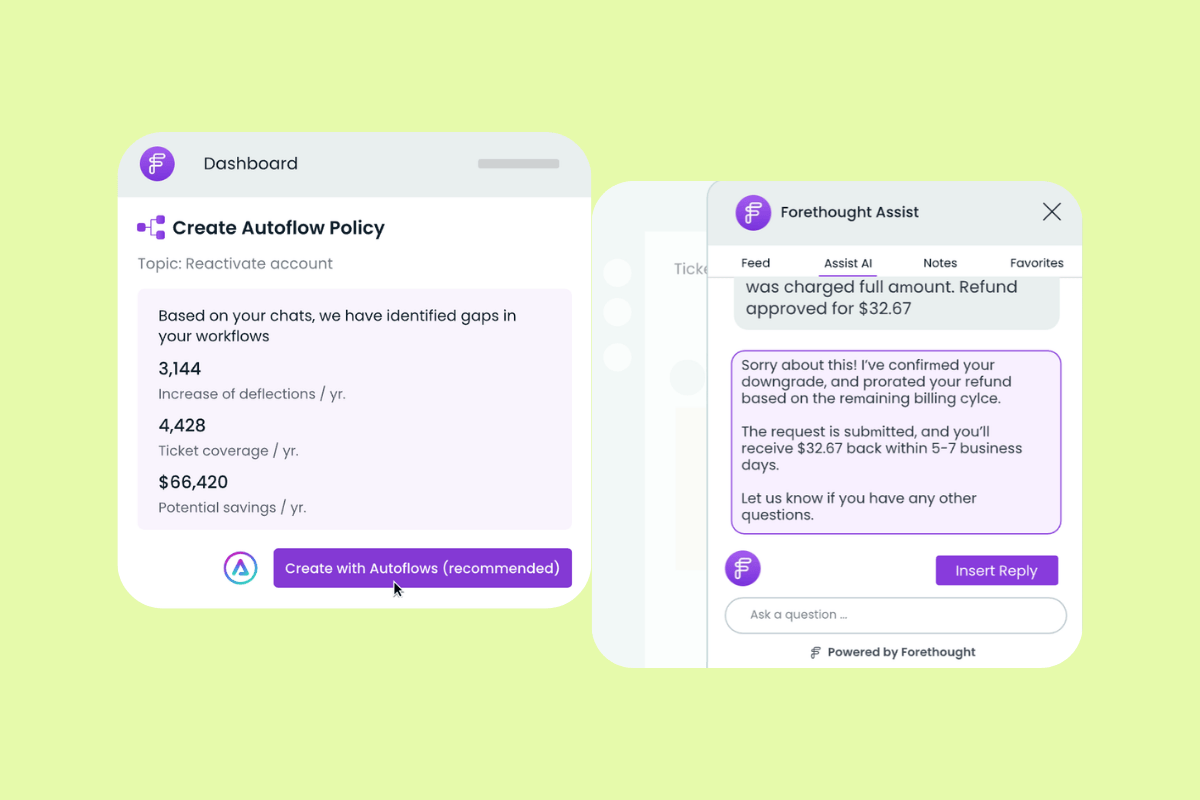
Forethought is a customer support AI platform focused on automating digital service workflows. The platform is a multi-agent system built around AI trained on historical support data and help centre content. Its capabilities include automated issue resolution, ticket classification, agent assistance, support insights, omnichannel coverage, and integrations with help desk and CRM systems. Forethought is now part of Zendesk, with self-improving AI agents and extended capabilities across chat, email, and voice.
On G2, users frequently praise Forethought for streamlining workflows, improving response times, and giving agents more room to focus on complex issues. G2 reviewers also highlight the intuitive interface, responsive support, and strong AI performance signals, including high response accuracy and safety scores. All these functionalities make Forethought a fit for AI-first digital support—especially for teams looking to add AI automation to digital service operations, rather than adopting a broader unified service platform.
|
Pros |
Cons |
|
|
What people are saying:
- “Overall, Forethought has become an indispensable tool for enhancing efficiency and improving the client experience” - Verified user, G2 review.
- “The most capable Support focused AI solution we have tried with high quality built in analytics and impact forecasting/reporting as well.” - Verified user, G2 review.
- “Some of the reporting features feel limited.” - Verified user, G2 review.
Learn more: Read all about how Forethought is now part of Zendesk.
3. Parloa
Best for voice-focused automation
|
Starting price |
Free trial |
Key features |
|
Custom pricing |
Not available |
|
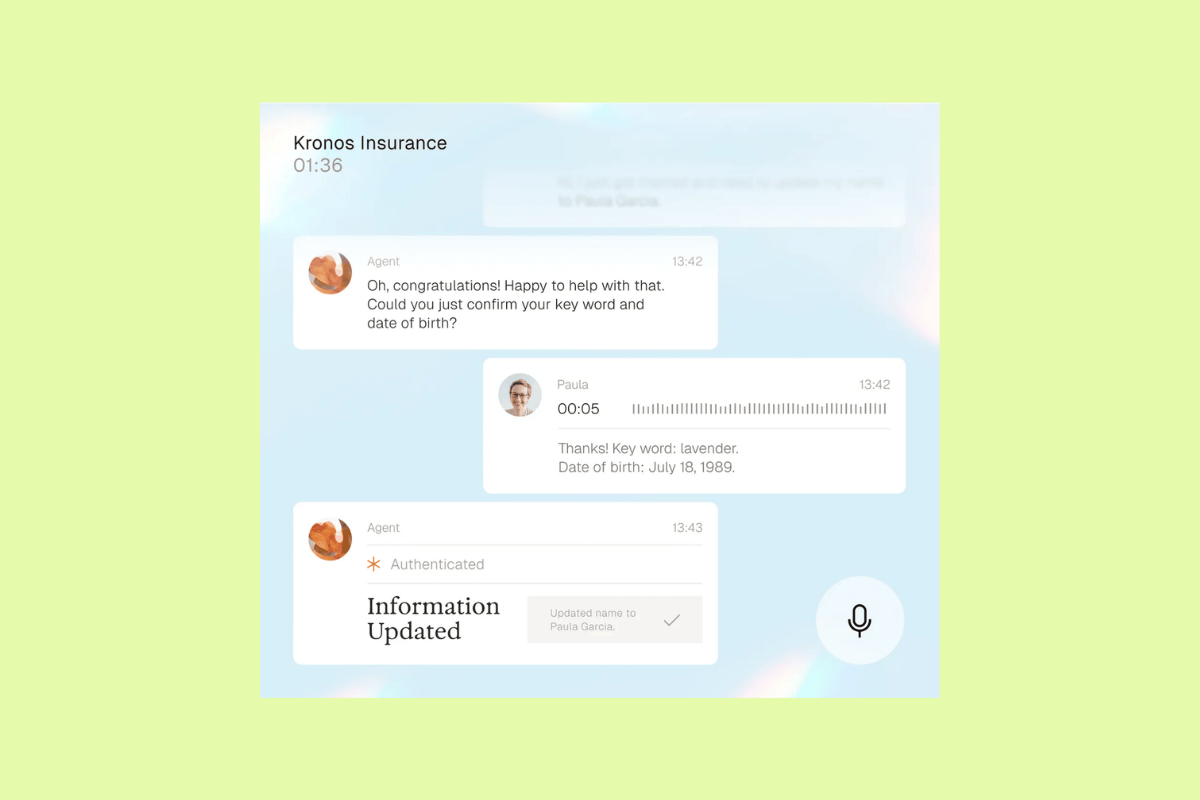
Parloa is an AI agent management platform for customer service and contact centres, with a strong emphasis on enterprise voice automation. Parloa positions its product around designing, testing, scaling, and optimising AI agents, highlighting AI voice agents built for real-world enterprise calls. Its capabilities centre on the agent lifecycle—teams can design agents, test them with built-in simulations and evaluations, and apply runtime guardrails.
Although Parloa is easy to use, the lack of pricing transparency and a free trial are drawbacks that make it difficult to evaluate the platform against other options. Still, taken all together, Parloa is a fit for teams primarily evaluating voice-focused automation.
|
Pros |
Cons |
|
|
What people are saying:
- “It's good and perfect at all, easy, powerful and so handy.” - Verified user, G2 review.
4. Kore.ai
Best for custom enterprise AI workflows
|
Starting price |
Free trial |
Key features |
|
$50 per month |
14 days |
|
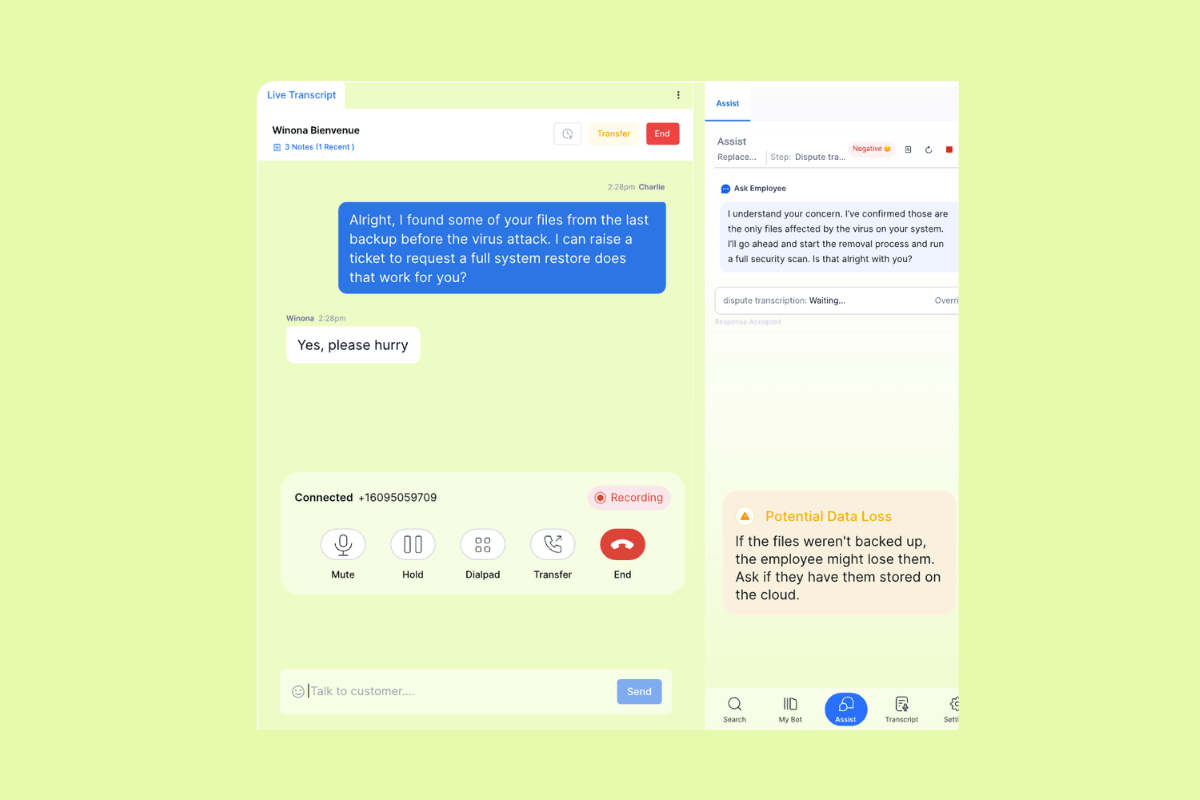
Kore.ai is an enterprise AI platform designed to help organizations build, deploy, and manage AI agents for service, work, and process automation. Kore.ai highlights its agentic orchestration for complex workflows, with a platform that supports multi-agent coordination, governance, and enterprise-scale deployment.
The platform's capabilities are especially oriented toward workflow design and customisation. Kore.ai highlights flexible orchestration patterns, agent memory, external tool use, observability, analytics, and no-code or pro-code options for building agents around specific business processes.
Users praise Kore.ai’s end-to-end automation, unified environment, and workflow automation capabilities, which makes it best for tailored enterprise use cases. At the same time, other users mention a steep learning curve for advanced features and say documentation or onboarding guidance could be more detailed for complex implementations. These tradeoffs make Kore.ai a better fit for teams that need custom enterprise AI workflows and have the technical capacity to support a more hands-on setup.
|
Pros |
Cons |
|
|
What people are saying:
- “What I appreciate most about Kore.ai is its comprehensive end-to-end automation capabilities.” - Verified user, G2 review.
- “The most notable is its steep learning curve—especially for users who are new to conversational AI or enterprise-level platforms.” - Verified user, G2 review.
- “Advanced features would be easier to use with more detailed, use case-driven documentation, clearer examples, and stronger in-product guidance for complex workflows and integration.” - Verified user, G2 review.
Learn more: Discover how Kore.ai integrates with Zendesk.
5. Kustomer AI
Best for CRM-based service automation
|
Starting price |
Free trial |
Key features |
|
Custom pricing |
30 days |
|
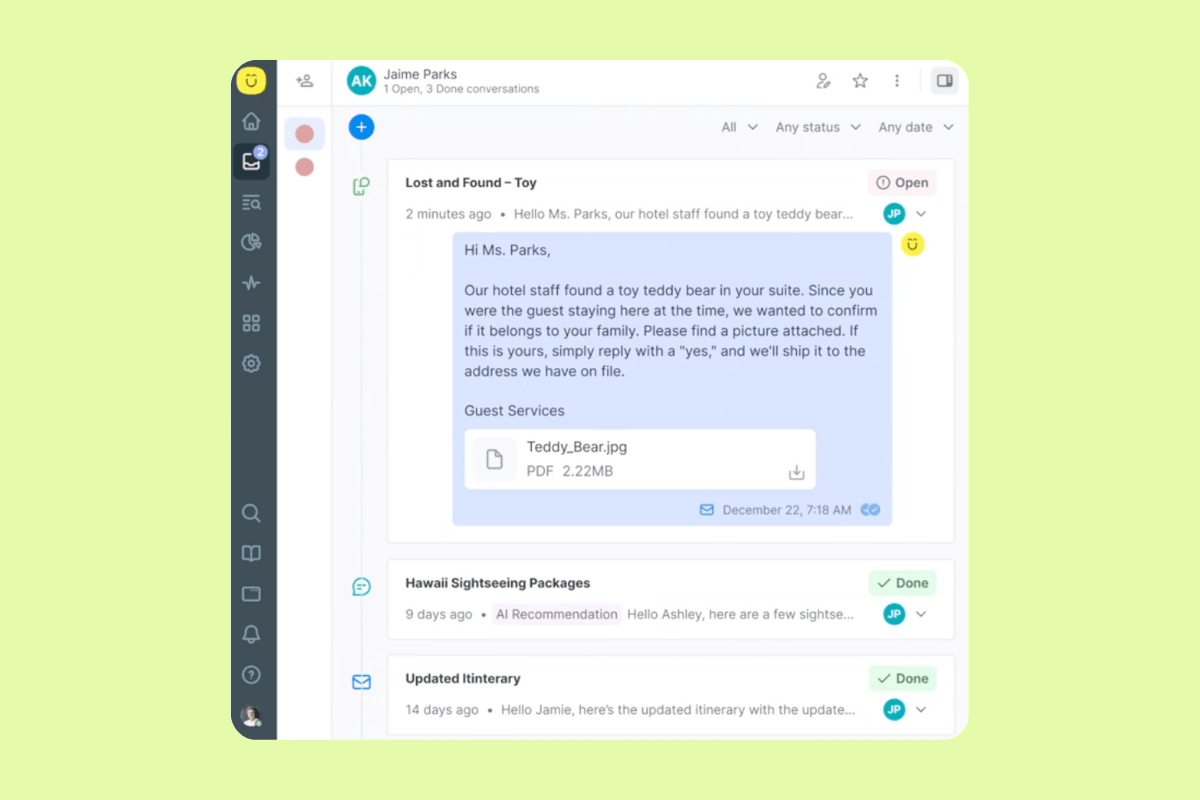
Kustomer AI is designed for customer support teams. The platform features customer-facing AI agents and rep-facing AI assistance designed to handle conversations, support handoffs, and work within its customer service CRM.
Kustomer highlights its specialised AI agents, human-in-the-loop workflows, omnichannel availability, and an AI copilot for reps. It also features AI-generated prompts, recommended actions, summaries, and task categorisation grounded in internal knowledge, external sources, and Kustomer CRM data.
These features align with Kustomer AI’s fit for CRM-based service automation. Users often praise the unified customer view as a strength, while also noting more technical setup and occasional performance slowdowns as tradeoffs.
|
Pros |
Cons |
|
|
What people are saying:
- “Kustomer’s greatest strength is its unified customer timeline, which consolidates every interaction across chat, email, and other channels into a single, chronological view.” - Verified user, G2 review.
- “[...] creating custom reports can sometimes be complex and less intuitive for non-technical users.” - Verified user, G2 review.
- “One thing I find frustrating about Kustomer is that it can occasionally feel slow or laggy, particularly when loading lengthy customer timelines or when switching between several sessions.” - Verified user, G2 review.
Learn more: Discover how Zendesk vs. Kustomer AI compare.
6. LivePerson AI
Best for conversational support at scale
|
Starting price |
Free trial |
Key features |
|
Custom pricing |
14 days |
|
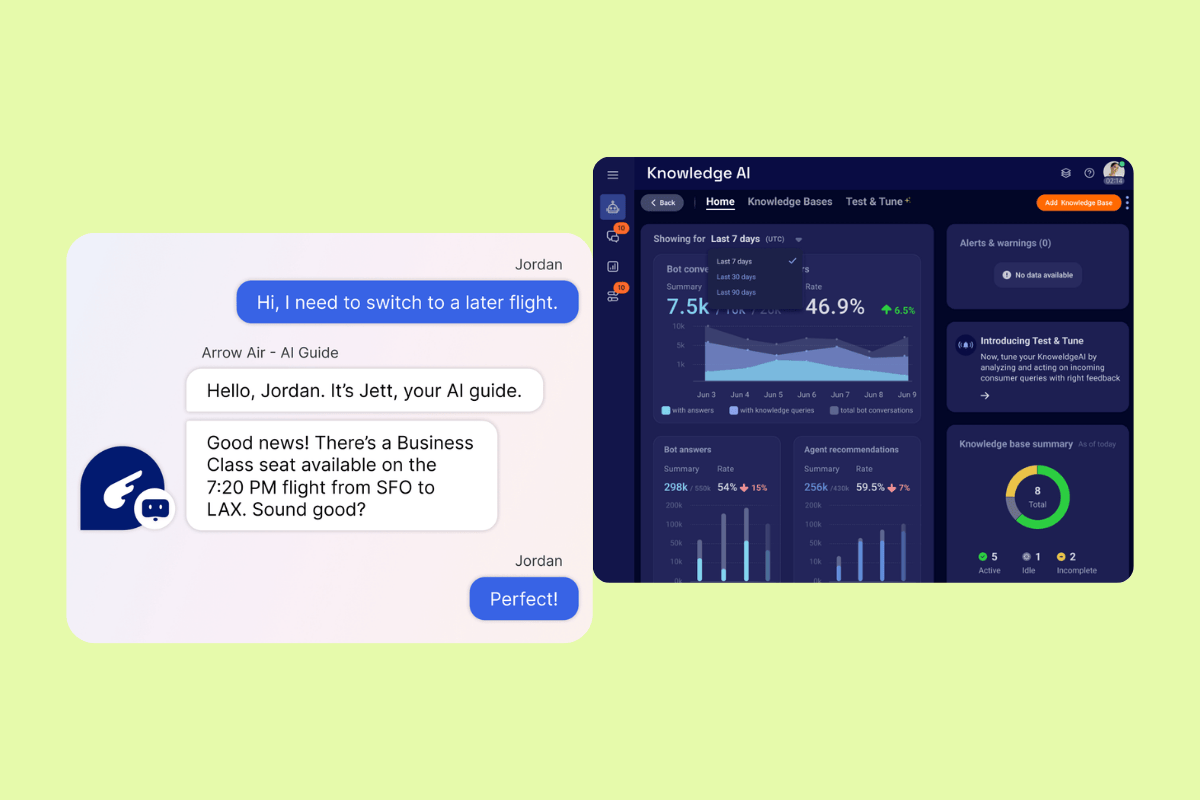
LivePerson AI is part of LivePerson’s conversational customer service platform for contact centres and support teams. The platform positions its product around AI agents, messaging, voice, and a shared workspace for managing customer conversations across digital and voice channels. Its capabilities include routing AI agents, knowledge-based answers, data collection, and custom AI agents. LivePerson also features no-code conversation building, integrations, and bot-to-human handoffs.
Users often praise LivePerson's multichannel support, but they also mention a steep learning curve and added complexity around setup, optimisation, and reporting. All this makes LivePerson a better fit for teams focused on conversational support at scale, especially when broad channel coverage matters more than simplicity.
|
Pros |
Cons |
|
|
What people are saying:
- “What I like best about LivePerson is its ability to deliver seamless, real-time customer engagement across multiple messaging channels [...].” - Verified user, G2 review.
- “Difficult to set up and optimise, especially for advanced automation and workflow features.” - Verified user, G2 review.
- “LivePerson has a fairly steep learning curve, especially for new users, and some advanced features require additional training to use effectively.” - Verified user, G2 review.
Learn more: Discover how Zendesk vs. LivePerson AI compare.
7. Aisera
Best for internal service automation
|
Starting price |
Free trial |
Key features |
|
Custom pricing |
30 days |
|
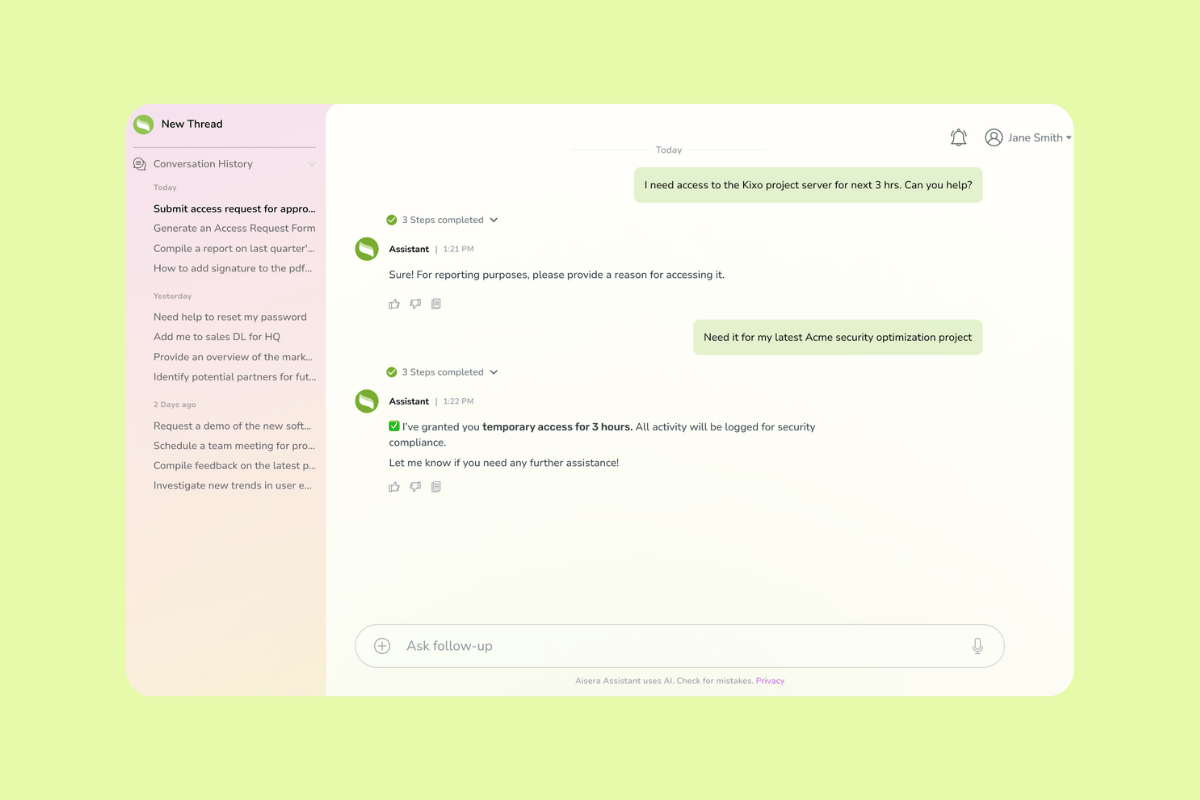
Aisera is an agentic AI platform for enterprise service and operations, with a strong focus on internal support use cases. The platform's highlights are its AI service desk capabilities, employee self-service, and AI agents for teams like IT, HR, and finance.
Aisera's capabilities include low-code workflow building, prebuilt actions, domain-specific agents, integrations, and knowledge support features. Users often praise its useful automation for reducing repetitive ticket management, but they also mention a more complex onboarding process and the need for extensive and detailed fine tuning. All these features, pros, and cons make Aisera a better fit for internal service automation, especially for organizations focused on streamlining employee-facing support workflows.
|
Pros |
Cons |
|
|
What people are saying:
- “I really appreciate how the automated ticket handling has taken a huge load off my plate—it saves me from doing the same repetitive tasks in ITSM every day.” - Verified user, G2 review.
- “The onboarding process can feel a bit complex without dedicated technical resources [...].” - Verified user, G2 review.
- “Aisera is a technically solid approach that demands extensive and detailed fine tuning, which is complex and draining.” - Verified user, G2 review.
Learn more: Discover how Aisera integrates with Zendesk.
8. Intercom
Best for AI-first digital support
|
Starting price |
Free trial |
Key features |
|
$29 per agent/month |
30 days |
|
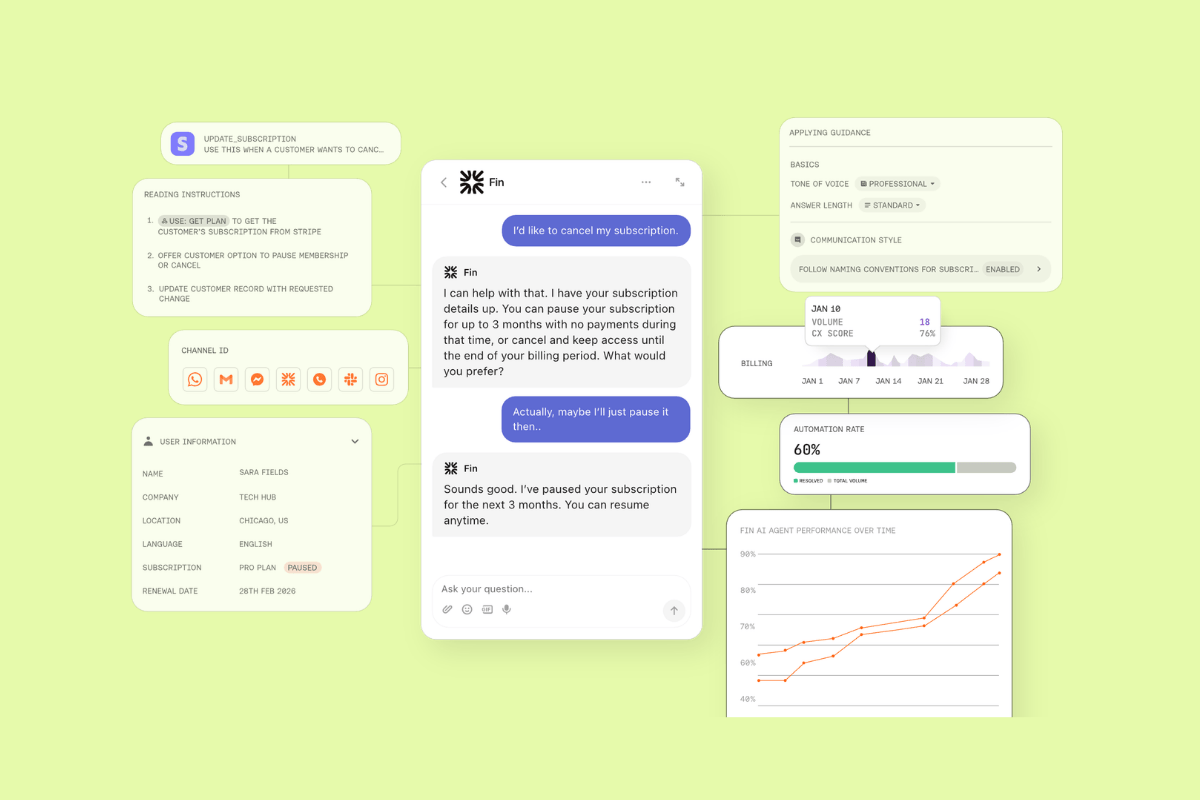
Intercom is a customer service platform with a helpdesk, AI agent, and agent-assist tools. Intercom's AI agent Fin is natively integrated with its helpdesk, so teams and the agent work from the same inbox with a shared customer view.
Its core AI capabilities centre on Fin, workflows, and Copilot. Intercom mentions that these tools can automate conversations, assist agents, use support content and data, and connect to outside systems. They can also pull from a centralised content library that includes help articles, internal content, PDFs, and webpages.
Users like the fast automation for routine digital support, but they note some limits with nuance, visibility, and cost. Another drawback to consider is that support for complex tasks is limited to around 45 languages. Still, its capabilities make Intercom a good fit for companies looking for AI-first digital support.
|
Pros |
Cons |
|
|
What people are saying:
- “What I like most about Fin is how effectively it automates customer support by providing fast, relevant answers based on existing knowledge base content.” - Verified user, G2 review.
- “Sometimes it has issues with understanding Hebrew and then it gives the wrong information to the customer.” - Verified user, G2 review.
- “The system seems very cost prohibitive, especially for smaller businesses, and didn't work as well, which is why we ended up choosing another provider that was a little more affordable.” - Verified user, G2 review.
Learn more: Discover how Intercom integrates with Zendesk and how Zendesk vs. Intercom compare.
9. ServiceNow AI
Best for workflow-heavy enterprise environments
|
Starting price |
Free trial |
Key features |
|
Custom pricing |
30 days |
|
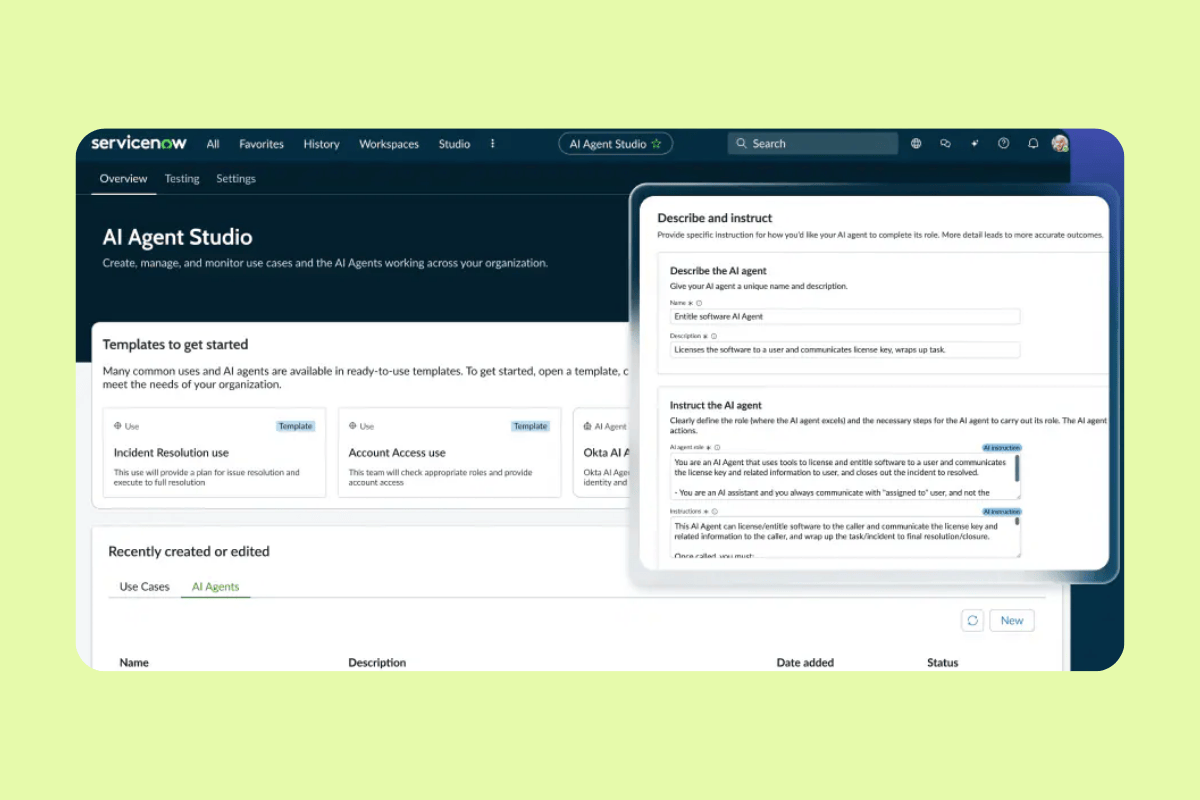
ServiceNow AI is designed to automate work across business functions with AI agents. ServiceNow presents itself as a platform for deploying out-of-the-box or custom agents that can work across IT, HR, CRM, risk, and other operational areas.
Its capabilities focus on workflow coordination and enterprise control. ServiceNow highlights AI Agent Studio for building agents, AI Agent Orchestrator for coordinating agent teams, AI Control Tower for governance, and AI Agent Fabric for connecting outside tools and agents.
Users point to automation efficiency as a strength, but they also mention more complex setup and occasional accuracy limits, which makes ServiceNow a better fit for workflow-heavy enterprise environments than for simpler support use cases.
|
Pros |
Cons |
|
|
What people are saying:
- “One thing I really like about ServiceNow AI Agents is how effectively they reduce manual effort by automating routine tasks and providing 24/7 support.” - Verified user, G2 review.
- “I find the setup process of ServiceNow AI Agents quite complex and challenging.” - Verified user, G2 review.
- “The performance also depends heavily on the quality and availability of historical data, so incomplete data can affect the accuracy of predictions.” - Verified user, G2 review.
Learn more: Discover how Zendesk vs. ServiceNow compare.
10. Cognigy AI
Best for custom conversational automation
|
Starting price |
Free trial |
Key features |
|
Custom pricing |
30 days |
|
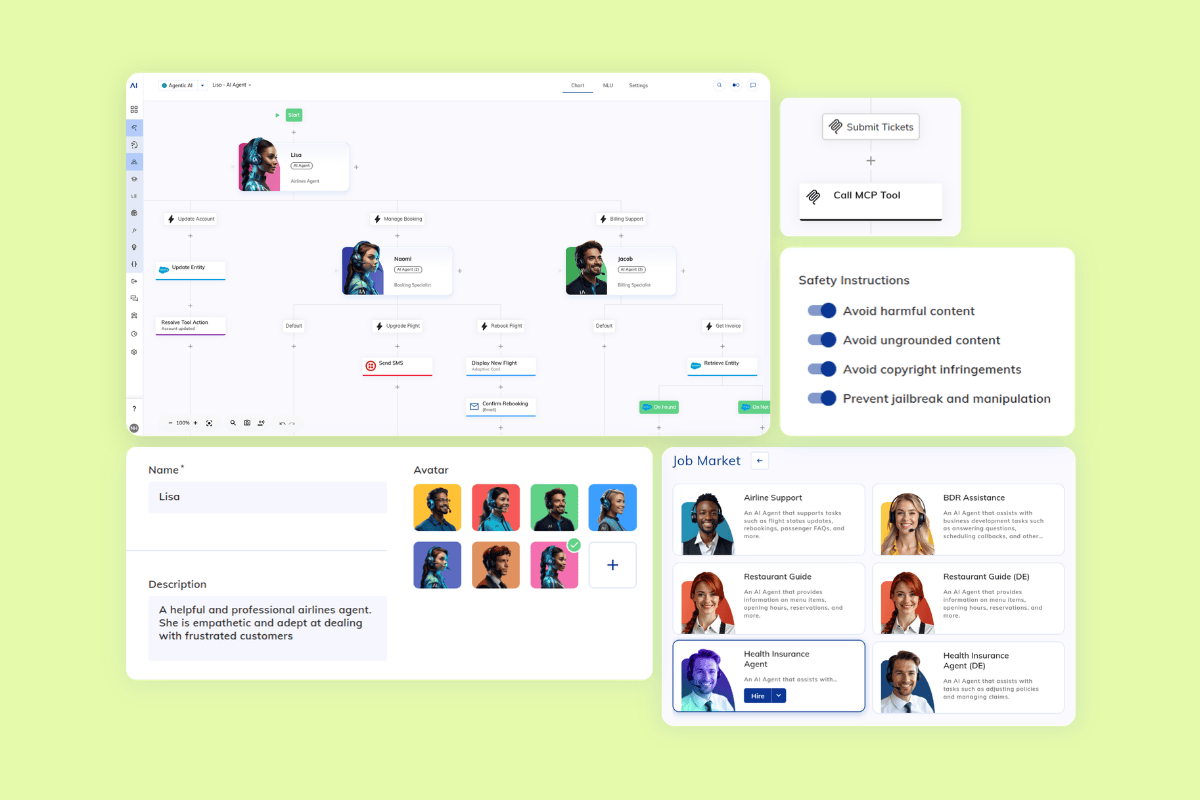
Cognigy Agentic AI is Cognigy’s platform for autonomous AI agents in enterprise contact centres. Cognigy describes itself as an AI workforce for CX automation that combines LLM reasoning, real-time context, enterprise governance, and trusted knowledge to support customer conversations at scale.
The platform includes progressive reasoning, contextual memory, secure actions, multimodal conversations, integrations, and guardrails for safer deployment. G2 reviewers often praise its ease of use, but some also point to limited analytics and less support for very advanced workflow needs. Taken together, Cognigy is a better fit for custom conversational automation than for broader service-platform consolidation.
|
Pros |
Cons |
|
|
What people are saying:
- “Cognigy as a platform is very easy to use - quick to learn, fast to build solutions and has a great library of integrations to work with out of the box.” - Verified user, G2 review.
- “Nothing much. However, since Cognigy is still a startup, there are still features lacking compared to the other big boys. For example, their analytics and translation features still have much room for improvement.” - Verified user, G2 review.
- “Overall I loved it but i must mention that it does not support an extensive workflow.” - Verified user, G2 review.
11. HubSpot
Best for SMB service teams using HubSpot
|
Starting price |
Free trial |
Key features |
|
$20 per agent/month |
14 days |
|
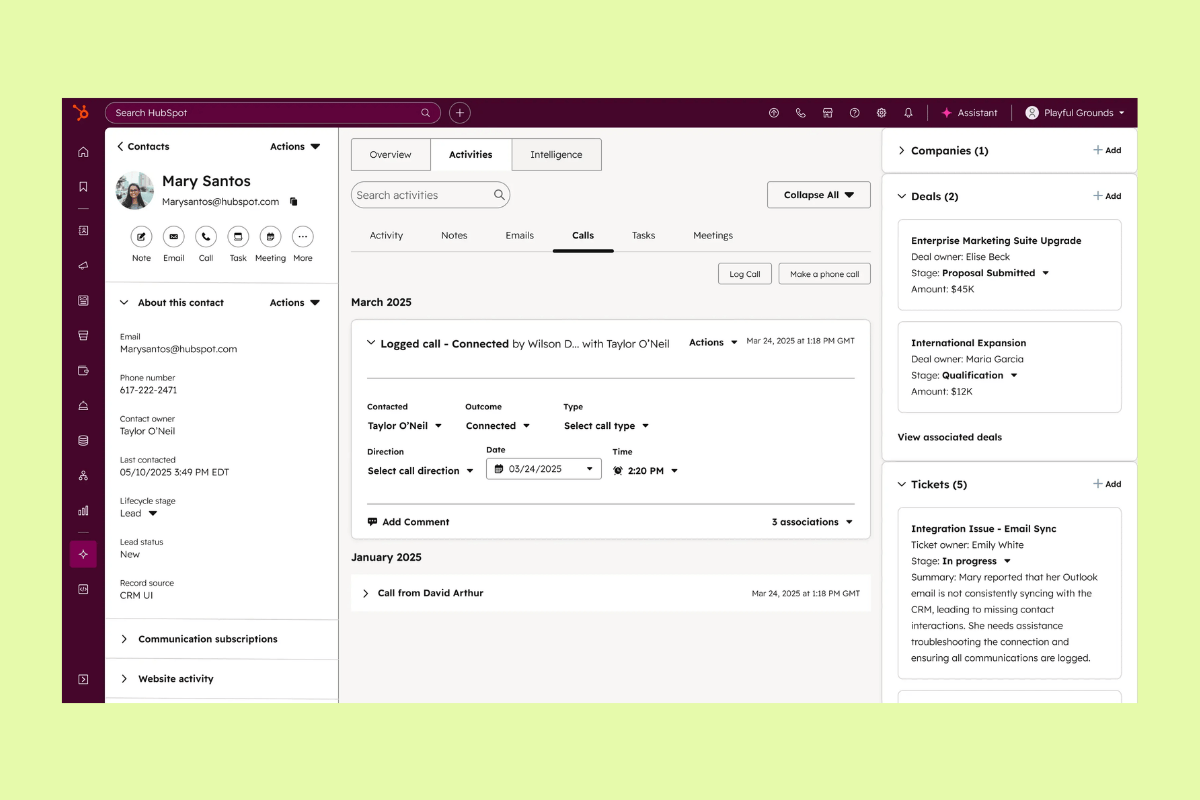
HubSpot’s service offering centres on Service Hub, a customer service platform that combines help desk tools, self-service, and AI-powered support. The platform highlights its Breeze customer agent alongside ticketing, omnichannel communication, SLAs, and service analytics for growing support teams.
Its capabilities focus on practical service operations, including a help desk workspace, knowledge base, customer portal, and simple automation inside the broader HubSpot platform. Users praise the connected customer view and ease of use, but they also flag high costs and limited customisation as tradeoffs. All this makes HubSpot a better fit for SMB service teams already using HubSpot than for organizations looking for a broader standalone service platform.
|
Pros |
Cons |
|
|
What people are saying:
- “Its biggest strength is how everything is in one place and tightly connected to HubSpot CRM. This way I can see sales, marketing, and support within the same customer history.” - Verified user, G2 review.
- “The pricing can become expensive as the business grows.” - Verified user, G2 review.
- “Some of the customisation options feel more limited than I’d like, especially when trying to tailor views or build more advanced workflows.” - Verified user, G2 review.
Learn more: Discover how HubSpot integrates with Zendesk and how Zendesk vs. HubSpot compare.
Best practices for implementing multilingual agentic AI
Implementing multilingual agentic AI requires teams to match AI to the right workflows, test quality in real service scenarios, and build visibility and governance from the start. Let's explore some best practices for effectively launching a multilingual AI agent.
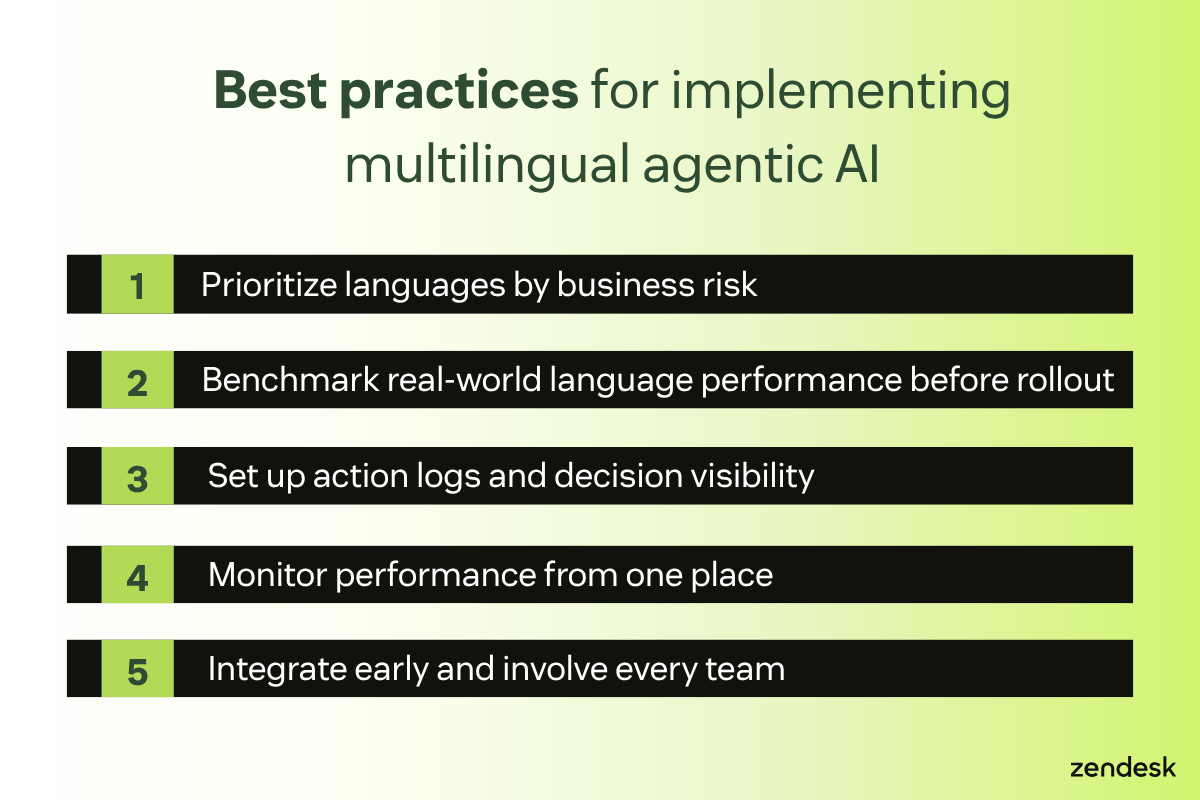
Prioritise languages by business risk
Start with the languages tied to your highest-risk workflows, such as billing, legal, healthcare, HR, or IT support. Then make sure the platform can meet your accuracy, escalation, and governance needs in those use cases. Broad language coverage matters, but performance in business-critical workflows matters more.
Benchmark real-world language performance before rollout
Don’t rely only on a vendor’s language count or generic benchmarks. Run pilot tests in the regions you plan to support and use native reviewers to evaluate real tasks. This is essential to spot summarising issues, handle policy questions, and guide customers and employees through next steps. It also gives you a clearer view of quality, tone, and task accuracy before rollout.
Set up action logs and decision visibility
Before launch, make sure every AI action can be traced. Capture prompts, retrieved knowledge, tool calls, decisions, and outcomes so teams can investigate issues, support audits, and improve performance over time. This is especially important in regulated or high-stakes environments.
Monitor performance from one place
Use a central dashboard to track resolution quality, escalations, language-level performance, and unusual behavior across channels and regions. Continuous monitoring makes it easier to catch drift, enforce policies, and improve workflows before small issues become larger ones. It also gives teams one place to manage both customer and employee service AI.
Integrate early and involve every team
Connect AI to your CRM, ERP, knowledge base, collaboration tools, and service workflows early so it can work with the systems your teams already use. At the same time, involve service, IT, operations, HR, and compliance teams in setup and training. Shared ownership makes adoption smoother and helps automation scale more sustainably.
Frequently asked questions

Sealy of Australia scales CX with Zendesk AI
“Zendesk stood out. Not just because of what it can do—which is brilliant—but because the team was willing to customise our instance and make it work for us.”
Michael Chen
Head of Digital and CX
Read customer story
Scale multilingual service with Zendesk
Zendesk helps organizations deliver multilingual customer and employee service with AI agents built into one unified Resolution Platform. With support for 80+ languages, Zendesk connects trusted knowledge, automation, and service data so teams can resolve issues more consistently across channels.
AI is built into the platform, so teams can move faster without stitching together disconnected tools. Zendesk brings together AI agents, AI Copilot, and AI-powered quality assurance to help automate more interactions, improve service quality, and reduce operational complexity.
For teams evaluating multilingual agentic AI, this unified approach is the difference. Instead of managing patchwork bots and siloed systems, you can scale service with one platform designed for faster deployment, better governance, and end-to-end resolution.
Candace Marshall
Vice President of Product, AI and Automation at Zendesk
Candace Marshall is a product marketing leader at Zendesk, where she heads AI product marketing across AI Agents, Copilot, and core service offerings. She is passionate about transforming customer insights into strategies that create real business impact, and her team delivers end-to-end go-to-market programs that bring Zendesk’s AI vision to life. Before Zendesk, Candace spent nearly a decade at LinkedIn, building and leading product marketing for its rapidly scaling Marketing Solutions division.
tierThree:share_the_story
Related guides on multilingual agentic AI solutions
Explore expert resources on deploying multilingual AI agents, unifying global knowledge sources, and delivering autonomous, high-quality support across every language and channel.
Related posts:

What is agentic AI, and how does it work?
What is agentic AI? Agentic AI is an autonomous AI system that independently plans, reasons, and…

A complete guide to AI copilots in 2026
What is an AI copilot? An AI copilot is an intelligent, conversational assistant integrated directly into…

88 free call centre scripts to boost your customer satisfaction
Leverage our call centre scripts and customisable template to help agents deliver consistent and excellent customer service experiences.

AI customer service agents: A guide to the future of intelligent support
AI agents can understand and resolve even the most sophisticated customer issues. Learn how they can boost customer satisfaction, improve service efficiency, and drive revenue.