Top 14 Fin (Intercom) alternatives and competitors for 2026
The right customer service software will help you consistently deliver the best customer experience. Compare Intercom alternatives to find your perfect fit.
Last updated July 10, 2026
Why you might want an Intercom alternative
Delivering a great customer experience (CX) can set you apart from competitors. Empowering agents with the necessary tools can make their jobs easier and create an environment that boosts the customer and employee experience.
Our guide to Fin alternatives makes it easy to compare competitors so you can choose the perfect customer service software for your business.
Fin (Intercom) is now an AI-first customer service platform built around Fin AI Agent and Intercom’s help desk. It includes an omnichannel inbox, AI-powered ticketing, workflows, help center tools, reporting, apps, integrations, and agent assistance through Copilot.
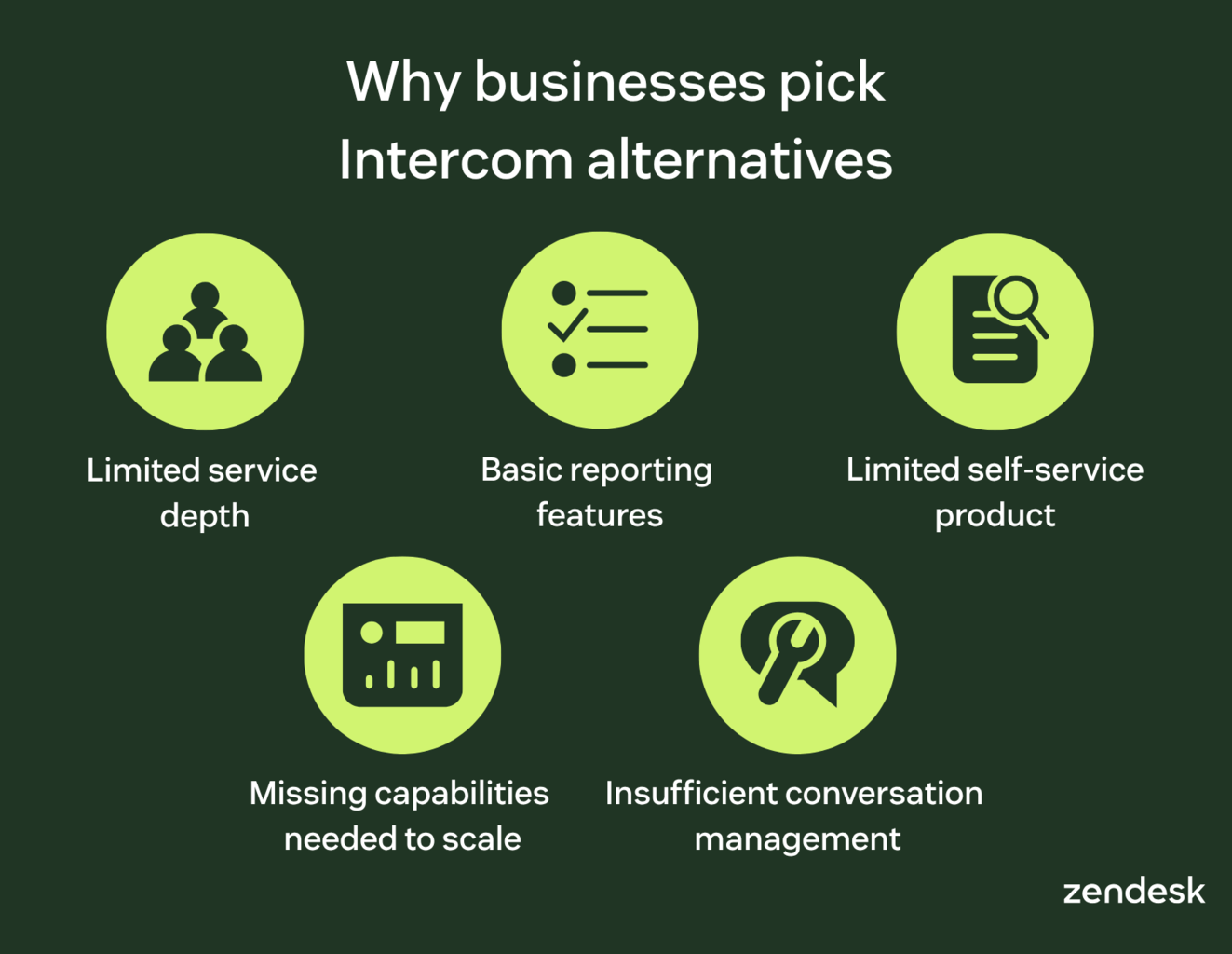
However, Fin’s lightweight framework and unpredictable costs may point teams in the direction of alternatives as their service operations grow. Some reviewers cite concerns around reporting visibility, AI accuracy on complex queries, and automation management. Teams may also want to evaluate pricing predictability and the long-term roadmap following Salesforce’s 2026 agreement to acquire Fin.
More in this guide:
- Best Fin alternatives and competitors at a glance
- A deep dive into the top 14 alternatives and competitors to Intercom
- How to choose between Intercom alternatives
- Frequently asked questions
- How to choose the best alternative to Intercom
Best Fin alternatives and competitors at a glance
The right features and capabilities empower agents to take their customer service game to the next level. Check out our chart that lets you compare alternatives to Intercom at a glance.
|
Intercom alternative |
Best for |
Starting price |
Free trial |
|
Zendesk |
Scalable AI-powered customer service |
$19 per agent/month (billed annually) |
14 days |
|
Customerly |
SaaS teams needing AI live chat |
$19 per seat/monthly |
14 days |
|
HubSpot Service Hub |
Teams already using HubSpot CRM |
$0 per month (limited features) |
Unavailable |
|
HelpCrunch |
Growing teams needing affordable live chat |
$12 per team member/month (billed annually) |
14 days |
|
Zoho Desk |
Teams already using Zoho tools |
$7 per user/month (billed annually) |
15 days |
|
Kayako |
Teams modernizing legacy help desks |
Contact Kayako |
Unavailable |
|
Olark |
Accessible website live chat |
$29 per seat/month |
14 days |
|
Drift |
B2B teams converting website visitors |
$2,500 per month |
Unavailable |
|
tawk.to |
Free live chat for small teams |
Free |
Not applicable |
|
Freshdesk |
AI-boosted ticketing for growing teams |
$19 per agent/month |
14 days |
|
Crisp |
Startups that want predictable chat pricing |
$0 per month (2 seats) |
14 days |
|
Help Scout |
Human-centered email support |
$25 per user/month (billed annually) |
15 days |
|
Tidio |
Ecommerce teams adding AI chat |
$0 per month (3 seats) |
7 days |
|
LiveAgent |
Budget-friendly omnichannel support |
$15 per agent/month (billed annually) |
30 days |
A deep dive into the top 14 alternatives and competitors to Intercom
Let’s jump in with both feet and break down the details of the top 14 alternatives to Intercom.
- Zendesk
- Customerly
- HubSpot Service Hub
- HelpCrunch
- Zoho Desk
- Kayako
- Olark
- Drift
- tawk.to
- Freshdesk
- Crisp
- Help Scout
- Tidio
- LiveAgent
1. Zendesk
Best for scalable AI-powered customer service

|
Starting price |
Free trial |
Key features |
|
$19 per agent/month billed annually Explore more Zendesk pricing plans. |
14 days |
|
Zendesk is an AI-powered service platform that brings support channels, agents, knowledge, workflows, automation, QA, and analytics into one workspace. Teams can manage email, messaging, live chat, voice, social, and web requests while giving agents the context they need to resolve issues faster.
Zendesk AI agents can resolve customer and employee requests across channels, follow business processes, take action through connected systems, and support more than 80 languages. Copilot assists human agents with contextual guidance, while AI knowledge base tools, macros, skills-based routing, triggers, and automations reduce manual work. Zendesk also supports integrations and actions that connect service data with the systems teams already use.
Zendesk stands out for teams that need service operations to scale without losing visibility or control. Built-in analytics, QA, workforce management, and AI governance give leaders a clearer view of resolution quality, performance, and customer trends. Startups, SMBs, and enterprises can use Zendesk to improve support operations as ticket volume, channels, and complexity grow.
|
Pros |
Cons |
|
|
What people are saying:
- "Centralized support with superior AI and reporting" - Verified user, G2.
- "Powerful, scalable, and built for multi-channel support" - Verified user, G2.
- "The latest evolution of Zendesk’s AI Agents is a total game-changer" - Verified user, G2.
2. Customerly
Best for SaaS teams needing AI live chat

|
Starting price |
Free trial |
Key features |
|
$19 per seat/monthly |
14 days |
|
Designed for SaaS and digital-first teams, Customerly brings AI support, live chat, a shared inbox, help center software, chatflows, surveys, customer profiles, and Aura, its AI support agent, into one workspace for managing customer interactions.
Teams can automate common questions, route conversations, collect feedback, and manage support from a single inbox. It also supports multilingual help centers and integrations that extend functionality. While Customerly can suit smaller teams combining AI support and engagement tools, larger service organizations may require stronger workforce management, QA, analytics, and enterprise-grade workflow controls at scale.
|
Pros |
Cons |
|
|
What people are saying:
- "Great integration with our product. Bad experience with your support. Bugs in notifications." - Verified user, G2.
- "Their live chat, email automation, and CRM tools make customer interactions smooth and efficient" - Verified user, G2.
- "Trustworthy app for small and medium-sized enterprises" - Verified user, G2.
3. HubSpot Service Hub
Best for teams already using HubSpot CRM

|
Starting price |
Free trial |
Key features |
|
$0 per month (limited features) |
Unavailable |
|
Built on HubSpot’s Smart CRM, Service Hub gives support teams a help desk workspace, ticketing, live chat, a customer portal, knowledge base, feedback tools, reporting, and Breeze Customer Agent for AI-powered support.
Because it connects service with sales and marketing data, the platform can suit teams already working in HubSpot. Support teams can automate tasks, route tickets, track customer history, and use app integrations to centralize work. However, advanced features, onboarding fees, HubSpot Credits, and seat-based pricing can add complexity as teams scale, especially for organizations that need predictable costs and enterprise-grade service operations.
|
Pros |
Cons |
|
|
What people are saying:
- "Centralized Support with Easy Setup but Needs Improved Reporting" - Verified user, G2.
- "Intuitive all-in-one support platform, but pricing and integrations could improve" - Verified user, G2.
- "Streamlined Support and Seamless HubSpot Integration" - Verified user, G2.
Learn more:Compare Zendesk vs. HubSpot Service Hub.
4. HelpCrunch
Best for growing teams needing affordable live chat

|
Starting price |
Free trial |
Key features |
|
$12 per team member/month (billed annually) |
14 days |
|
For teams that want support and engagement tools together, HelpCrunch combines live chat, an AI chatbot, shared inbox, knowledge base, email marketing, popups, mobile apps, SDKs, and integrations in one customer communication platform.
Small and growing teams can use it to manage conversations, automate repetitive questions, publish self-service content, and run light customer engagement campaigns. HelpCrunch also offers routing, customer profiles, conversation ratings, and AI add-ons. However, organizations with complex service operations may need deeper QA, workforce management, advanced analytics, and enterprise-grade workflow governance as support volume rises across channels
|
Pros |
Cons |
|
|
What people are saying:
- "A simple and intuitive interface. The chatbot is a good thing, but it's still a bit weak." - Verified user, G2.
- "Decent chat client for customer support and feedback" - Verified user, G2.
- "A nice 3-in-1 chat/email/ticketing systems that still needs some work." - Verified user, G2.
5. Zoho Desk
Best for teams already using Zoho tools

|
Starting price |
Free trial |
Key features |
|
$7 per user/month (billed annually) |
15 days |
|
Part of Zoho’s broader business software suite, Zoho Desk helps teams manage service across email, social, phone, live chat, instant messaging, and web forms. It includes ticketing, self-service, automation, analytics, mobile apps, integrations, and Zia, Zoho’s AI assistant.
The platform can suit small and mid-sized teams that want affordable help desk software inside the Zoho ecosystem. Teams can route work, build a knowledge base, support multiple departments, and customize workflows. However, G2 reviewers cite a learning curve, complex customization, and a less intuitive agent experience, which may challenge teams with advanced service operations.
|
Pros |
Cons |
|
|
What people are saying:
- "Powerful customization and automation, but setup can feel overwhelming" - Verified user, G2.
- "Cost-efficient ticketing tool for small teams" - Verified user, G2.
- "Solid ticketing, but integrations and Zia AI need improvement" - Verified user, G2.
Learn more:Compare Zendesk vs. Zoho Desk.
6. Kayako
Best for teams modernizing legacy help desks

|
Starting price |
Free trial |
Key features |
|
Contact Kayako |
Unavailable |
|
With an AI-first help desk model, Kayako combines a unified inbox, ticketing, live chat, knowledge base, automation, reporting, and Kay, its AI support agent. The platform gives agents customer context, history, and suggested responses in one workspace for managing customer conversations.
Support teams can use Kayako to automate repetitive tickets, offer live chat, publish self-service content, and track performance. Its AI and onboarding support may appeal to teams modernizing a legacy help desk. However, pricing requires a sales conversation, and reviewers cite mobile experience, reporting, and integration limitations as drawbacks.
|
Pros |
Cons |
|
|
What people are saying:
- "It is seamless to integrate, and fully white labeled! Getting email to work correctly took a little effort" - Verified user, G2.
- "A simple helpdesk platform to manage tickets within company departments" - Verified user, G2.
- "Meets basic help desk needs but doesn't meet tomorrow's needs" - Verified user, G2.
Learn more:Compare Zendesk vs. Kayako.
7. Olark
Best for accessible website live chat

|
Starting price |
Free trial |
Key features |
|
$29 per seat/month |
14 days |
|
Focused on accessible website engagement, Olark gives sales, marketing, and support teams live chat and chatbot tools for real-time conversations. Businesses can customize the chat widget, use chatbots, search transcripts, create custom forms, review reports, manage teams, connect integrations, and meet WCAG 2.1 AA accessibility standards.
Olark can work well for small teams that want simple live chat, proactive engagement, and basic automation without a full service platform. Its Pro plan adds AI-powered automation, chatbots, custom routing, and professional services. However, teams that need omnichannel ticketing, advanced AI governance, deep QA, or workforce management may outgrow its live-chat-focused model.
|
Pros |
Cons |
|
|
What people are saying:
- "Easy to set up, works pretty well. A proper desktop client would be useful for our customer service team." - Verified user, G2.
- "Simple chat setup. Lack of advanced features." - Verified user, G2.
- "Good basic live chat system. "One size fits all" function does not work for every business." - Verified user, G2.
Learn more:Compare Zendesk vs. Olark.
8. Drift
Best for B2B teams converting website visitors

|
Starting price |
Free trial |
Key features |
|
$2,500 per month |
Unavailable |
|
Now part of Salesloft, Drift centers on conversational marketing and AI chat for revenue teams. The platform helps businesses engage website visitors through AI chat agents, live chat, chatbots, conversational landing pages, meeting booking, visitor identification, routing, and CRM integrations.
Marketing and sales teams can use Drift to qualify buyers, answer site questions, book meetings, and route high-intent visitors to reps. Its strengths sit closer to B2B pipeline generation than end-to-end customer service. Teams that need omnichannel ticketing, native QA, workforce management, or deep service operations may need a broader support platform.
|
Pros |
Cons |
|
|
What people are saying:
- "Easy way to connect with interested prospects" - Verified user, G2.
- "Drift is a helpful tool, but security issues have made it difficult to justify" - Verified user, G2.
- "Great service and support, chat is very basic" - Verified user, G2.
9. tawk.to
Best for free live chat for small teams

|
Starting price |
Free trial |
Key features |
|
Free |
Not applicable |
|
For small teams seeking low-cost website support, tawk.to offers live chat and customer messaging for web and mobile channels. Its free plan includes live chat, email ticketing, a hosted knowledge base, CRM, chat pages, real-time visitor monitoring, alerts, transcripts, and customizable widgets.
Teams can answer chats, manage tickets, create self-service content, and add AI Assist, video, voice, screen sharing, or hired agents as paid add-ons. It can work for teams prioritizing affordability, but organizations needing deeper analytics, AI governance, omnichannel workflows, QA, and workforce management may need a broader service platform.
|
Pros |
Cons |
|
|
What people are saying:
- "Overall it works well but sometimes the dashboard feels a little cluttered when many chats are active" - Verified user, G2.
- "It is a free source chat tool that young startups could use. Reports section is minimal and does not provide all you need to monitor." - Verified user, G2.
- "Great free product. Their backend dashboard is not very user-friendly." - Verified user, G2.
10. Freshdesk
Best for AI-boosted ticketing for growing teams

|
Starting price |
Free trial |
Key features |
|
$19 per agent/month |
14 days |
|
Built by Freshworks, Freshdesk gives support teams AI-boosted ticketing, shared inbox tools, customer portals, reporting, automation, routing, SLAs, and Freddy AI capabilities. It supports core help desk workflows for teams managing customer requests across digital channels.
Teams can use Freshdesk to automate ticket categorization, route work by source, skill, or workload, and assist agents with Freddy AI Copilot. It can work well for small and midsize teams that want ticketing and AI in one system. However, advanced AI sessions, custom reporting, and enterprise controls can increase cost and complexity as teams scale.
|
Pros |
Cons |
|
|
What people are saying:
- "Clean, intuitive interface, but ticket exports and AI features need work." - Verified user, G2.
- "Its good for small to medium sized enterprises." - Verified user, G2.
- "A lot of potential but need to improve on customer success to maximize subscription features." - Verified user, G2.
Learn more:Compare Zendesk vs. Freshdesk.
11. Crisp
Best for startups that want predictable chat pricing

|
Starting price |
Free trial |
Key features |
|
$0 per month (2 seats) |
14 days |
|
For startups and small businesses, Crisp combines customer messaging, AI support, and team collaboration in a workspace-based subscription. It offers a website chat widget, shared inbox, contact forms, mobile apps, ecommerce integrations, AI agents, ticketing, chat triggers, CRM tools, analytics, and more than 100 integrations.
Crisp can suit teams that want predictable pricing, live chat, and lightweight support automation without paying per conversation. Higher plans add customer data management, more seats, AI credits, routing, analytics, and automation. However, teams with complex CX operations may need deeper QA, workforce management, enterprise governance, and more advanced service analytics.
|
Pros |
Cons |
|
|
What people are saying:
- "It has a lot of cool features. The Hugo AI agent has inconsistent behavior at times" - Verified user, G2.
- "Crisp offers a nice UI, good UX for the customer. Crisp's adoption of AI has unfortunately been slow." - Verified user, G2.
- "Only good for very small organizations with very limited needs." - Verified user, G2.
12. Help Scout
Best for human-centered email support

|
Starting price |
Free trial |
Key features |
|
$25 per user/month (billed annually) |
15 days |
|
Known for its email-like support experience, Help Scout gives teams a shared inbox, live chat, knowledge base, customer messaging, workflows, saved replies, routing, reporting, and AI tools. Its design focuses on simple, personal customer conversations rather than heavy ticketing workflows.
Support teams can use Help Scout to manage multiple inboxes, publish self-service content, automate repetitive tasks, and add AI Answers for resolution-based automation. It can fit growing teams that value clarity and ease of use. However, advanced workflows, SLA policies, permissions, security controls, and AI Answers pricing may require higher-tier plans or add-ons.
|
Pros |
Cons |
|
|
What people are saying:
- "A solid ticketing system tool for communication via email" - Verified user, G2.
- "Entry-level customer care platform" - Verified user, G2.
- "User-friendly interface, but reporting discrepancies and slow support." - Verified user, G2.
Learn more:Compare Zendesk vs. Help Scout.
13. Tidio
Best for ecommerce teams adding AI chat

|
Starting price |
Free trial |
Key features |
|
$0 per month (3 seats) |
7 days |
|
Designed for ecommerce and small business support, Tidio combines live chat, ticketing, a unified inbox, visitor tracking, analytics, Flows automation, and Lyro AI Agent. Teams can use it to manage human conversations and automate repetitive questions from one platform.
Tidio supports live conversations, tickets, proactive chat automation, Messenger, Instagram, WhatsApp, and email channels. Lyro can also be purchased as a standalone AI agent for another help desk. It can work well for teams that want AI chat quickly, but pricing depends on billable conversations, Lyro AI conversations, and Flows usage, which may require careful planning as volume grows.
|
Pros |
Cons |
|
|
What people are saying:
- "Chatbots are easy to use but the email function is terrible with v. poor deliverability rates" - Verified user, G2.
- "Useful live chat tool, but lacks integration and full AI features" - Verified user, G2.
- "Efficient chatbot, but limited flexibility for team collaboration" - Verified user, G2.
Learn more:Discover how Tidio integrates with Zendesk.
14. LiveAgent
Best for budget-friendly omnichannel support

|
Starting price |
Free trial |
Key features |
|
$15 per agent/month (billed annually) |
30 days |
|
For teams that want broad channel coverage at a lower entry price, LiveAgent combines ticketing, live chat, knowledge base, customer portal, contact forms, automation rules, integrations, and AI support tools. Higher plans add call center features, IVR, proactive chat invitations, SLAs, agent ratings, social channels, WhatsApp, custom roles, and audit logs.
LiveAgent can support small and midsize teams that need email, chat, phone, and social messaging in one system. It offers competitive per-agent pricing and a 30-day trial. However, some advanced channels and enterprise services sit on higher-tier plans, and G2’s AI performance data flags weaker escalation accuracy than category averages.
|
Pros |
Cons |
|
|
What people are saying:
- "Great solution, but needs to catch up with modern tools." - Verified user, G2.
- "It was ok, but you cannot attach help articles to chats" - Verified user, G2.
- "Simple call center, good live chat platform. Reporting needs work." - Verified user, G2.
Learn more:Compare Zendesk vs. LiveAgent.
How to choose between Intercom alternatives
Switching customer service software can improve speed, visibility, and automation, but only if the new platform protects the customer experience during the transition. Before choosing an Intercom alternative, evaluate how each option supports the moments that shape loyalty and retention.
Map requirements to customer journey moments
Start by mapping platform requirements to the customer journey. Acquisition and onboarding need fast answers, clear routing, and strong self-service. “How-to” support requires accurate knowledge, context, and collaboration.
Incident and outage support need SLAs, escalation paths, queue visibility, and proactive communication. Billing issues require secure data access and clear ownership. Renewal risk signals need reporting, sentiment visibility, and customer history.
Validate integration depth, not just availability
An integration logo isn’t enough. Test how often data syncs, whether it updates both ways, and how much context agents see. Fresh data helps agents resolve issues faster.
Check key workflows before committing. Confirm agents can view orders, subscriptions, and billing without switching tools. Test identity resolution across channels and whether agents can take actions like refunds or cancellations directly.
Choose an AI approach you can control
AI should improve service without removing oversight. Compare how platforms ground responses in knowledge, data, and policies. Review guardrails, brand voice control, multilingual support, and handoff to humans.
Run a test using your top 25 intents. Grade responses for accuracy, tone, compliance, and escalation. Include simple, complex, and edge cases.
Stress-test reliability and peak-volume performance
Platforms must perform under pressure. Test scenarios like launches, outages, and seasonal spikes to see how they handle volume.
Review uptime, queue visibility, failover, and backup workflows. Confirm what happens if channels go down and whether customer requests are preserved and routed correctly.
Frequently asked questions
How to choose the best alternative to Intercom
The best Intercom alternative should give your team reliable omnichannel service, complete customer context, and AI that improves quality without creating surprise costs.
Zendesk is a strong option for teams that need scalable ticketing, deep integrations, AI-powered automation, and reporting that reveals where CSAT, resolution times, and service quality can improve.
As volume and complexity rise, Zendesk gives startups, SMBs, and enterprises the tools to resolve issues faster while keeping agents, workflows, and customer data connected. Qualifying startups can also get Zendesk free for up to two years through Zendesk for Startups.
Related software comparison and alternatives
It’s important to choose the right customer service software for your business. With many Intercom alternatives to consider, our related guides make comparing them a cinch.
Related posts

What is agentic AI, and how does it work?
What is agentic AI? Agentic AI is an autonomous AI system that independently plans, reasons, and…

AI customer service agents: A guide to the future of intelligent support
AI agents can understand and resolve even the most sophisticated customer issues. Learn how they can boost customer satisfaction, improve service efficiency, and drive revenue.
AI in customer service: All you need to know
Leverage AI in customer service to increase efficiency, reduce operational costs, and provide fast and personalized support at scale.

Customer service management: Key benefits and strategies
Effective customer service management can improve customer loyalty and employee retention. Read along to learn its benefits, how to implement it, and more.