11 best live chat software for customer support in 2026
Live chat software helps businesses deliver fast, personalized, and secure support across their customers' favorite channels. Try the best solution today.



Jeremy Korman
Group Manager, Product Marketing
Last updated May 19, 2026
A guide to the 11 best live chat software of 2026
Consumer expectations of customer service have fundamentally changed. What once felt like premium support, such as instant replies via live chat, is now baseline. In fact, according to the latest Zendesk CX trends report, 74% of consumers say they expect customer service to be available 24/7. This shift is largely driven by advances in AI and digital-first experiences.
For businesses, meeting these expectations is an operational challenge. Support teams are under pressure to respond faster and resolve issues in fewer interactions, while avoiding increases in cost or complexity.
Live chat software provides a practical way for businesses to meet rising expectations for real-time support across digital channels. The right solution helps teams deliver faster support at scale while maintaining consistency, context, and efficiency. This guide compares eleven of the best live chat software options and outlines how to choose the right one for your business.
More in this guide:
- What is live chat software?
- Live chat software comparison chart
- Best live chat software at a glance
- The 11 best live chat software for AI-powered CX
- How does live chat software work?
- Essential features of live chat software
- The key benefits of using live chat software
- How to choose the right live chat software
- Frequently asked questions
- Invest in powerful live chat software
Follow along to learn more about each of these live chat apps and what you should consider when making your choice.
What is live chat software?Live chat software is a communication tool that enables businesses to support customers through real-time conversations across digital channels. It helps agents respond quickly, manage multiple conversations, and keep customer context in one centralized system. Modern live chat software often includes automation or AI to support scale. |
Live chat software comparison chart
Our comparison chart breaks down the top live chat software options by starting price, free trial length, and what it’s best for.
|
Software |
Best for |
Starting price |
Free trial |
|
Zendesk |
Automated resolutions across multiple channels |
$19 per agent/month (billed annually) |
14 days |
|
LiveChat |
Website-based chat |
$20 per person/month (billed annually) |
14 days |
|
LiveAgent |
Small teams needing chat and voice |
$0 per month (basic features) |
14 days or 30 days |
|
tawk.to |
Free live chat |
Free (paid add-ons available) |
Not applicable |
|
Re:amaze |
Ecommerce support |
$13.05 per team member/month (billed annually) |
14 days |
|
Tidio |
Small teams using chatbots |
Free for individuals or $24.17 per month (billed annually) |
7 days |
|
Hubspot |
HubSpot CRM users |
$15 per agent/month |
14 days |
|
Olark |
Simple website chat |
$29 per month |
14 days |
|
ProProfs Chat |
Basic chat and lead capture |
$19.99 per operator/month |
15 days |
|
Pure Chat |
Entry-level live chat |
$39 per month |
30 days |
|
Intercom |
Messaging-first support |
$39 per seat/month |
14 days |
Best live chat software at a glance
From free live chat software to AI-powered solutions, we list the top options for live chat below.
- Zendesk: Best for automated resolutions across multiple channels
- LiveChat: Best for website-based chat
- LiveAgent: Best for small teams needing chat and voice
- Tawk.to: Best for free live chat
- Re:amaze: Best for ecommerce support
- Tidio: Best for small teams using chatbots
- Hubspot: Best for HubSpot CRM users
- Olark: Best for simple website chat
- ProProfs Chat: Best for basic chat and lead capture
- Pure Chat: Best for entry-level live chat
- Intercom: Best for messaging-first support
The 11 best live chat software for AI-powered CX
Learn more about some common live chat apps to make the most out of live chat and see which one is right for your business needs.
1. Zendesk
Best for automated resolutions across multiple channels
|
Starting price |
Free trial |
Key features |
|
$19 per agent/month billed annually Explore more Zendesk pricing plans. |
14 days |
|
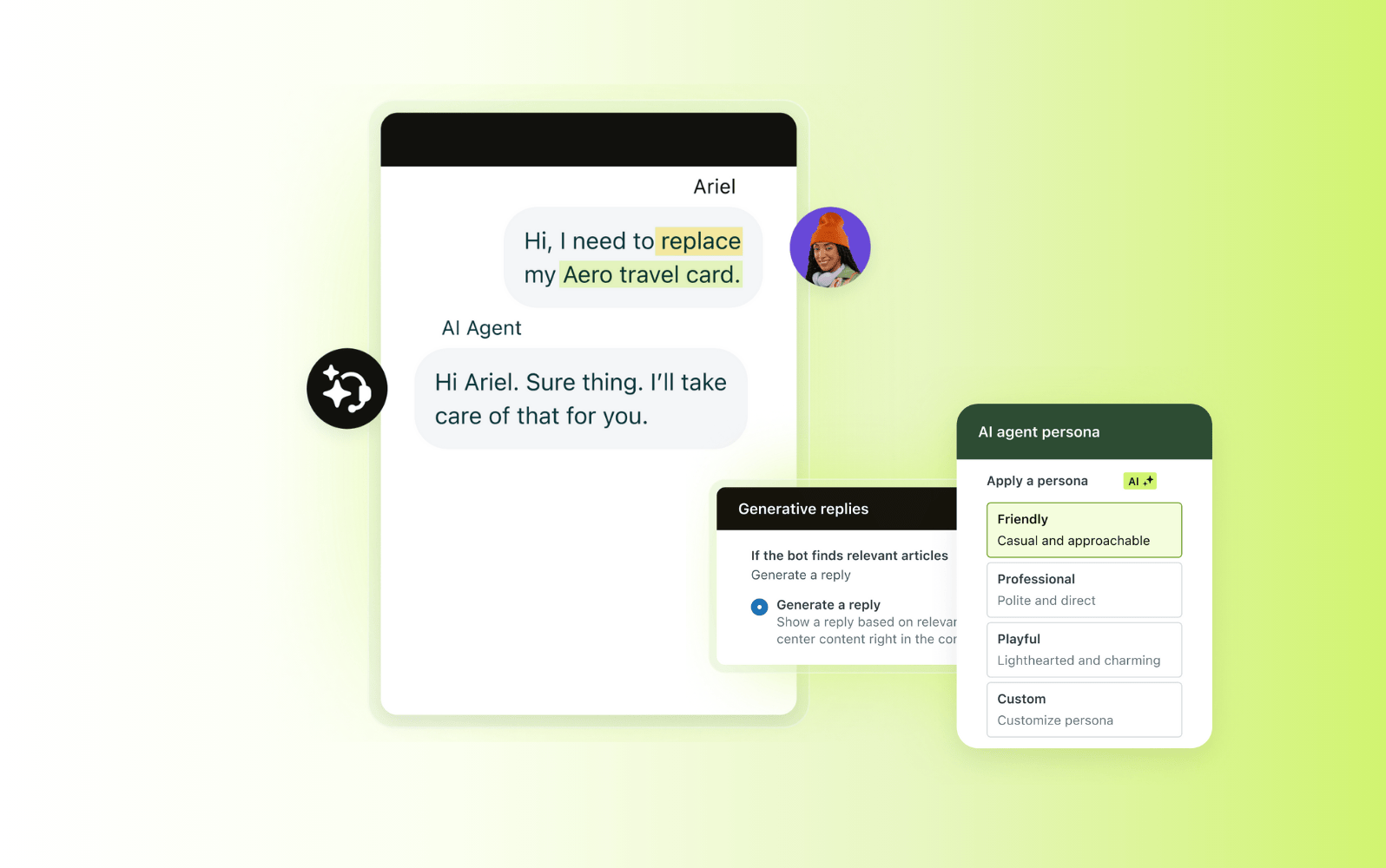
Zendesk is a customer support platform that delivers live chat as part of a unified service experience. Rather than treating chat as a standalone channel, Zendesk Messaging connects live chat with voice, text, email, social messaging, and self-service within a single platform. This allows teams to manage customer conversations in one place while maintaining context across channels, helping them deliver faster, more consistent support as volumes and expectations grow.
Zendesk’s live chat software is powered by AI agents and automation, ensuring customers receive fast and personalized support at scale. Intelligent routing directs conversations to the right agents based on availability and skills. Meanwhile, the unified agent workspace gives agents access to customer history, conversation context, and relevant tools in real time.
Zendesk also supports self-service through help centers and AI-driven article suggestions, helping reduce ticket volume and improve resolution times. Additionally, conversations can stretch across popular channels, including WhatsApp Business messaging and business text messaging, empowering teams to engage customers on their preferred channels.
As teams scale, Zendesk offers flexibility through real-time reporting, multilingual support, and an extensive app and integration ecosystem with more than 1,700 integrations available. This makes Zendesk well suited for organizations that need live chat as part of a broader, adaptable customer support platform, rather than a chat-only solution.
|
Pros |
Cons |
|
|
What people are saying:
“Zendesk streamlines support with flexible automation and clear reporting. It makes customer service smoother, more efficient and less chaotic for both agents and customers.” – Verified user, G2 review.
“Zendesk is user-friendly and consolidates all customer requests in a single location. Its automation features, macros, and ticket management tools enable teams to respond more quickly and maintain organization.” – Verified user, G2 review
“One of the biggest advantages [of Zendesk] is its multi-channel support, allowing us to manage emails, chats, and calls from one unified platform. The automation features, such as triggers and macros, help streamline repetitive workflows and boost efficiency.” – Verified user, G2 review

See how Zendesk enables automated resolutions across multiple channels
It only takes 30 seconds.
2. LiveChat
Best for website-based customer conversations
|
Starting price |
Free trial |
Key features |
|
$20 per person/month (billed annually) |
14 days |
|
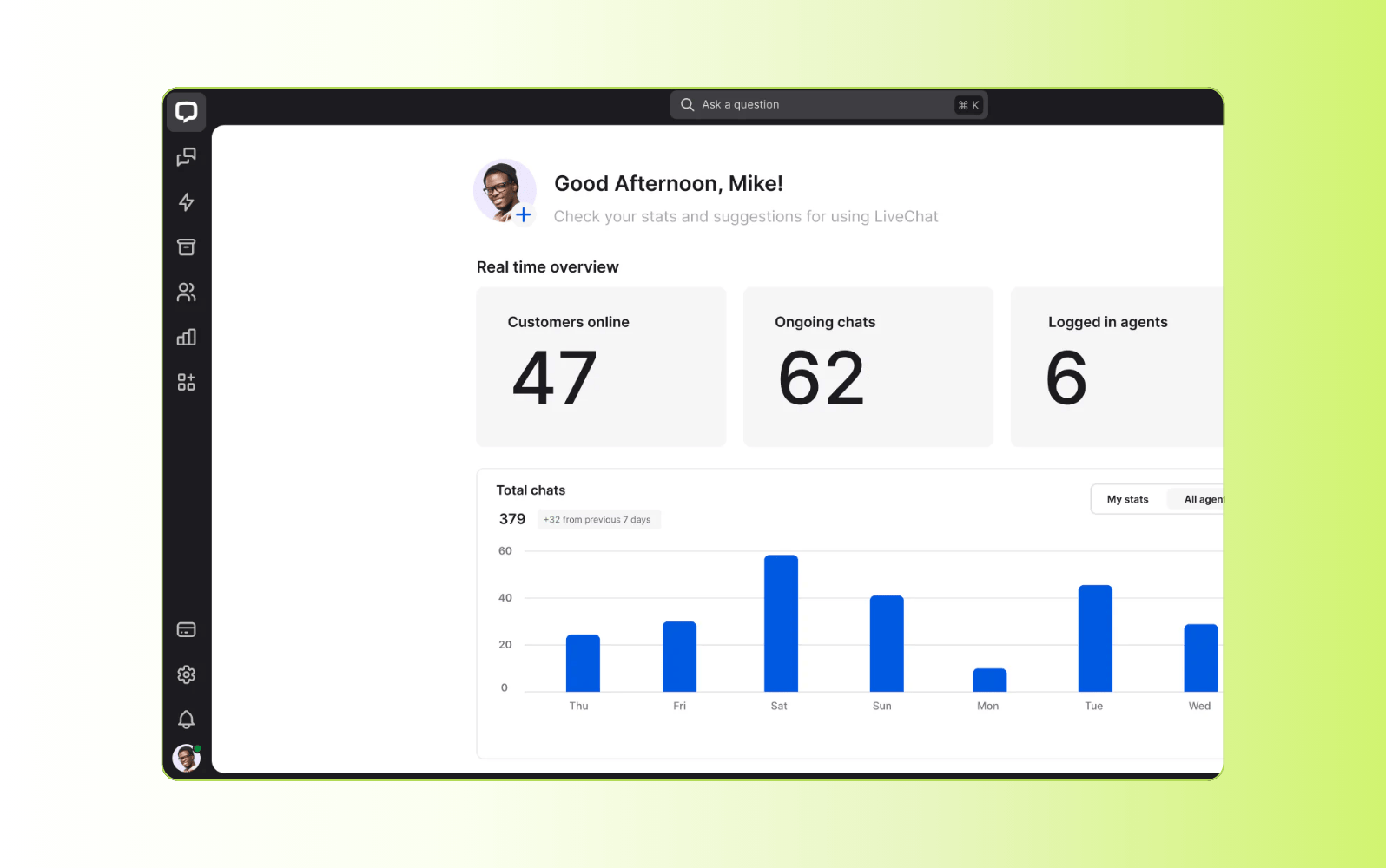
LiveChat helps businesses communicate with site visitors in real time through a chat widget. It’s commonly used by support and service teams to handle customer queries during browsing and purchasing.
LiveChat includes agent tools such as canned responses, along with features for routing and managing incoming chats. It also offers reporting and analytics to track chat activity and performance metrics, with options like chat tagging and customer details.
The platform is primarily focused on website-based chat, with more limited support for managing conversations across multiple channels. Its automation and AI capabilities are mostly rule based. This makes it better suited to teams with straightforward chat needs rather than complex, AI-driven support environments.
|
Pros |
Cons |
|
|
What people are saying:
“LiveChat solves the problem of slow or disconnected customer communication by allowing real-time chat on websites.” – Verified user, G2 review.
“LiveChat improves response time, keeps customers more satisfied, and helps me manage multiple conversations efficiently in one place.” – Verified user, G2 review.
“I find the integration with other systems, especially CRM like Salesforce, to be very limited and buggy. There's also weak technical support for these integrations, which is frustrating.” – Verified user, G2 review.
Learn more: Compare Zendesk vs. LiveChat.
3. LiveAgent
Best for small teams needing chat with ticketing and voice
|
Starting price |
Free trial |
Key features |
|
$0 per month (basic features) |
14 days or 30 days |
|
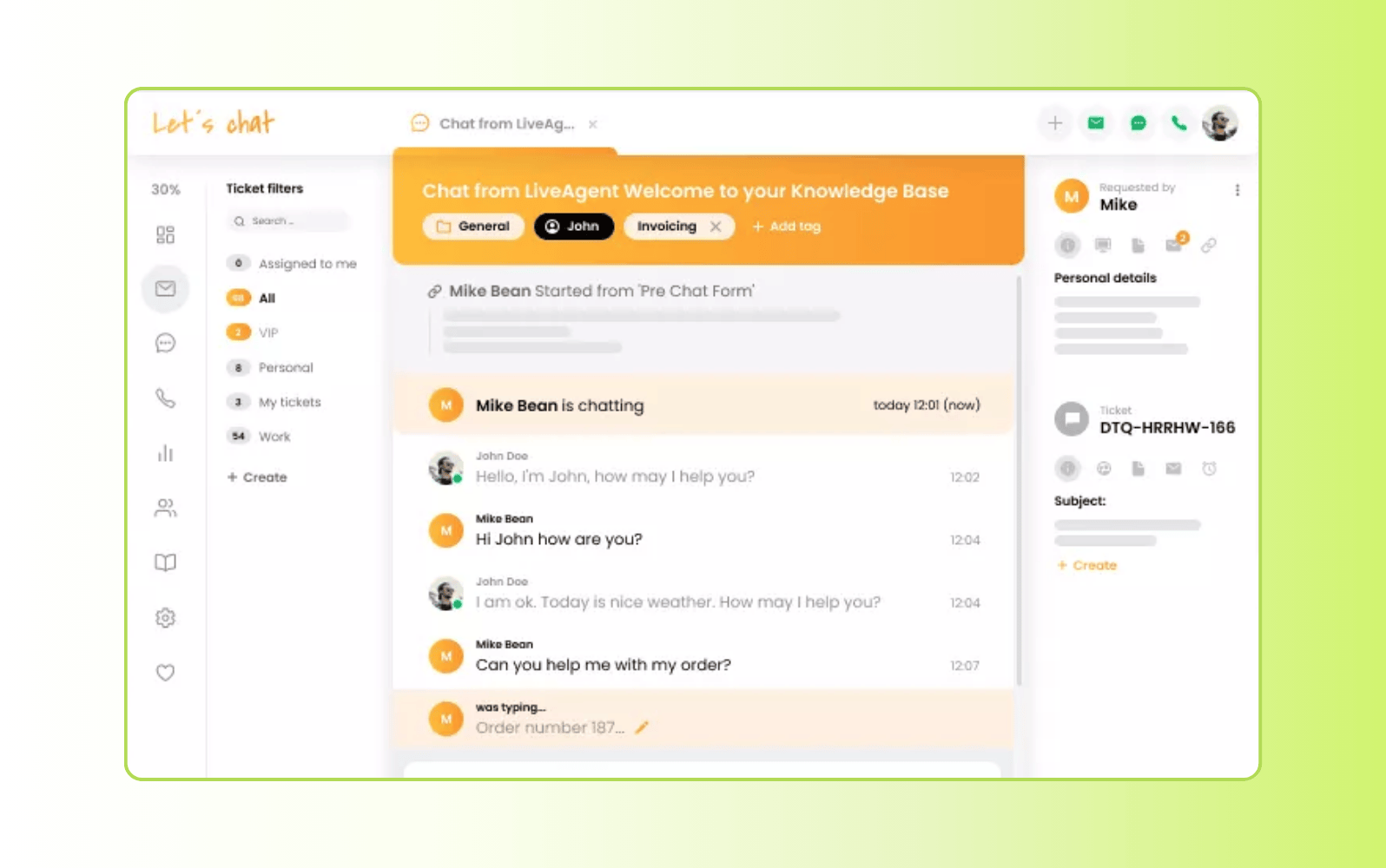
LiveAgent is a multi-channel customer support platform that combines help desk and live chat software into a single system. It consolidates communication from channels such as email, live chat, voice calls, and social media into a unified inbox. It's designed for organizations of various sizes that need a centralized support tool, though its breadth of features can require lengthy onboarding for new agents.
The platform includes capabilities such as ticket management, automation rules for workflows, and integrations with contact forms and social channels. It also supports real-time notifications, multilingual widgets, and self-service options. Higher-tier plans include call center support alongside messaging and ticketing, adding flexibility but also increasing setup complexity for teams getting started.
|
Pros |
Cons |
|
|
What people are saying:
“LiveAgent's features give me the exact control and conditional rules I need to handle workflows.” – Verified user, G2 review.
“The ability to categorize tickets by support department or project made it easy to quickly identify and route tasks to the appropriate party.” – Verified user, G2 review.
“LiveAgent is overall good but sometimes it feels a little slow when there are too many tickets open, and the mobile app could be smoother than it is.” – Verified user, G2 review.
Learn more: Compare Zendesk vs. LiveAgent.
4. Tawk.to
Best for free, entry-level chat
|
Starting price |
Free trial |
Key features |
|
Free (paid add-ons available) |
Not applicable |
|
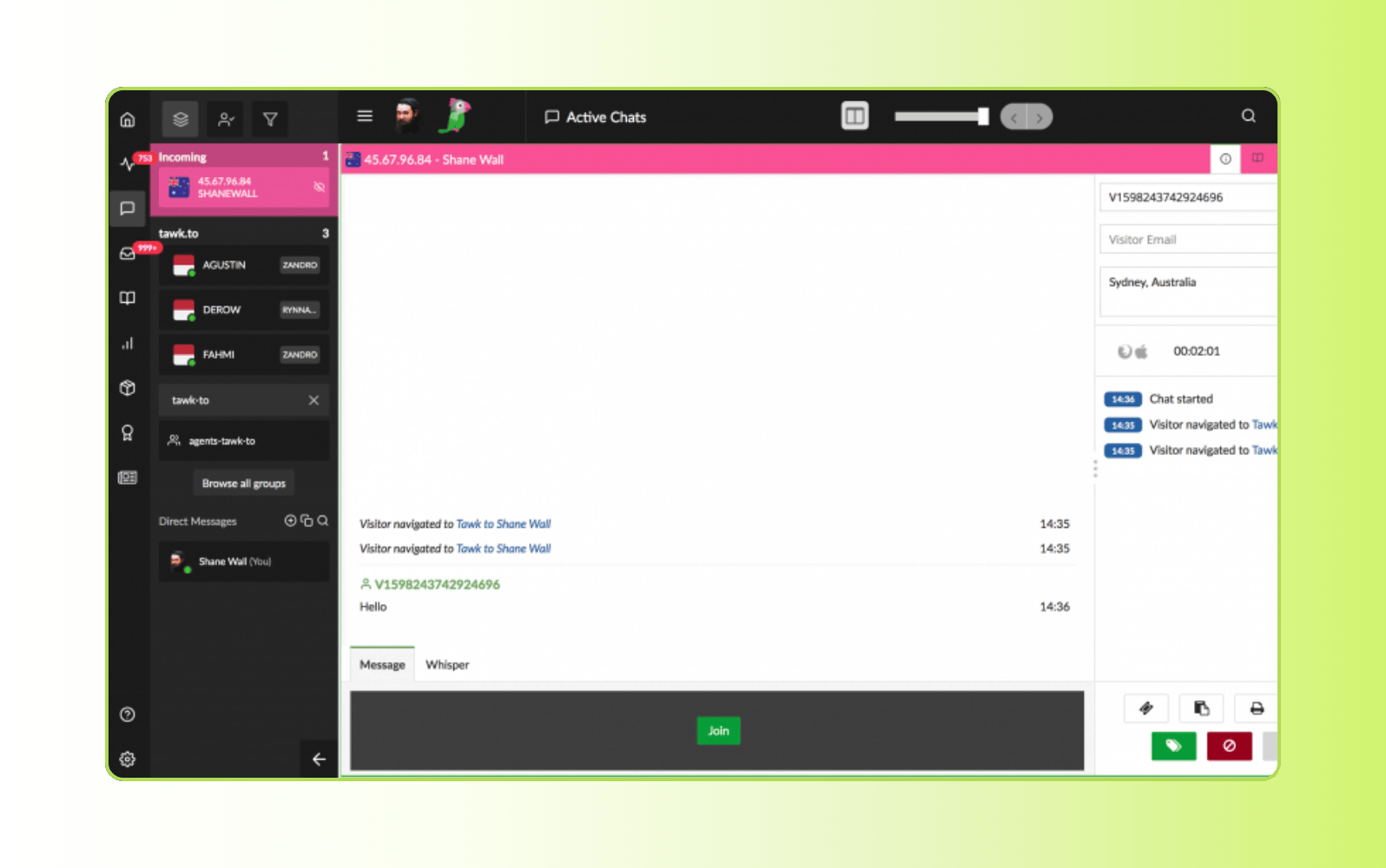
Tawk.to is a free live chat software used for real-time support on business websites. It provides a chat widget that enables support teams to engage with visitors directly and respond to questions as they browse. The platform is positioned as a cost-effective way to add live support without subscription fees.
The platform provides tools for visitor monitoring, ticketing, and basic communication workflows. Its dashboard offers simple reporting and conversation history to help track interactions, making it suitable for teams with basic needs. As such, it lacks the advanced automation or deep analytics of larger CX suites.
|
Pros |
Cons |
|
|
What people are saying:
“The chat is effective. It has everything you would expect in a chat. I am able to answer customers' questions and address any other concerns they may be having.” – Verified user, G2 review.
“Tawk.to is easy to use and you can start using it without any hassle. The most important thing is it's completely free” – Verified user, G2 review.
“The triggers misfunction sometimes. The visitors of our website can receive triggers even in the night time when we cannot answer them. – Verified user, G2 review.
5. Re:amaze
Best for ecommerce storefront support
|
Starting price |
Free trial |
Key features |
|
$13.05 per team member/month (billed annually) |
14 days |
|
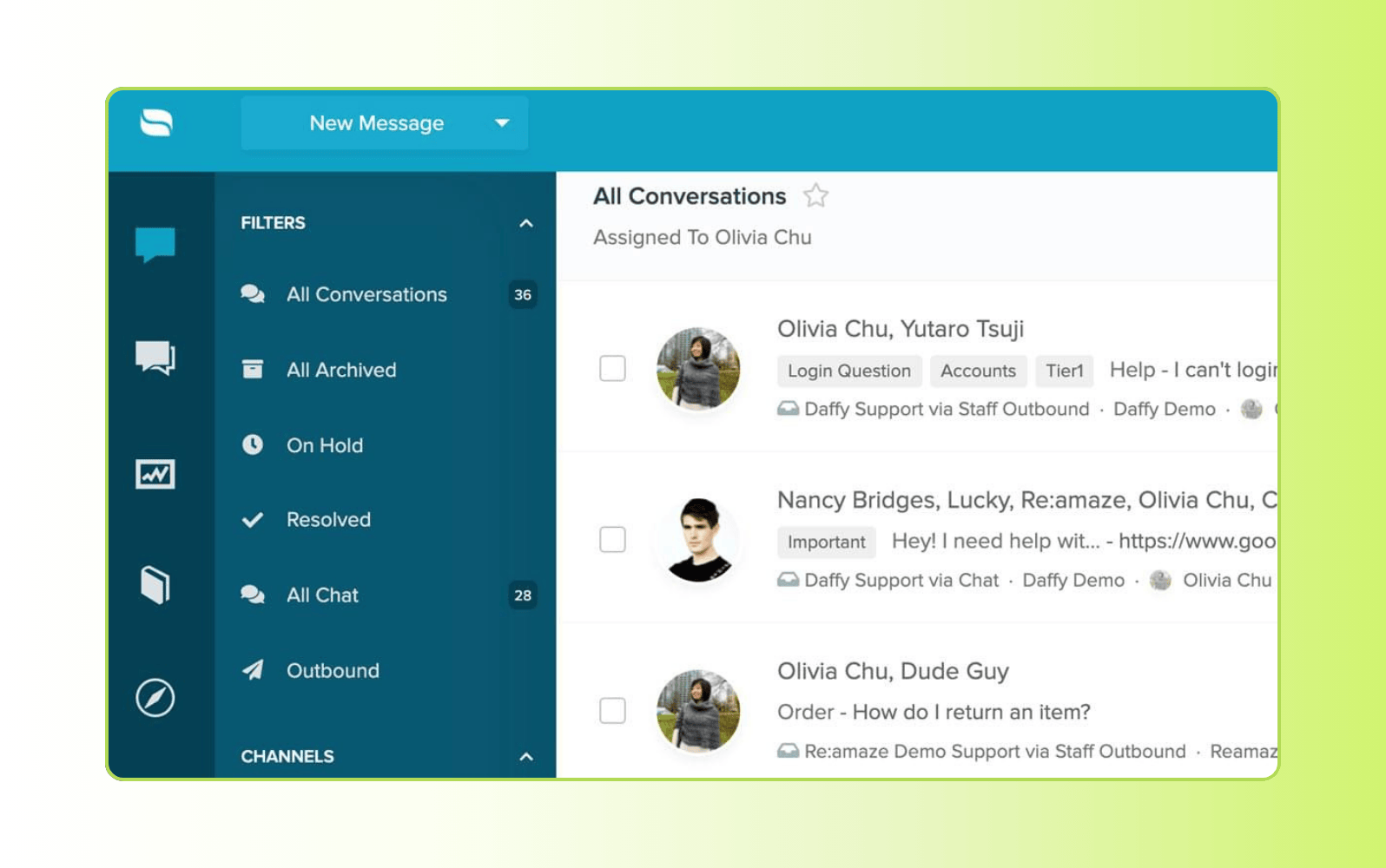
Re:amaze is a customer communication and help desk platform that enables businesses to manage support conversations from multiple channels in a single shared inbox. This allows teams to respond to customer enquiries from different sources without switching between tools. It is commonly used by ecommerce teams, especially those using platforms like Shopify, BigCommerce, and WooCommerce.
It includes workflow automation tools, saved replies, and basic reporting to help teams streamline customer support. Despite the ability to manage multiple communication channels in one interface, Re:amaze lacks the advanced analytics and help center customization offered by larger CX suites.
|
Pros |
Cons |
|
|
What people are saying:
“I really like how easy the platform is to use and that it has the ability to answer text messages” – Verified user, G2 review.
“It is a good help desk software that can help a company to better serve customers and improve the conversion rate.” – Verified user, G2 review.
“Reporting data points are lacking and workflows do not allow for us to assign content as needed to work efficiently” – Verified user, G2 review.
6. Tidio
Best for small businesses using chatbots
|
Starting price |
Free trial |
Key features |
|
Free for individuals or $24.17 per month (billed annually) |
7 days |
|
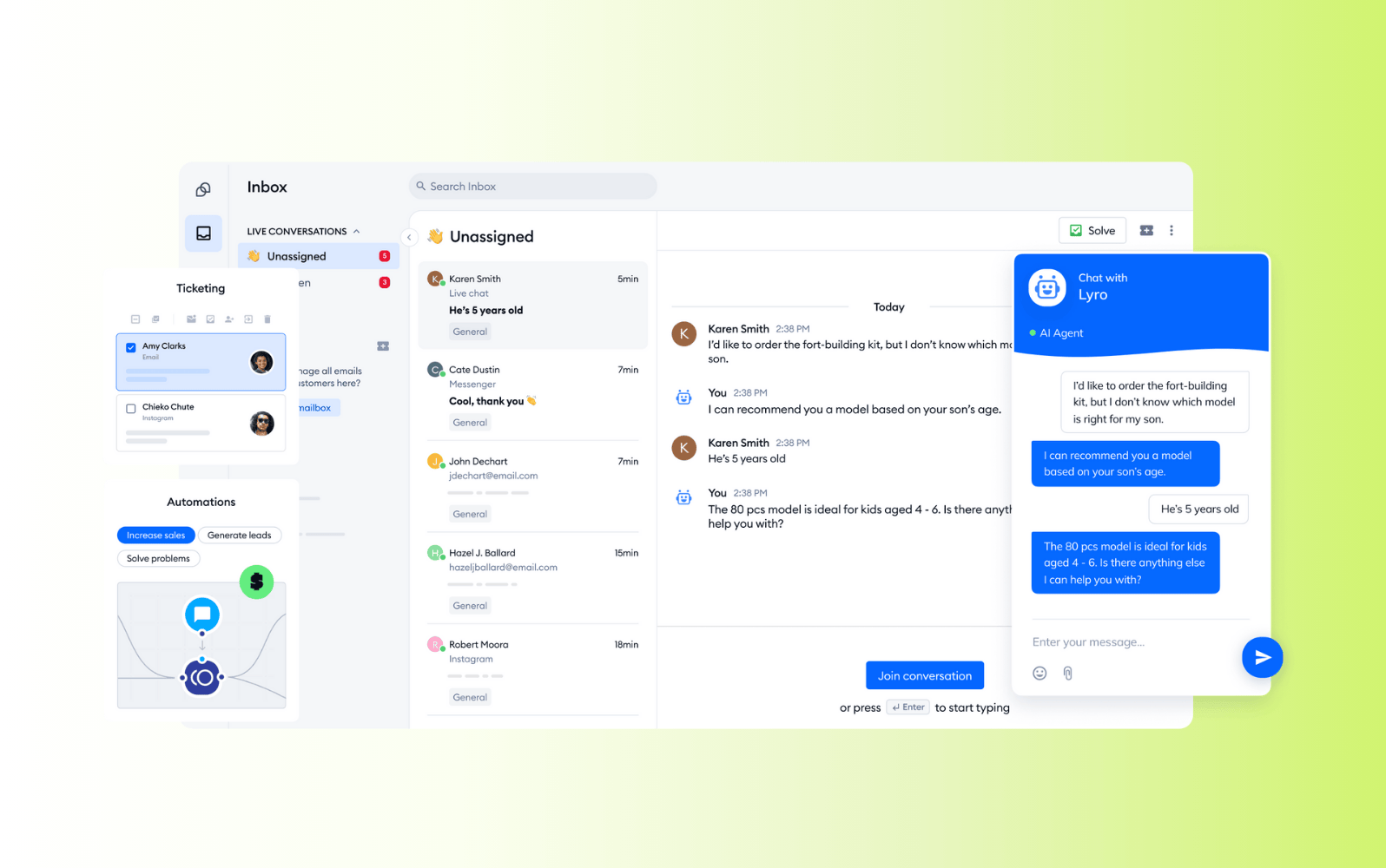
Tidio is a customer communication platform designed for small and midsize businesses that want to combine live chat with chatbot-based support—particularly ecommerce teams. It’s often used by growing teams that need more than basic chat, but don’t yet require an enterprise customer support platform.
The platform includes a visual chatbot builder, automation workflows, and integrations with email tools and popular ecommerce platforms, such as Shopify and WooCommerce. It offers multichannel inbox and ticketing capabilities, along with basic reporting and customer information views to support daily operations. Higher-tier plans include expanded AI usage and more advanced automaton options, making it suitable for teams looking to scale chat-based support over time.
|
Pros |
Cons |
|
|
What people are saying:
“The inbox layout makes it easy to follow conversations, and the chatbot handles basic questions accurately” – Verified user, G2 review.
“It helps streamline customer communication and saves time. My only real dislike is that some advanced automation or reporting tools are available only on higher-tier plans.” – Verified user, G2 review.
“The implementation into the website does require a moderate amount of technical knowledge. Additionally, the add-ons can accumulate costs quickly.” – Verified user, G2 review.
7. Hubspot
Best for teams using Hubspot CRM
|
Starting price |
Free trial |
Key features |
|
$15 per agent/month |
14 days |
|
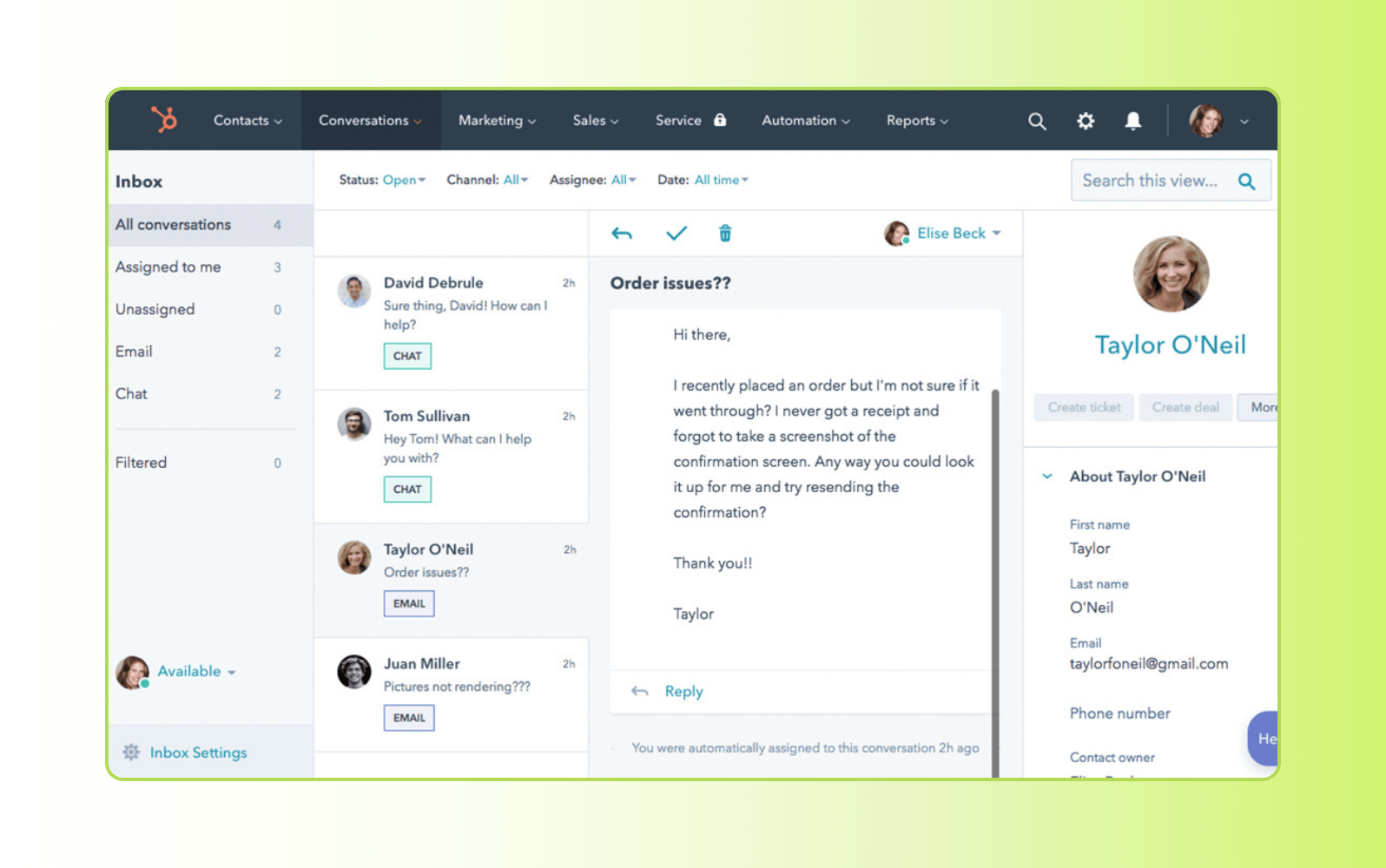
HubSpot offers live chat as part of its broader CRM platform. It enables businesses to communicate with website visitors and manage conversations alongside marketing, sales, and service data. It is primarily used by teams already reliant on Hubspot’s CRM.
HubSpot’s chat capabilities include a shared inbox, chat automation, and CRM-linked conversation history. Chats can be routed, automated, or escalated using basic workflows, and conversations can be stored directly in contact records. While suitable for teams that want close integration between chat and CRM data, more advanced support features and automation generally require higher-tier Service Hub plans.
|
Pros |
Cons |
|
|
What people are saying:
“The platform offers dependable features that ensure our interactions run smoothly. It is user-friendly and easy to implement” – Verified user, G2 review.
“HubSpot Service Hub centralizes customer requests from various channels into one inbox, and its ticketing system prioritizes support automatically.” – Verified user, G2 review.
“The service hub is an all in one that has helped us respond more efficiently to customer and consumer questions and comments” – Verified user, G2 review.
Learn more: Compare Zendesk vs. Hubspot.
8. Olark
Best for straightforward website chat
|
Starting price |
Free trial |
Key features |
|
$29 per month |
14 days |
|
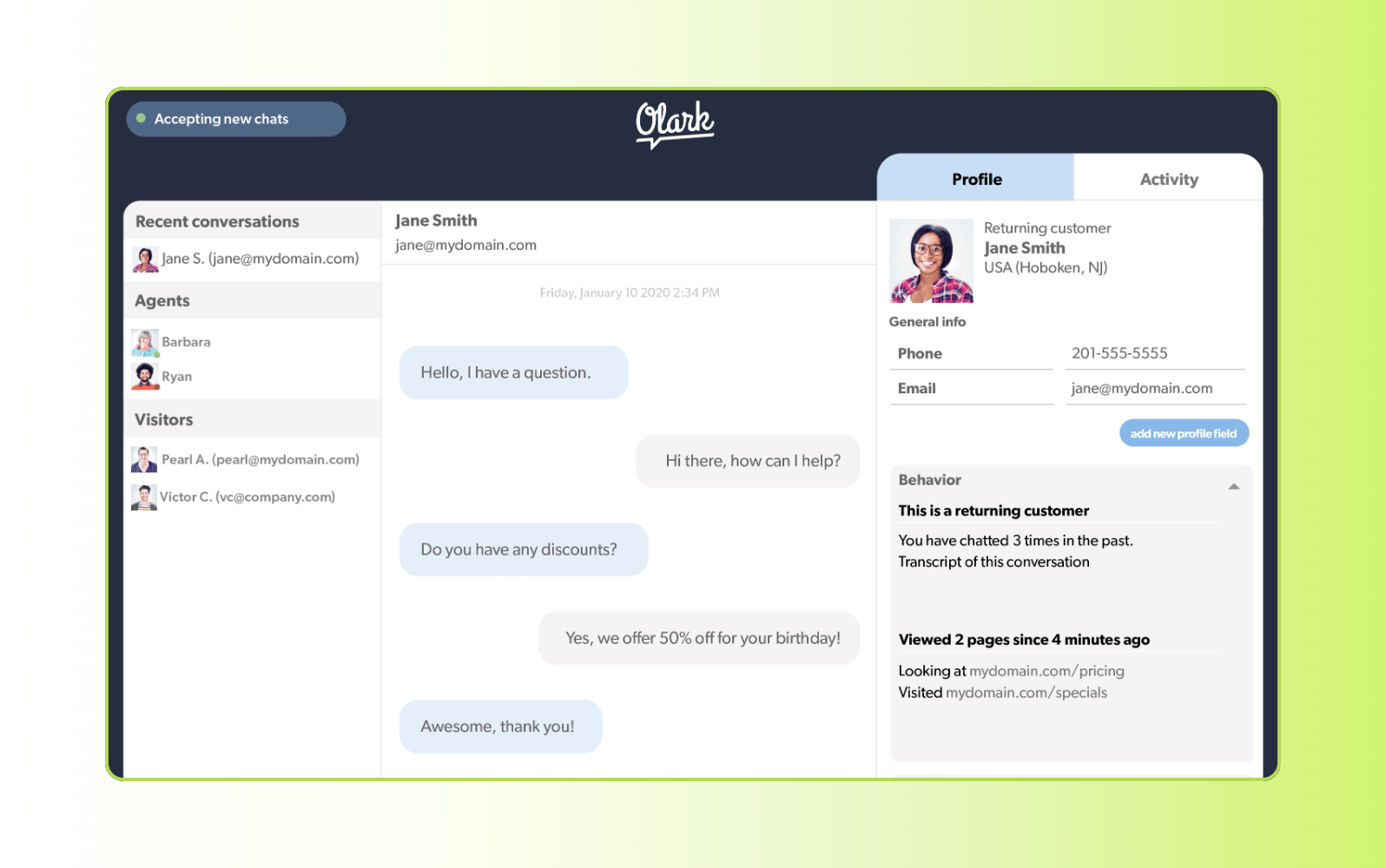
Olark is a website live chat software designed to help businesses communicate with visitors through a simple chat widget. It’s typically used by small to midsize teams that want to add real-time chat to their website without implementing a full CX platform.
The platform includes automated greetings, chat transcripts, and basic visitor information to support agent conversations. The lightweight nature of Olark makes it best suited for teams with straightforward chat needs rather than complex workflows.
|
Pros |
Cons |
|
|
What people are saying:
“Olark offered the basic features that you'll need for your business to start chatting with customers on your website. It has an easy-to-use interface.” – Verified user, G2 review.
“I like that people can easily ask me sales questions through our main website. This allows better ways to serve customers during the sales process.” – Verified user, G2 review.
“Olark is by far the cheapest option out there. They don't have a lot of things build in for automation such as high quality chat bots etc.” – Verified user, G2 review.
Learn more: Compare Zendesk vs. Olark.
9. ProProfs Chat
Best for basic chat and lead capture
|
Starting price |
Free trial |
Key features |
|
$19.99 per operator/month |
15 days |
|
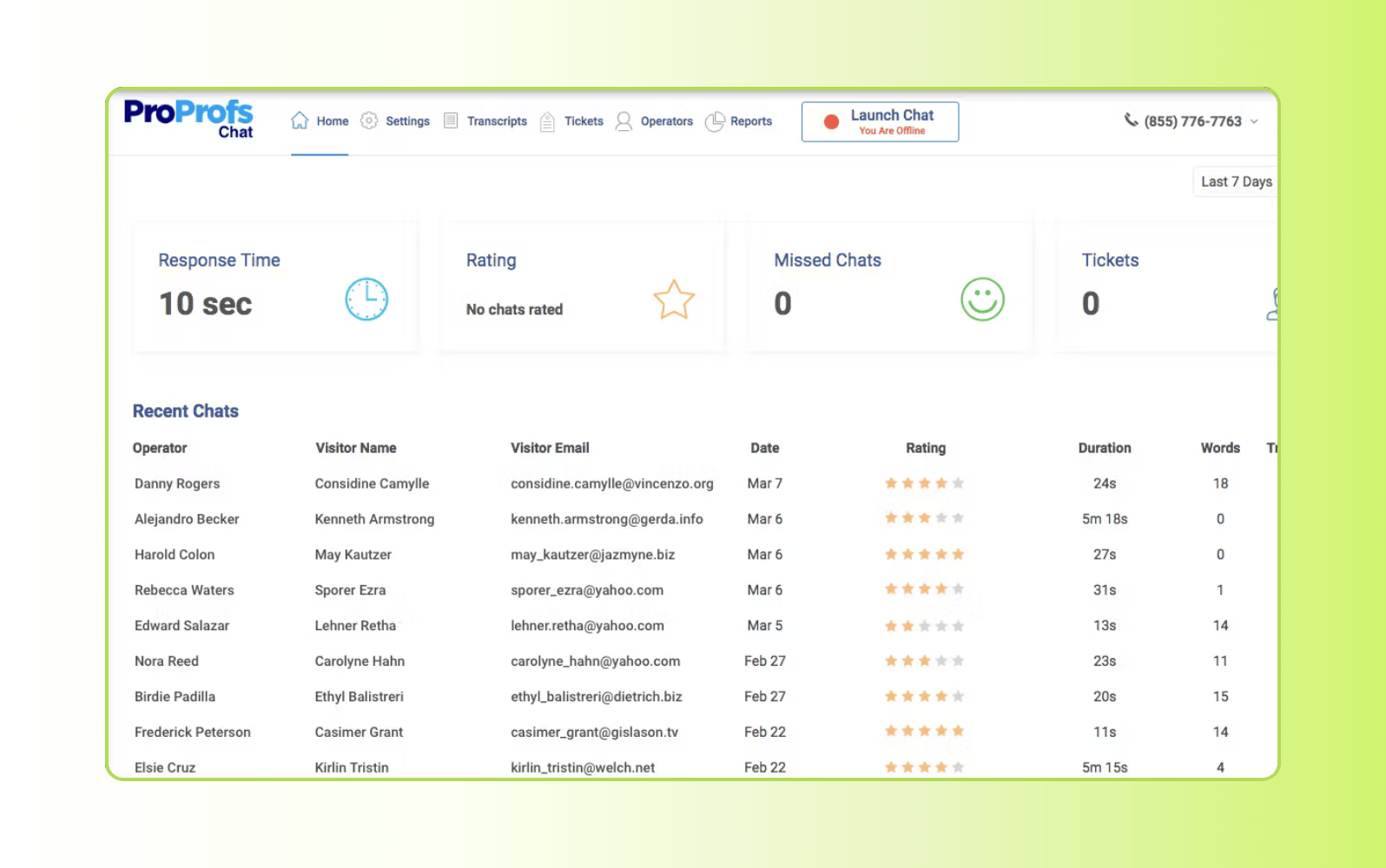
ProProfs Chat is a website live chat tool designed to help businesses engage visitors and respond to customer questions in real time. It’s used by small teams looking for a straightforward way to add chat support to their website.
The platform offers canned responses, visitor tracking, and chat routing to help agents manage conversations efficiently. It includes basic reporting and integrations with other ProProfs products, like help desk and knowledge base tools. Keep in mind that its automation, analytics, and customization options are limited compared to larger CX suites.
|
Pros |
Cons |
|
|
What people are saying:
“We like how it has been helping us to become more proactive with each visitor who shows potential of becoming our product buyer.” – Verified user, G2 review.
“ProProfs Chat is a valuable tool because it allows me to talk to my customers quickly and easily. It is also user-friendly and easy to set up.” – Verified user, G2 review.
“We’ve been able to understand where do we lack in terms of services and help our agents receive training accordingly. – Verified user, G2 review.
10. Pure Chat
Best for entry-level live chat
|
Starting price |
Free trial |
Key features |
|
$39 per month |
15 days |
|
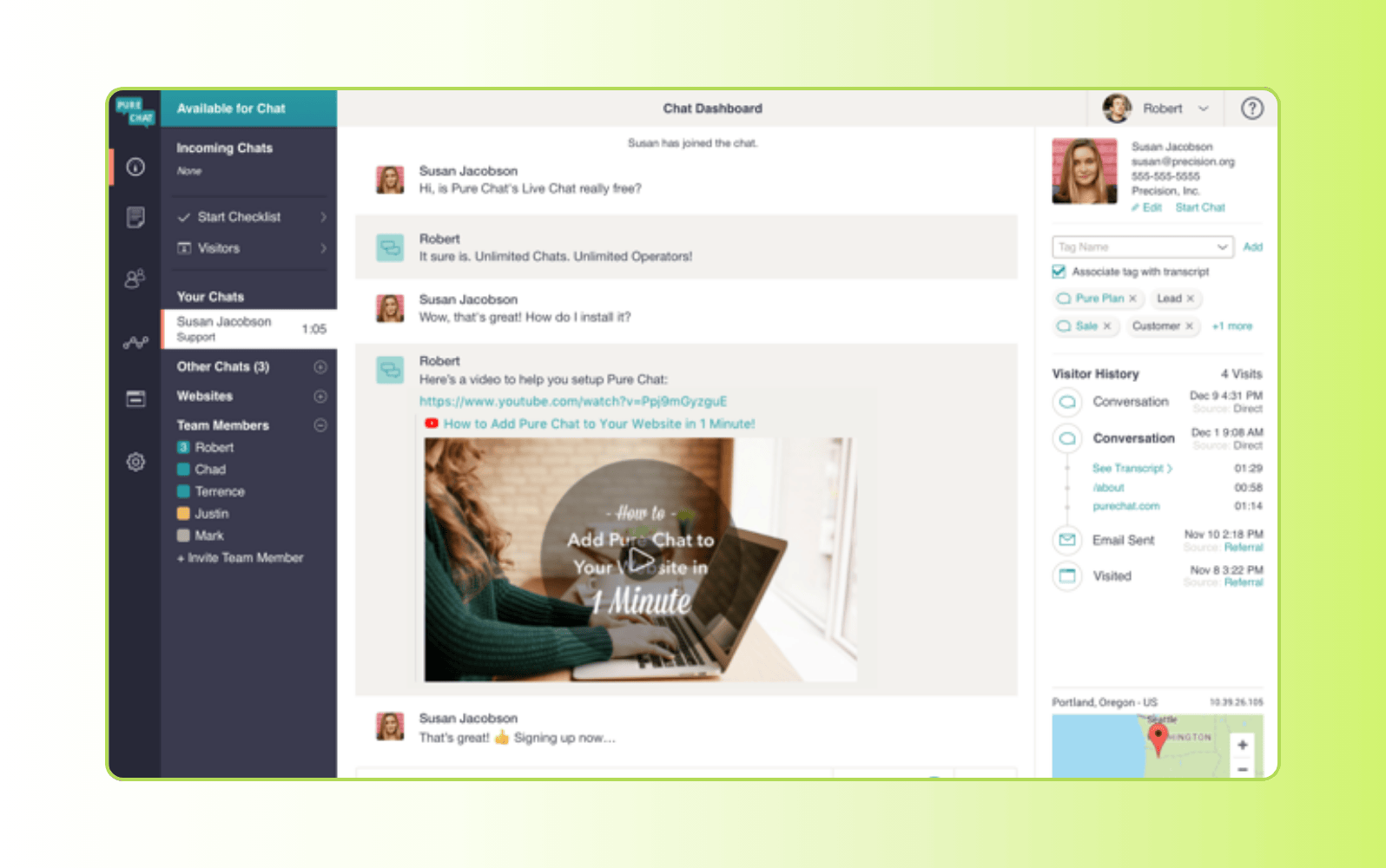
Pure Chat’s live chat software is designed to help businesses communicate with visitors through a simple chat widget. It’s aimed at small teams or growing businesses that want to add straightforward, lightweight real-time chat.
The core features include visitor tracking, chat transcripts, and basic analytics to help teams monitor and respond to conversations. Pure Chat offers customizable chat widgets and integrations. While it covers essential live chat needs, it has limited advanced functionality compared to more comprehensive CX platforms.
|
Pros |
Cons |
|
|
What people are saying:
“Extremely user-friendly. As our business grew Pure Chat didn't grow with us in terms of the reporting that we needed.” – Verified user, G2 review.
“Pure Chat is easy to set up and works great on both desktop and mobile devices. I don’t like the unresponsiveness of the support team when there is a problem.” – Verified user, G2 review.
“Its interface is quite easy to use and incorporate into other applications. It tends to disconnect from chat a lot, so I have to constantly log in to keep touch with clients. – Verified user, G2 review.
11. Intercom
Best for messaging-first customer support
|
Starting price |
Free trial |
Key features |
|
$39 per seat/month |
14 days |
|
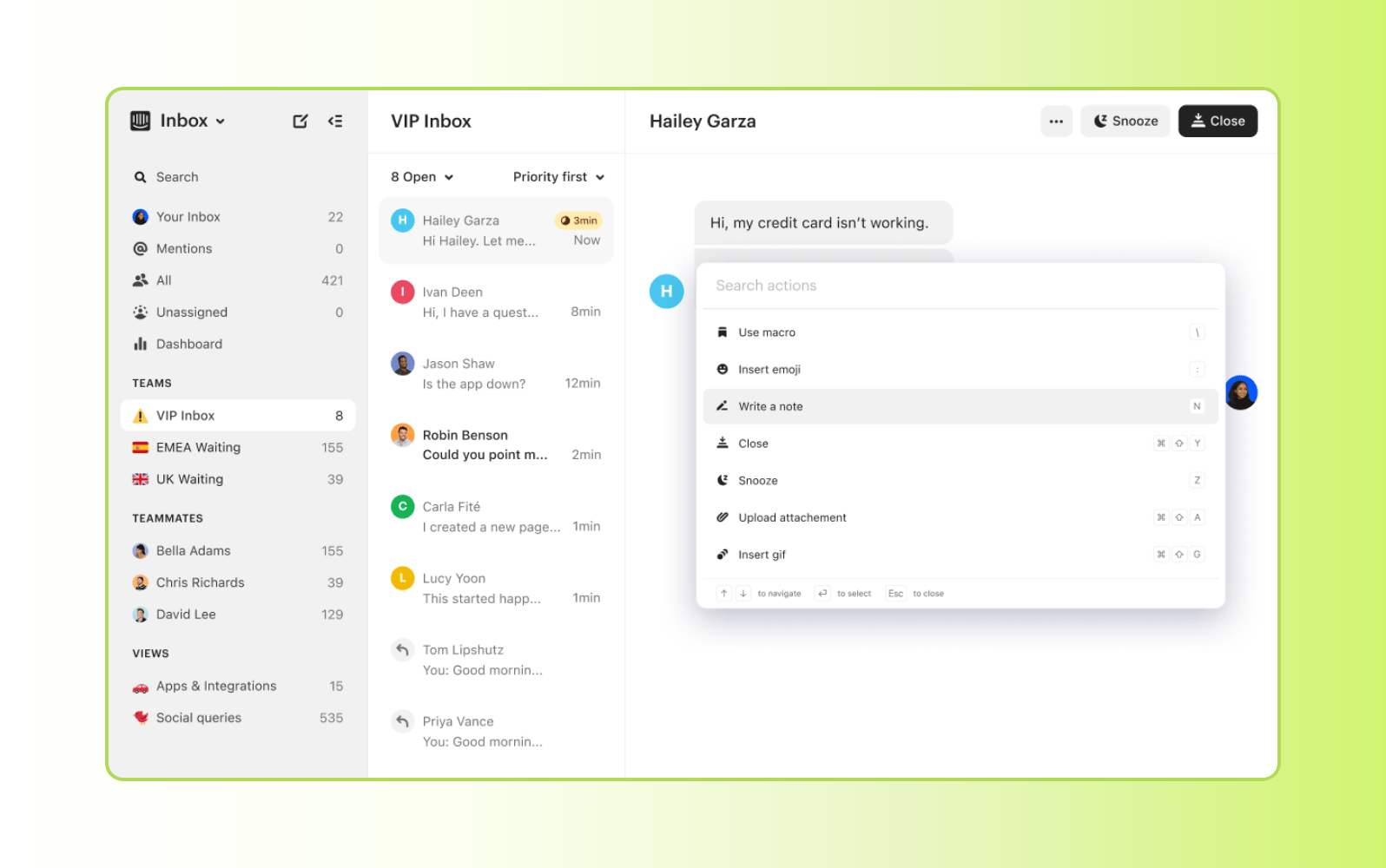
Intercom is a customer messaging platform created to help businesses manage conversations through a message-first approach. It’s commonly used by product-led and SaaS companies to support customers across the lifecycle, from onboarding and engagement to customer support, using a single messaging interface.
It includes shared inboxes, automated workflows, chatbots, and AI-powered support tools. Plus, it integrates with help centers and CRM software to provide context during conversations. Intercom’s pricing model is based on seats and usage. This means it can scale quickly as conversation volume increases, making it better suited for teams that prioritize messaging support over traditional session-based chat.
|
Pros |
Cons |
|
|
What people are saying:
“It’s easy to set up, works natively across channels, and does a strong job handling common, repetitive questions. The main downside is the pricing model.” – Verified user, G2 review.
“It's relatively easy to set up and if your knowledge base is strong and optimized for AI, you can expect very good results. The cost can quickly add up as you are being charged by resolution.” – Verified user, G2 review.
“It delivers high-quality, on-brand AI support at scale. While powerful, it can feel restrictive and costly depending on your team’s needs and scale.” – Verified user, G2 review.
Learn more: Compare Zendesk vs Intercom.
How does live chat software work?
Live chat software embeds a chat widget on a website, application, or other site. These widgets allow customers to communicate with agents in real time through instant messagingwithout requiring additional software or making an account.
To set up functioning live chat support:
- Embed the chat widget onto your preferred site, typically by copying a snippet of code provided by the software.
- Create agent profiles and launch the agent dashboard to centralize chats across channels.
- Set up intelligent automation to route tickets and clear queues.
- Customize features, including the widget’s layout and aesthetics, to match your brand and enable live chat to help meet business goals.
- Train agents on live chat best practices.
- Monitor performance by collecting customer feedback.
Live chat widgets can be embedded into other systems, including customer relationship management (CRM) software and email platforms, to provide real-time communication options to all users.
Essential features of live chat software
To ensure consistent customer communication and satisfaction across channels, consider these essential features of live chat software.
- Omnichannel routing: Prioritize widgets that provide support across various channels, including email, social media, instant messaging sites, and more.
- Multilingual customer support: Service a global audience by investing in translation tools or multilingual agents.
- Live chat canned responses: Agents can use live chat canned responses to speed up interactions, keep messaging consistent, and resolve customer issues accurately.
- Feedback channels: Collect opinions and customer satisfaction (CSAT) scores to measure performance, identify areas for improvement, and build customer trust.
- Transcripts and archives: Record and store conversations for agent training, quality checks, and customer self-service.
- Security: Protect sensitive customer data, privacy, and adhere to compliance regulations with security like advanced customer data and privacy protection from Zendesk.
With these features, your business can provide helpful, accurate solutions to customers—no matter what channel or language they use.
The key benefits of using live chat software
Live chat software helps teams deliver faster, more convenient support, while meeting customers where they are. By enabling real-time conversations across digital channels, it improves service efficiency, supports revenue goals, and helps teams scale without adding complexity.
Key benefits include:
- Faster resolutions: Live chat software enables real-time conversations that reduce wait times and help customers get answers in the moment. This improves resolution speed and overall service quality.
- Improved consistency: With live chat software, conversations and customer context are stored in one place. This single source of truth helps agents provide more personalized, consistent support across interactions.
- More strategic support: Live chat tools enable teams to engage customers when intent is high. Agents can more easily answer questions, remove friction, and help decisions move forward faster.
- Elevated agent efficiency: Agents can handle multiple conversations at once, making it easier to scale support operations while controlling costs.
- Better data collection: Live chat software makes it easy for agents to collect details like contact information, intent, and preferences to help better understand and serve customers.
- 24/7 support with automation: Automated responses and AI-powered chat bots help ensure customers can get help at any time, even if agents aren’t available.
- More informed conversations: Live chat data provides visibility into customer needs, common issues, and service performance, helping teams continuously improve operations.
Live chat software can be a foundation for faster service, better experiences, and scalable customer support. To realize these benefits, it’s important to choose a solution that aligns with your business needs.
How to choose the right live chat software
When it comes to providing live chat support, there are plenty of live chat apps to choose from. The live chat software that’s right for you depends on your growth plan, desired features, customer base, and more. For example, if you have a website supported by a WordPress engine, you’ll need to choose live chat software that can support WordPress chatbots.
Here are a few common factors to consider when selecting the best live chat services:
- Integration support: To get the most out of your live chat software, it must integrate with the rest of your business ecosystem. The Zendesk Marketplace boasts more than 1,700 plug-and-play integrations that empower and support service teams.
- Ease of use: Choose a solution like Zendesk that’s intuitively designed with agents in mind. This allows your team to spend more time helping customers and less time understanding complex software.
- Scalability: The ideal live chat software can scale with your business so you don’t have to worry about upgrading your plan or switching to a new solution as your support team and customer base grows.
- Total cost of ownership (TCO): Live chat software like Zendesk considers the TCO of CX, sets up fast, and works right out of the box with no hidden costs to enable teams to continue providing stellar service without missing a beat.
- AI: The best live chat software includes AI capabilities to help your business streamline processes and do more with less. With our cutting-edge AI technology, Zendesk can intelligently anticipate customer needs, promote self-service support, and provide instant answers using natural human language.
By keeping these five factors in mind, your business can land on a live chat solution that holistically benefits your organization for years to come.
Frequently asked questions

Four Seasons makes guest interactions seamless with messaging
The story of Four Seasons Hotels and Resorts, which opened its first hotel in 1961, is a tale of continual innovation, remarkable expansion and a single-minded dedication to the highest of standards. The Canadian-based company has transformed the hospitality industry by combining personalized, genuine care with an unwavering commitment to excellence. Find out how conversational messaging from Zendesk is providing comfier experiences for guests at the Four Seasons, as told by the company's Chief Information Officer, Marco Trecroce.Read customer story

Invest in powerful live chat software
It’s time to bring your support into the modern era and meet your customers where they are with live chat software. With a customer messaging solution like Zendesk, you can quickly deploy, integrate, and scale your software alongside your existing tech stack. Plus, Zendesk works out of the box—no developer resources necessary—saving you time and money. Try our live chat software and improve your CX from day one.
Jeremy Korman
Group Manager, Product Marketing
Jeremy Korman is a product marketing leader who thrives at the intersection of storytelling, technology, and customer empathy. He began his career in chemicals manufacturing before becoming a technical support engineer at a company that provided real-time data infrastructures for Fortune 500 industrial firms. There, Jeremy got his first taste of the customer service world—helping clients in energy, manufacturing, and other heavy industries solve complex problems. As a team lead, he trained agents, managed nonstop calls and emails, and developed a deep respect for the people Zendesk serves today. At Zendesk, Jeremy leads a team of product marketers helping bring the latest in AI technology to market, making it easy for customers to understand and adopt new innovations. Whether it’s teaching his grandma how to email on an iPad or guiding a team of seasoned agents through building better analytics dashboards, Jeremy loves showing people how to leverage technology to work smarter and simplify everyday life.
Related live chat software guides
Our live chat guides help fill in the blanks about live chat support and messaging software.
Related posts

Work smarter: Live chat best practices
As with any communication channel, there’s a right way and a less effective way to offer…

Live chat support 2026: benefits & best practices
Learn best practices for live chat support, how it can help you provide better customer experience, and why it's a valuable customer service tool

How to create a great customer experience with chat support
Customer service chat software can help you deliver a better customer experience

6 best practices for chat etiquette
Communicating via live chat is different than interacting with a customer in person, over the phone,…