Top 7 customer portal software of 2026
Explore leading customer portal platforms and compare self-service features, security controls, and integrations that help customers find answers faster.



Lauren Hakim
Director, Product Marketing
Last updated July 24, 2026
What is customer portal software?
Customer portal software is a secure, branded workspace where customers can find information, manage requests, and complete routine tasks without contacting support. It can include knowledge base content, file libraries, account details, ticket forms, request tracking, invoices, payments, and messaging tools. Unlike a basic knowledge base, a customer portal adds authenticated access. Customers can log in to view account-specific information, upload files, submit requests, and track progress. Teams can build customer portals using dedicated portal platforms, no-code app builders, client collaboration tools, support-first ticketing portals, WordPress-based tools, or open-source portal software.
Customers expect fast answers, clear next steps, and 24/7 access to support. When they can’t find what they need, support teams often get flooded with repeat questions, status requests, and follow-up emails. Customer portal software gives customers a self-service place where they can track requests and access trusted information.
A customer portal platform can reduce customer effort, shorten time to resolution, and give support teams more time for complex issues. Choosing the right one depends on what customers need to do, how much customization they require, and which systems the portal must connect to.
In this guide, we’ll compare the best customer portal software, break down key features and pricing, and share selection criteria to help you choose the right fit for your business.
More in this guide:
- Best customer portal software comparison chart
- Top 7 customer portal software
- Benefits of customer portal software
- How to choose a customer portal software
- Frequently asked questions
- Cut ticket volume while giving customers clarity
Best customer portal software comparison chart
The best customer portal software for you depends on your support model, customer needs, and existing tech stack. Some tools focus on ticketing and self-service, while others specialize in client collaboration, document sharing, or internal knowledge hubs.
Use the following chart to compare customer portal platforms by use case, starting price, free trial, and core capabilities.
|
Software |
Best for |
Starting price |
Free trial |
|
Zendesk |
AI-powered customer portal |
$19 per agent/month (billed annually) |
14 days |
|
Knack |
Building with no-code tools |
$19 per agent/month (billed month) |
14 days |
|
SuiteDash |
Projects, files, billing, and collaboration tools |
$19 per agent/month |
14 days |
|
MyDocSafe |
Document-heavy workflows |
$25 per agent/month |
30 days |
|
Softr |
Launching lightweight portals |
$49 per month |
30 days |
|
Clinked |
Secure file sharing |
$8.80 per user/month |
10 days |
|
Notion |
Simple customer-facing resources and shared documentation |
$10 per member/month |
30 days |
Top 7 customer portal software
The best customer portal software should match how your customers interact with your business. Some teams need a support-led portal with ticket tracking, knowledge, AI, and reporting. Others need a lightweight space for files, forms, projects, or shared documentation.
Below, compare seven customer portal software options by core use case, key features, pricing, and trial availability.
- Zendesk: AI-powered customer portal
- Knack: Building with no-code tools
- SuiteDash: Projects, files, billing, and collaboration tools
- MyDocSafe: Document-heavy workflows
- Softr: Launching lightweight portals
- Clinked: Secure file sharing
- Notion: Simple customer-facing resources and shared documentation
1. Zendesk
Best for AI-powered customer portal
|
Starting price |
Free trial |
Key features |
|
$19 per agent/month billed annually Explore more Zendesk pricing plans. |
14 days |
|
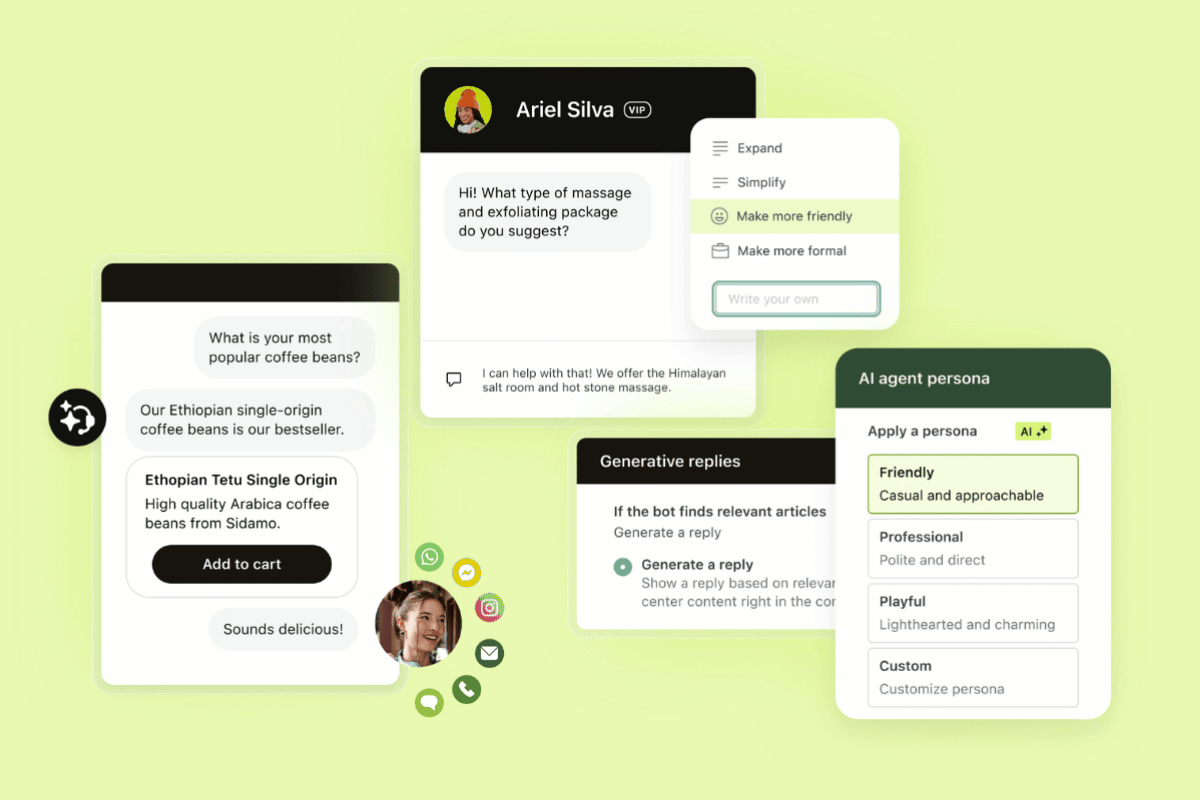
Zendesk is best for teams that need an AI-powered customer portal connected to the full service experience. Customers can find answers, submit requests, and track progress in one place, while agents manage conversations, context, and follow-up from a unified workspace.
Zendesk combines self-service, ticketing, knowledge, AI, reporting, and integrations in one service platform. Teams can surface trusted knowledge in the help center, route requests to the right agent, automate common workflows, and connect portal activity with broader support operations. Knowledge in the agent workspace allows agents to access relevant answers while managing customer conversations. Built-in reporting gives CX leaders visibility into ticket volume, customer needs, and opportunities to improve service quality.
Zendesk AI adds another layer of speed and control. AI agents resolve customer requests across channels, while built-in QA reviews human and AI interactions to maintain service standards. Plus, AI copilot guides agents with suggested replies, next steps, and automation support. Reasoning visibility, AI governance, and outcome-based pricing give teams a clearer way to scale automation without losing trust, control, or cost visibility.
|
Pros |
Cons |
|
|
What people are saying:
- "I really like how Zendesk for Customer Service provides a centralized platform to consolidate all the marketplace portal queries in one place. The generative AI service is a favorite of mine because it helps us create multi-level responses based on our knowledge base, addressing customer queries without needing a live agent and prioritizing issues based on severity." - Verified user, G2.
- “One of the things I like about Zendesk is how efficiently it manages customer queries through a centralized ticketing system. It allows support teams to track, prioritize, and resolve customer issues in an organized way, which improves overall response time and service quality.” - Verified user, G2.
- “I also enjoy the fact that Zendesk AI is able to propose answers to agents on similar tickets that have been previously dealt with.” - Verified user, G2.

Deliver better self-service with Zendesk
Create an AI-powered customer portal that gives customers instant access to answers, request tracking, and support resources—all in one place.
2. Knack
Best for building with no-code tools
|
Starting price |
Free trial |
Key features |
|
$19 per agent/month (billed month) |
14 days |
|
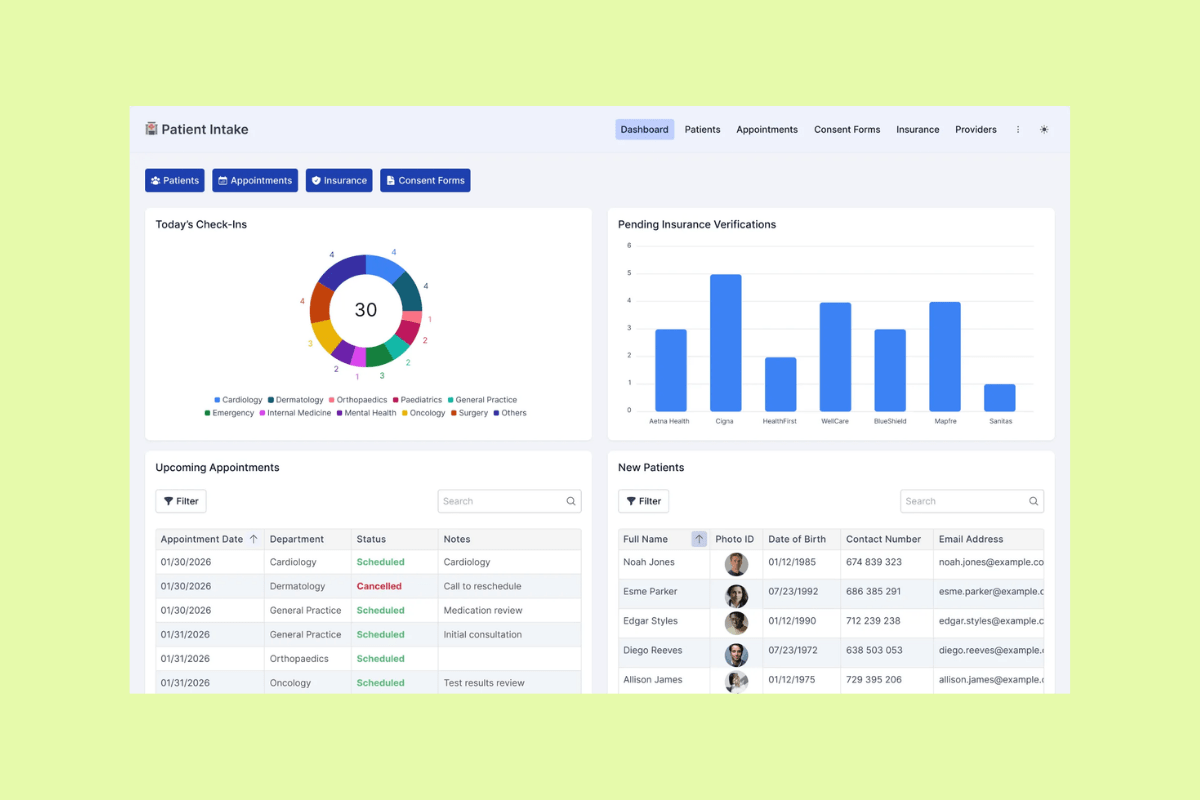
Knack is a no-code app builder for creating custom customer portals, databases, dashboards, and workflow apps. It’s a strong fit for teams that want to build a portal around their own data model, such as customer records, project updates, service requests, invoices, or onboarding steps.
Knack’s customer portal software supports use cases like customer support, project management, knowledge bases, and CRM. Teams can create branded portals with dashboards, forms, file sharing, payment workflows, custom roles, and reporting. Knack also offers templates, tutorials, APIs, and integrations with tools like Zendesk.
Best for building with no-code tools, Knack gives teams more control over the structure of their portal. Many G2 reviewers praise Knack for ease of use and intuitive design, while others report limitations with filtering, duplicate removal, and managing large apps in the builder.
|
Pros |
Cons |
|
|
What people are saying:
- "It’s fast, intuitive, and well-organized. I was up and running quickly, and before long I preferred it." - Verified user, G2.
- "A bit more flexibility in customizing the user interface." - Verified user, G2.
- "Knack does not have any developer tools that let you create a workable testbed and transfer code to the live app. There is no way to filter or search for a particular page in Builder which is a problem when your app has over 100 pages." - Verified user, G2.
3. SuiteDash
Best for projects, files, billing, and collaboration tools
|
Starting price |
Free trial |
Key features |
|
$19 per agent/month |
14 days |
|
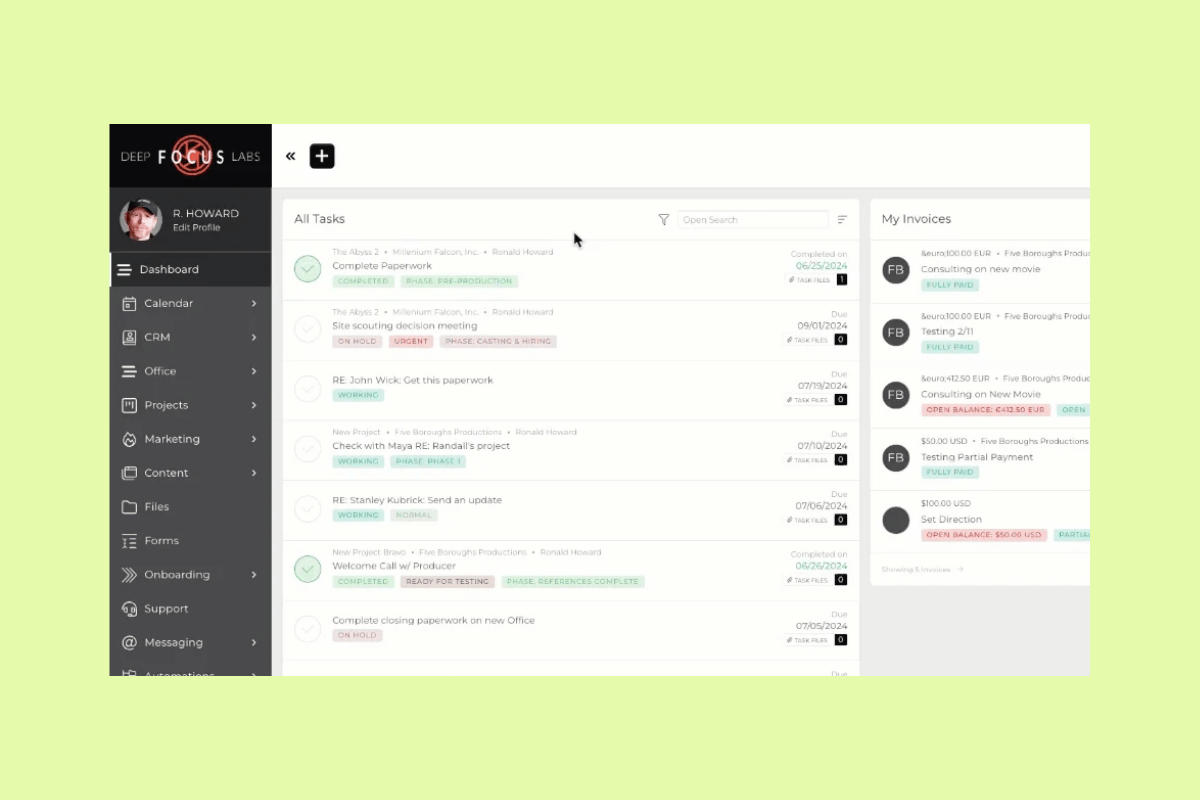
SuiteDash is an all-in-one business platform with client portal, customer relationship management (CRM), project management, file sharing, billing, proposals, e-signing, forms, scheduling, and support ticketing tools. It’s best for teams that want to manage projects, files, billing, and collaboration in one branded workspace.
SuiteDash customer portals give each client access to their own data, status updates, files, dashboards, and assigned resources. Teams can also create white-label portals with custom branding, client dashboards, dynamic data, document collaboration, invoices, and project updates.
Reviewers on G2 like SuiteDash's customization options and flexibility for tailoring workflows. Still, many users mention it has a steep learning curve and complex initial setup.
|
Pros |
Cons |
|
|
What people are saying:
- "The level of customization is remarkable, allowing me to fine-tune it for various business needs." - Verified user, G2.
- "The learning curve is steep and it takes time to get everything running." - Verified user, G2.
- "Complex Setup: I found setting up SuiteDash a bit complex initially until I understood the system by going through the numerous tutorials." - Verified user, G2.
4. MyDocSafe
Best for document-heavy workflows
|
Starting price |
Free trial |
Key features |
|
$25 per agent/month |
30 days |
|
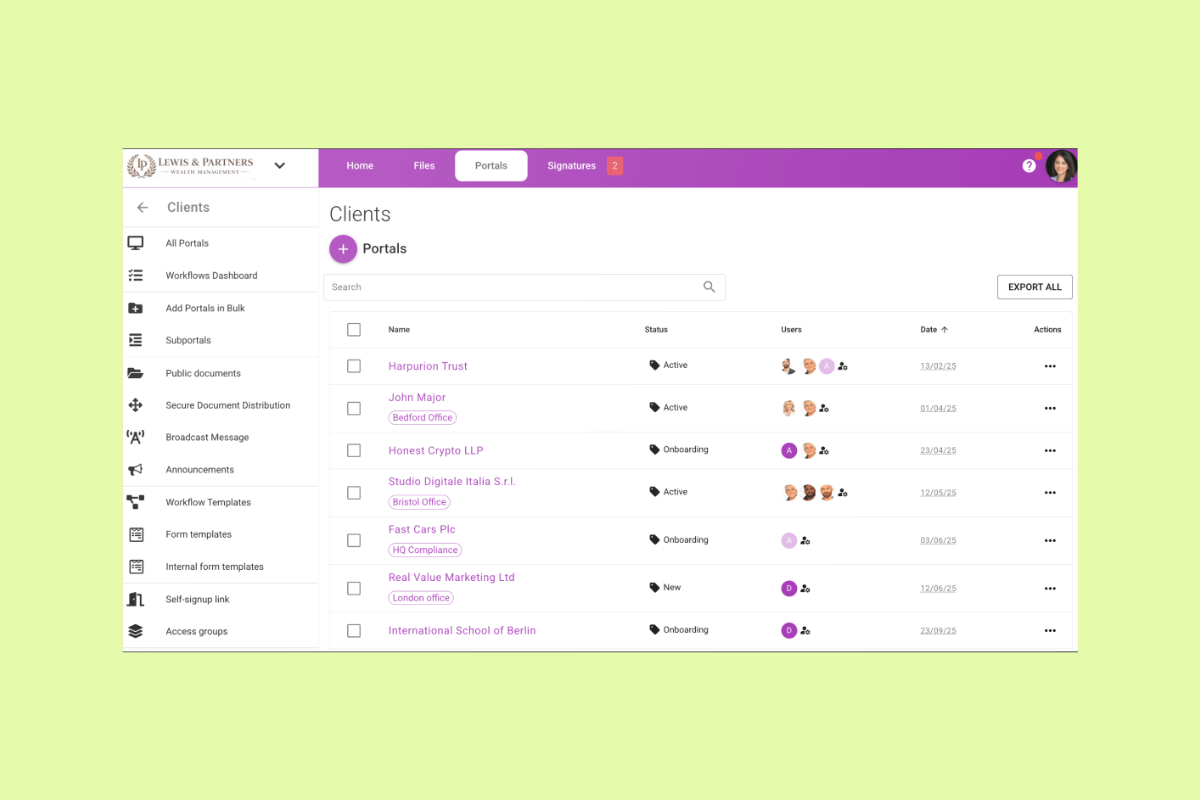
MyDocSafe is best for teams that need a secure customer portal for document-heavy workflows. It gives businesses a branded space to collect client files, manage sensitive documents, and move customers through signature or onboarding steps.
MyDocSafe is especially relevant for teams that handle contracts, forms, approvals, or confidential records. Instead of relying on email attachments, teams can use secure upload links, portal groups, and branded portals to organize client files and control how customers share information.
For businesses that serve customers across regions, MyDocSafe also supports multilingual portals. Users value MyDocSafe for secure document sharing and file collection. Still, some reviewers mention that it takes considerable time to log in and save accounts.
|
Pros |
Cons |
|
|
What people are saying:
- "Stores documents securely in the cloud for users." - Verified user, G2.
- "Easy to sign multiple documents." - Verified user, G2.
- "Time consuming to login and save accounts. It would be quicker if I could access the particular file easily and organize according to my preferences." - Verified user, G2.
5. Softr
Best for launching lightweight portals
|
Starting price |
Free trial |
Key features |
|
$49 per month |
30 days |
|
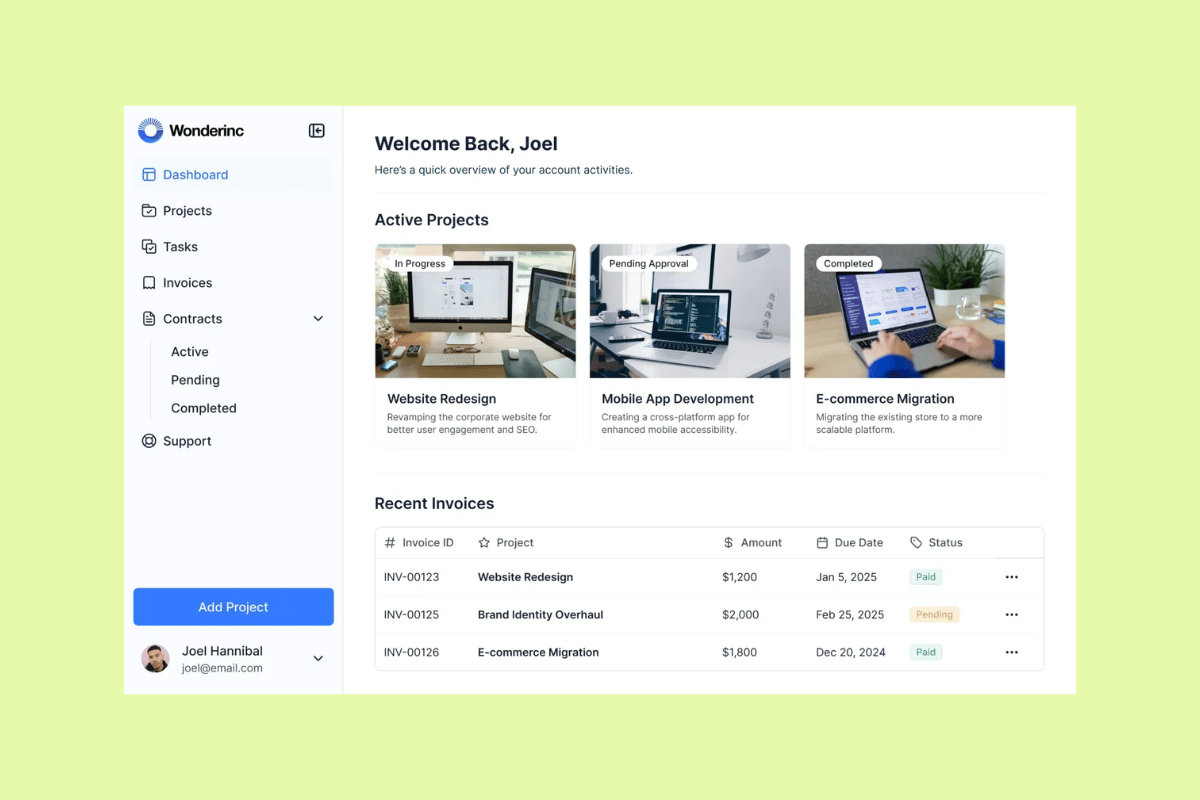
Softr is best for teams that want to launch lightweight customer portals without heavy development work. Its no-code platform lets teams build secure, branded portals and internal tools using drag-and-drop blocks, templates, AI app building, and connected data sources.
Softr portals can support common customer-facing workflows like file sharing, forms, project updates, dashboards, and secure access to personalized information. Teams can start from a template, describe what they need with Softr’s AI Co-Builder, or connect existing data from tools like Airtable, Google Sheets, HubSpot, Notion, SQL, and more.
A practical fit for teams that need a fast, flexible customer portal, Softr stands out among G2 reviewers for its intuitive interface and ease of use. However, some users feel the need for more customization options for interface design, branding, and layout flexibility. This means Softr may not be the best fit for teams that need advanced ticketing, QA, service analytics, and AI governance.
|
Pros |
Cons |
|
|
What people are saying:
- "The interface is very intuitive and easy to use for the building process." - Verified user, G2.
- "The free plan has limits on users and branding, and some advanced features (custom domains, deeper customization, more complex workflows) require upgrading. For heavy, highly custom apps, you may eventually need more flexibility than Softr provides [...]." - Verified user, G2.
- "There are a few advanced customizations that still require workarounds or custom code if you want very specific functionality." - Verified user, G2.
|
Starting price |
Free trial |
Key features |
|
$49 per month |
30 days |
|
Softr is best for teams that want to launch lightweight customer portals without heavy development work. Its no-code platform lets teams build secure, branded portals and internal tools using drag-and-drop blocks, templates, AI app building, and connected data sources.
Softr portals can support common customer-facing workflows like file sharing, forms, project updates, dashboards, and secure access to personalized information. Teams can start from a template, describe what they need with Softr’s AI Co-Builder, or connect existing data from tools like Airtable, Google Sheets, HubSpot, Notion, SQL, and more.
A practical fit for teams that need a fast, flexible customer portal, Softr stands out among G2 reviewers for its intuitive interface and ease of use. However, some users feel the need for more customization options for interface design, branding, and layout flexibility. This means Softr may not be the best fit for teams that need advanced ticketing, QA, service analytics, and AI governance.
|
Pros |
Cons |
|
|
What people are saying:
- "The interface is very intuitive and easy to use for the building process." - Verified user, G2.
- "The free plan has limits on users and branding, and some advanced features (custom domains, deeper customization, more complex workflows) require upgrading. For heavy, highly custom apps, you may eventually need more flexibility than Softr provides [...]." - Verified user, G2.
- "There are a few advanced customizations that still require workarounds or custom code if you want very specific functionality." - Verified user, G2.
6. Clinked
Best for secure file sharing
|
Starting price |
Free trial |
Key features |
|
$8.80 per user/month |
10 days |
|
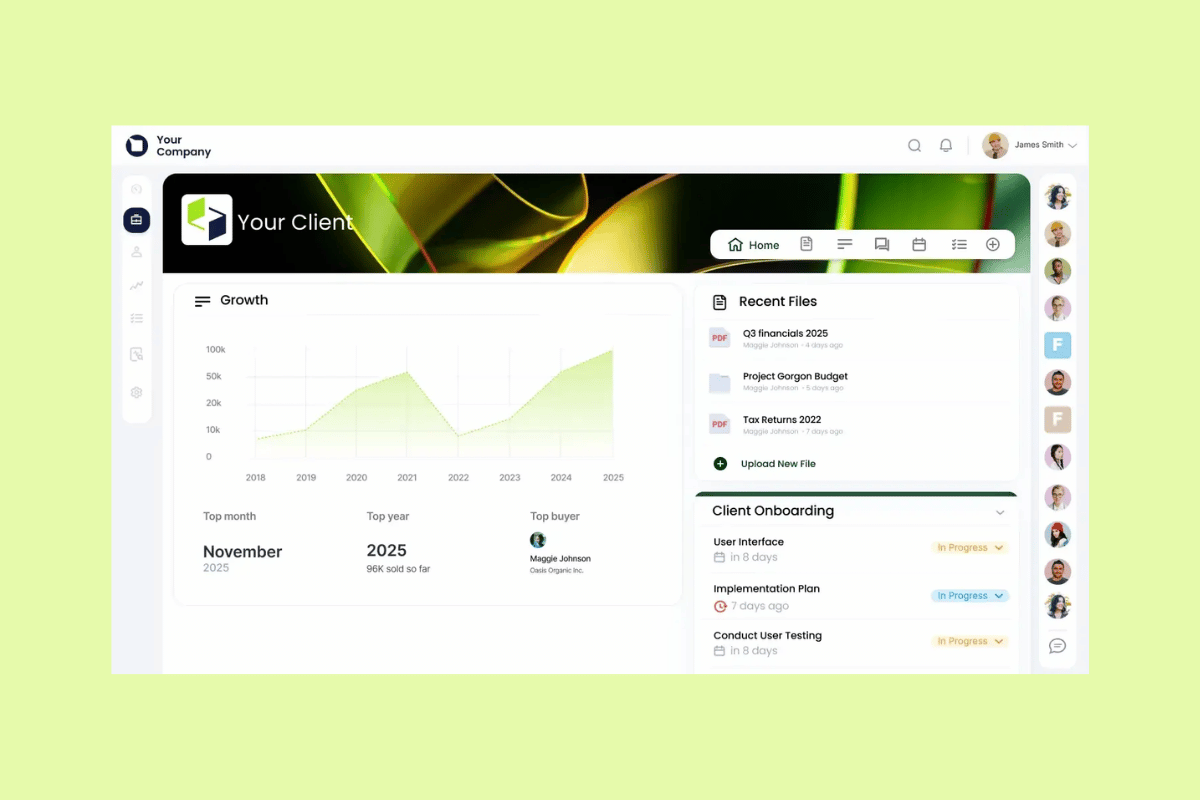
Clinked is best for teams that need a secure client portal for sharing files, managing documents, and collaborating with customers in a branded workspace. It gives clients and internal teams one place to upload files, review updates, manage tasks, and communicate without relying on scattered email threads.
Clinked’s secure file sharing tools include access permissions, document management, file requests, file locking, instant file viewing, and version control. Teams can also create white-label portals with their own branding, giving customers a more professional place to exchange sensitive information and stay aligned on work.
Some G2 reviewers praise Clinked for its user-friendly interface, while others mention advanced customization and integrations are limited. This means that teams needing secure file sharing with added collaboration features will benefit from using Clinked. Still, those needing advanced ticketing, AI-powered self-service, service QA, and support reporting may need a broader customer service platform.
|
Pros |
Cons |
|
|
What people are saying:
- "The interface is clean and easy to use, which makes collaborating a lot less stressful. Setting up Clinked was actually pretty easy and didn’t feel overwhelming." - Verified user, G2.
- "While Clinked is strong as a client portal, some advanced customization options and integrations are more limited compared to larger enterprise platforms." - Verified user, G2.
- "Some users desire more customization options for integrations and file organization to enhance usability." - Verified user, G2.
7. Notion
Best for simple customer-facing resources and shared documentation
|
Starting price |
Free trial |
Key features |
|
$10 per member / month |
30 days |
|
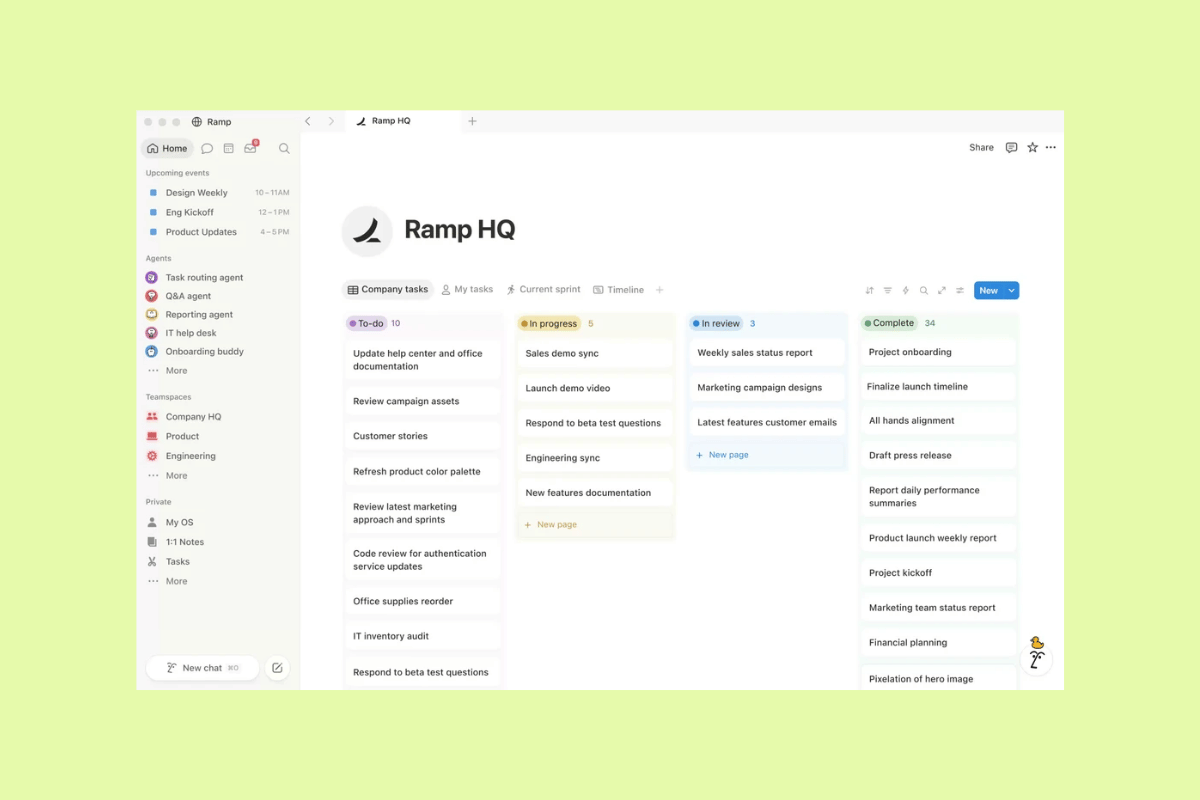
Notion is best for teams that need a simple way to organize customer-facing resources, project updates, and shared documentation. Teams can use Notion pages, databases, and templates to create lightweight client portals that centralize key links, timelines, deliverables, notes, and FAQs.
Notion’s template marketplace includes client portal templates for tracking client information, projects, and progress in a customizable dashboard. Teams can also publish Notion pages as sites, share selected pages with customers, and use databases to organize content by project, status, owner, or resource type.
Notion works well for simple shared documentation, but teams that need built-in ticketing, AI-powered self-service, QA, and service reporting may need a broader CX platform. Many G2 reviewers often praise Notion for ease of use, flexibility, and collaboration. Others say it has a steep learning curve and limited features.
|
Pros |
Cons |
|
|
What people are saying:
- "The interface is clean and easy to use, and it's simple to organize pages the way I want. I also like the real-time collaboration feature, which makes it easy to work with my team and keep everyone on the same page." - Verified user, G2.
- "It can feel a bit slow or heavy sometimes, especially with bigger pages or databases, and it definitely has a learning curve when you’re first setting it up." - Verified user, G2.
- "I find limits on AI usage frustrating, and the limited page layouts restrict how I can organize information." - Verified user, G2.
Learn more: Discover how Notion integrates with Zendesk.
Benefits of customer portal software
Customer portal software provides customers with a clear place to find answers, check progress, and complete routine tasks on their own. Support teams benefit from fewer repetitive requests, less manual follow-up, and more time to resolve complex issues. Let's explore the main benefits of customer portal software.
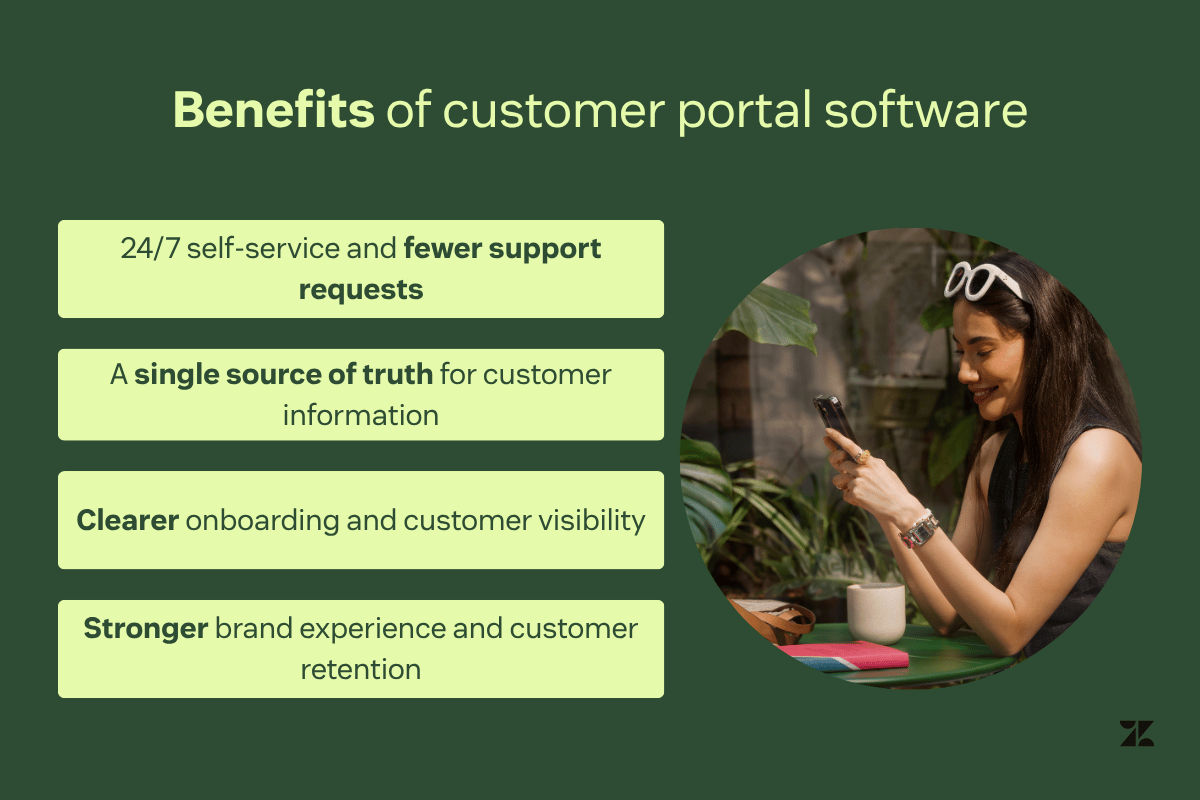
24/7 self-service and fewer support requests
Customer portals give customers round-the-clock access to resources like invoices, documents, tutorials, account information, and status updates. Instead of waiting for an agent, customers can find answers and complete simple tasks when it’s convenient for them.
Centralized self-service content also reduces repetitive questions and low-complexity requests. This lowers ticket volume while keeping support teams focused on issues that need human attention.
A single source of truth for customer information
A customer portal brings documentation, project updates, billing details, forms, and support resources into one destination. Customers don’t need to search through emails, outdated links, or multiple systems to find what they need.
This reduces confusion, version-control issues, and duplicated information. It also gives customers and support teams a shared view of the latest details.
Clearer onboarding and customer visibility
Customer portals guide customers through onboarding steps, milestones, timelines, and next actions. Automated reminders, progress tracking, and deliverable visibility make it easier to understand what’s done and what comes next.
This transparency builds confidence during the customer journey. It also improves adoption and reduces churn risk by keeping customers informed before they need to ask for an update.
Stronger brand experience and customer retention
A branded portal creates a more consistent customer experience across support, account management, and service interactions. Custom domains, visual branding, and unified communications make the experience feel familiar and trustworthy.
When customers can view account activity, deliverables, support requests, and renewal details in one place, they have more control over the relationship. Having such clarity strengthens trust and supports long-term customer retention.
How to choose a customer portal software
The right customer portal software should fit your customer journey, support model, and long-term growth plans. Before choosing a platform, identify what customers need to do in the portal and which internal systems should connect behind the scenes.
Start with customer journeys and user experience
When choosing a customer portal software, start by mapping the self-service actions customers need most. They may want to check request status, download files, submit support tickets, complete forms, pay invoices, or review onboarding steps.
Then, evaluate how easy those actions are to complete. Clear navigation, simple login, mobile-friendly design, and visible next steps all influence whether customers use the portal or contact support instead.
Finally, before a full rollout, test the portal with a small group of customers. A pilot can reveal confusing steps, missing content, and workflow gaps before they affect a wider audience.
Evaluate branding, security, and access controls
A customer portal should feel like an extension of your brand. Look for options like custom domains, branded pages, white labeling, and consistent customer communications.
For portals that store account details or private documents, customer data privacy should be part of the buying criteria from day one. Review authentication options, permissions, encrypted file handling, audit logs, and compliance needs before choosing a platform.
Additionally, access controls are especially important if customers view account details, invoices, contracts, or private documents. The portal should give customers the right information without exposing data they shouldn’t see.
Confirm integrations and platform fit
Customer portals work best when they connect to the tools your team already uses. Common integrations include CRM software, billing systems, file storage, forms, surveys, help desks, and collaboration tools.
Consider whether you need an all-in-one platform or a best-of-breed tool that connects through integrations. An all-in-one platform reduces tool switching, while a specialized portal fits narrow workflows like secure file sharing or document signing.
The strongest option should reduce fragmentation for customers and agents. Customers should have one place to take action, and agents should have the context they need to resolve issues.
Plan for scale, support, and pricing
Pricing can vary widely across customer portal software. Some platforms charge by agent, user, client, workspace, usage, or even offer outcome-based pricing. Others offer unlimited clients at a fixed monthly cost. Look beyond the entry-level price—consider add-ons, storage limits, automation needs, implementation support, and future customer growth.
Plus, evaluate vendor support, onboarding resources, product stability, and update cadence. Once customers rely on a portal, switching tools can create disruption, so choose a platform that can grow with your service needs.
Frequently asked questions

Esusu moves to Zendesk for faster, AI-driven experiences
“Zendesk AI simplifies and eases the workflow on our agent side. The summarization feature has been a huge help, especially for onboarding new reps. It saves us the time and energy of looking through an entire thread, so we can work more efficiently.”
Jessica Hannes
Director of Support
Read customer story
Cut ticket volume while giving customers clarity
The right customer portal software gives customers one place to find answers, access files, track progress, and submit requests. This go-to portal reduces repetitive questions and gives support teams more time to focus on complex issues. For support-led portals, Zendesk brings ticketing, knowledge, AI, integrations, and reporting together so teams can manage the full service experience at scale. Get your free trial today.
Related customer portal software guides
Explore related guides on customer self-service, knowledge bases, customer portals, help desk software, and strategies for improving customer access and support experiences.
Related posts

15 winning customer service phrases (+ 9 to avoid)
Pour some positive vibes into your daily script. These customer service phrases can prepare you for common scenarios so you can take your conversations to the next level.

8 knowledge base article templates that work
The key to success is finding the right mix of knowledge base article templates for your target audience. Use our templates to get a head start.