What is automated customer service? A practical guide
See how automated customer service improves resolution speed, reduces customer effort, and supports agents across the service journey.



Candace Marshall
Vice President, Product Marketing, AI and Automation
Last updated July 23, 2026
What is automated customer service?
Automated customer service uses AI to resolve customer issues with minimal manual effort. It can answer questions, route requests, trigger workflows, assist agents, and resolve issues end-to-end across channels.
Modern customer service automation goes beyond speed and ticket deflection. The strongest systems improve resolution quality, escalate complex issues with context, and measure success by customer outcomes.
A comprehensive guide to agentic customer service automation
In the AI era, resolution is the new standard for great customer service. Customers don’t just want quick replies. They want accurate answers, connected experiences, and issues solved on the first try. According to the Zendesk CX Trends Report, 85 percent of CX leaders say customers will leave brands that can’t resolve issues on first contact.
That shift is raising the bar for customer service automation. Today’s systems need to understand topics, apply trusted knowledge, trigger workflows, and improve over time. Agentic automation takes this further by reasoning through requests and acting across systems. The goal is simple: resolve more issues without sacrificing quality, or control.
This guide covers how automated customer service works, where to use it, and how to measure its impact. You’ll learn how to automate customer service with a resolution-first approach. That means centering AI, workflows, and agents around the outcome customers care about most: getting their issue solved.
More in this guide:
- How does automated customer service work?
- How to automate customer service
- 9 examples of automated customer service
- What are the benefits of automated customer service?
- How to check if your customer service automation is working
- Frequently asked questions
- Elevate CX with automated customer service
How does automated customer service work?
Automated customer service works by leveraging AI-powered technology—like conversational intelligence software and customer intelligence solutions—to efficiently handle customer interactions. This software and these tools then follow these steps to a resolution:
- A customer initiates contact and explains the issue.
- The automated system recognizes the intent using keywords and natural language processing (NLP).
- The system generates a response or initiates a ticket escalation based on the query.
- The system delivers the response to the customer and executes any necessary actions on its end.
Using NLP and generative AI principles, the system learns from previous interactions and outcomes. Over time, this improves future resolutions, reduces re-contact, and creates more consistent support experiences.
|
Automated Customer Service Example | |
|
A customer has an issue with an electronic product that won’t turn on. They reach out to your company for a solution, and your customer service automation handles the interaction. | |
|
Step |
Description |
|
Step 1 |
The customer opens a support chat and explains that their device won’t turn on. |
|
Step 2 |
The AI agent—an autonomous AI chatbot—asks follow-up questions about the product model, purchase date, charger, and error indicators. |
|
Step 3 |
The AI agent checks connected systems for warranty status, order details, and known product issues. |
|
Step 4 |
The AI agent walks the customer through troubleshooting steps based on their specific device and symptoms. |
|
Step 5 |
If troubleshooting fails, the AI agent starts the replacement workflow or escalates the issue. |
|
Step 6 |
When escalation is needed, the AI agent summarizes the issue, preserves context, and routes it to the right human agent. |
Successful automation should optimize for confirmed resolution and customer satisfaction, not simply ticket deflection. That means tracking whether the customer’s issue was solved, if they needed to contact support again, and whether the experience met quality standards.
How to automate customer service
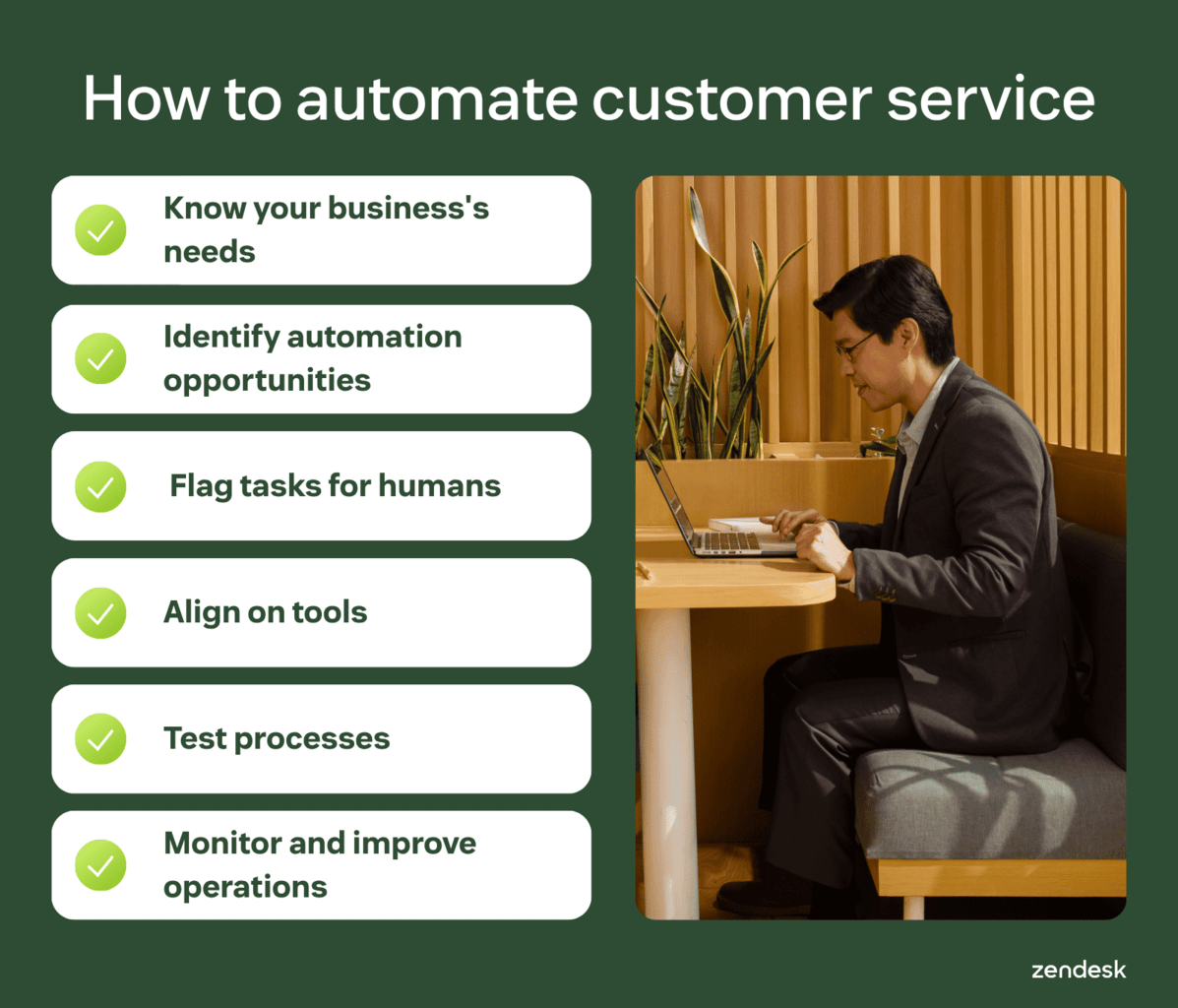
To successfully begin automating your customer service and increasing customer satisfaction (CSAT), consider following these six steps:
- Know your needs: Consider where automation will have the biggest business-wide impact, but don’t neglect your customer needs, expectations, and preferences.
- Identify automation opportunities: Know where your customers may require more guidance and where conversation flows will be most effective. Be aware of the high-volume, simple tasks your support team spends a lot of time on, and focus your intelligent automation efforts in these areas.
- Flag agent-specific tasks: Identify specific customer service tasks that live agents should perform, especially those requiring empathy, product expertise, and a human touch.
- Choose your tools: Invest in high-functioning and responsive software that supports backend integrations and APIs. Consider tools like Zendesk Copilot—an AI-powered assistant for your agents and admins, that automates tasks and suggestions while providing insights—so your teams are agile enough to keep pace with customer expectations and changes.
- Test your processes: Use analytics and insights to fine-tune automation and conversation flows. Plus, incorporate Zendesk QA from the jump to test workflows and improve processes before completely rolling out your service.
- Monitor and improve: Track whether automation is resolving issues, not just handling more interactions. Measure confirmed resolution rate, re-contact rate, CSAT, and escalation quality to understand where automation works and where customers still need human support.
During automation implementation and future improvements, keep your customer service team in the loop. You should also consistently audit your automated customer support offerings to ensure accuracy and correct operation, including auditing your knowledge base, updating pre-written responses, and testing AI agent responsiveness.
9 examples of automated customer service
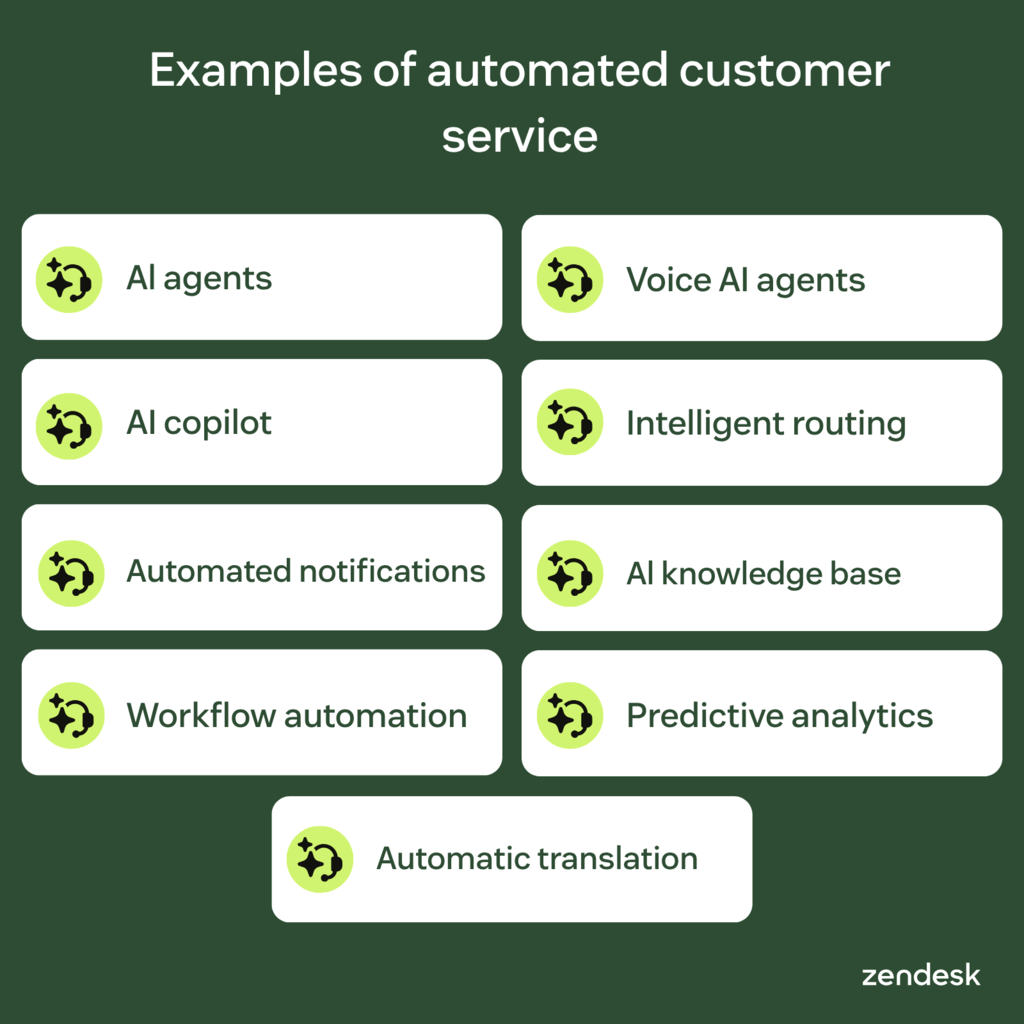
Depending on your industry and company size, automated customer service can be simple or complex. When implementing automated customer service for your business, consider the following examples of automated support:
- AI agents: The next generation of AI customer service chatbots, Zendesk AI agents are the most autonomous CX bots trained on billions of real customer interactions and customizable to your business needs. They can use custom topics, trusted knowledge, and business-specific guidance to resolve sophisticated customer issues.
- Voice AI agents: AI-powered voice automation that can understand caller intent, answer questions, route customers, and resolve issues over the phone. Voice AI agents can follow policies, take action, and escalate with context when human support is needed.
- AI copilot: AI-powered agent assistance can summarize conversations, suggest replies, recommend next steps, and automate repetitive tasks so agents can resolve issues faster.
- Intelligent triage and routing: Intelligent triage can classify requests by intent, sentiment, language, and priority. Omnichannel routing can then send each request to the right agent based on expertise, capacity, customer context, and resolution likelihood. These features are also part of Zendesk’s AI Copilot.
- Automated notifications: Tools capable of providing proactive customer service using intelligent notifications based on set rules.
- AI knowledge bases: Centralized data hubs that support customer self-service and surface relevant information to users on demand.
- Workflow automation: Systems that use workflow automation software and pre-defined rules to keep tasks moving. Strong workflows remove friction from the full resolution journey, including automated replies, approvals, updates, follow-ups, and backend actions.
- Predictive analytics: AI-powered insights that identify trends, forecast demand, and surface resolution risks before issues worsen. They can flag likely escalations, customer dissatisfaction signals, and staffing needs before they affect service quality.
- Automatic translation: Translation services that allow teams to help customers globally, reaching a wider audience without increasing resource strain.
Whether you need an AI agent to point your customers in the right direction or want to improve your contact center using IVR software, automated customer support systems like Zendesk can help you enhance your customer experience across the board.
What are the benefits of automated customer service?
Customer service automation delivers its strongest value when it improves resolution speed, quality, and consistency. The right automation reduces customer effort, removes repetitive work for agents, and gives teams more control over service outcomes.
- Increased agent productivity and efficiency: AI reduces repetitive work by automatically classifying tickets, routing requests, managing workflows, and surfacing relevant context. This gives agents more time to resolve complex issues and increases one-touch or first-contact resolution rates.
- Improved customer satisfaction: Automation improves satisfaction when it resolves issues fully and consistently. Customers get faster answers, avoid repeating themselves, and spend less time re-contacting support.
- Reduced costs: Tools like AI agents can handle all types of interactions without human intervention, reducing costs as support agents dedicate their time to the customers who need it most.
- 24/7 support: Keep up with customers' busy lives by using AI agents and self-service options to deliver around-the-clock support—even when your human agents are sleeping.
- Better customer insights: Combine customer support and sales data from across channels to better understand customer behavior and use automated customer service reports to gain visibility into all customer interactions.
- Lowered wait times: Provide near-instant answers to FAQs, route tickets to the best agent or department, surface knowledge base articles, and more, reducing waiting during high-volume periods.
With Zendesk AI, you can automate personalized support, respond to customer inquiries around the clock, and resolve complex interactions at scale.
How to check if your customer service automation is working
Ensuring your customer service automation is effective doesn’t have to be complicated—start by testing it yourself. Walk through the customer journey as if you were a user and note any friction points or gaps.
To thoroughly check your automated customer service:
- Review top ticket drivers and automation opportunities: Use AI-powered dashboards and analytics tools to identify recurring customer questions, high-volume topics, and knowledge gaps. Zendesk’s automation potential report analyzes recent ticket data to show where AI agents can resolve more questions using existing knowledge, and where new content could improve automation.
- Track customer service metrics: Set benchmarks for key metrics like response times, resolution rates, and BSAT (AI agent satisfaction score) to measure your automation’s performance.
- Implement quality assurance (QA) practices: Be vigilant about checking the quality of your interactions through call listening and other manual and automated QA processes.
- Identify abandonment points: If certain pathways lead to customer drop-offs, analyze why customers may exit the system without resolution and refine workflows based on your findings.
By regularly evaluating these areas, you can fine-tune your customer service automation to ensure it consistently meets customer expectations and enhances their overall experience.
Frequently asked questions

Degreed sees $1M in cost savings by switching to Zendesk
“Insights on the kind of requests coming from customers can help you develop product features that truly meet customer needs and proactively identify issues before they worsen. That creates a positive impact on retention and customer satisfaction.”
Kevin Barry
VP of Global Technical Services & Support
Read customer story
Elevate CX with automated customer service
Automated customer service can improve speed, consistency, and customer effort when it’s built around resolution quality. Strong knowledge practices give AI and agents accurate information, while smart escalation keeps humans involved when issues need empathy, judgment, or deeper troubleshooting.
Zendesk brings automation and human support together with AI agents, workflows, knowledge, and analytics that keep service moving across channels. Explore Zendesk to start improving resolution quality and deliver always-on support.
Candace Marshall
Vice President, Product Marketing, AI and Automation
Candace Marshall is a seasoned product marketing leader with a passion for solving complex problems and driving innovation in fast-paced environments. Her career began in operations and research, but her love for understanding customers and translating insights into impactful strategies led her to product marketing. Currently, Candace leads product marketing for Zendesk AI including AI agents and Copilot, driving growth across AI-powered solutions and the core service offerings. Her team delivers end-to-end product marketing strategies, from market validation and messaging to go-to-market execution and customer adoption. Before joining Zendesk, Candace spent nearly a decade at LinkedIn, where she built and led the product marketing team for the rapidly scaling Marketing Solutions division, overseeing key advertising products in the multi-billion-dollar business.
Related automation and customer service guides
Check out these resources to learn more about how Zendesk can help you automate service and improve CX.
Related posts

Customer experience automation (CXA): Definition + examples
Customer experience automation increases customer satisfaction, boosts agent efficiency, and reduces costs.

Intelligent automation (IA) benefits, components, and examples
Olivia is a customer service agent at a bustling, understaffed customer service department.

AI in customer service: All you need to know
Leverage AI in customer service to increase efficiency, reduce operational costs, and provide fast and personalized support at scale.

What is automated customer service? A guide to success
There is a solution to long hold times and delays in email response times that customers increasingly expect: automated customer service
Scale resolutions with AI agents
Deliver faster, more consistent resolutions with AI agents, intelligent routing, and self-service built around customer outcomes.