HR Help desk guide: Features, benefits + top 7 tools
See how AI-powered help desk software enables you to deliver exceptional employee service at scale while reducing costs.



Justine Caroll
Director, Product Marketing
Last updated March 16, 2026
A guide to human resources help desks
HR departments handle all things employee-related: onboarding, benefits, leave, payroll, IT requests. HR help desk software supports HR teams in managing all these matters, helping boost efficiency, increase employee engagement, and enhance the employee experience (EX).
As technology advances and businesses expand operations, HR teams are under increasing pressure to support growing workforces with limited resources. Using advanced HR help desk software, which combines AI and automation, you can provide excellent employee service efficiently while keeping costs down.
Explore our guide to discover how AI-powered HR help desk software optimizes internal support processes, offering secure tools for streamlined HR operations.
More in this guide:
- What is an HR help desk?
- Benefits of help desk software
- Why businesses need HR help desks
- HR help desk software comparison chart
- Top 7 HR help desk software
- Core features of an HR help desk
- HR help desk use cases
- How to choose the right HR help desk software
- Frequently asked questions
- Try an HR help desk for free
What is an HR help desk?An HR help desk is a solution that allows HR teams to enhance service delivery, streamline processes, and boost team productivity. HR help desk software enables HR teams to manage and resolve employee inquiries securely and efficiently. Advanced automation, AI, employee self-service tools, and ticketing systems work together to ensure a seamless and effective HR support experience |
Benefits of help desk software
HR help desk software offers numerous benefits, from enhancing employee satisfaction to increasing productivity. Here are a few key advantages of HR ticketing tools.
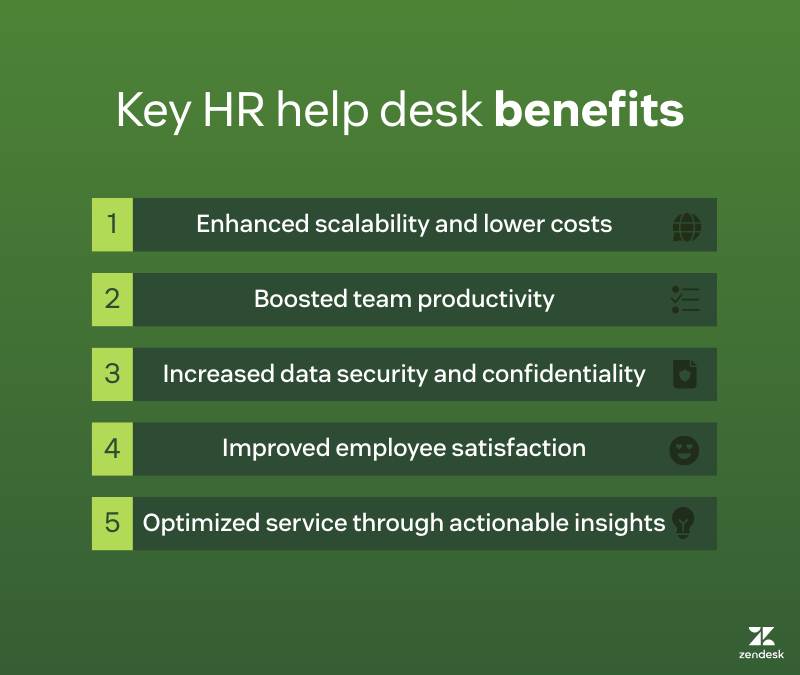
Enhanced scalability and lower costs
The best HR help desk platforms for employee support are equipped with AI and automation tools, which reduce manual work and allow HR leaders to focus on skills-intensive tasks. These tools also provide comprehensive reporting, giving HR leaders visibility into areas requiring improvement. As a result, data-driven optimizations streamline operations and ensure consistent service quality at scale.
HR help desk software empowers teams to deliver exceptional service efficiently. Features like automatic issue classification ensure every query reaches the appropriate specialist, while single-platform case management keeps everything organized. AI-powered tools further elevate service by suggesting optimal responses and automating workflows for common requests. In turn, you free your HR team to address complex issues and provide personalized support while reducing the costs associated with manual HR processes.
Boosted team productivity
HR help desk and service desk software can significantly enhance productivity through AI and automation. Advanced AI-powered chatbots, like Zendesk AI agents, can respond to employee requests 24/7, allowing HR staff to focus on more strategic activities. AI can also intelligently route employee requests to the appropriate team, saving HR personnel from the manual task of ticket tagging and routing. Plus, AI Copilot guides HR specialists to the next step without taking over control. This allows teams to deliver consistent, compliant service efficiently.
Collaboration features enable seamless communication among HR team members, allowing them to accomplish more in less time. Additionally, AI-enhanced search in knowledge bases empower employees to self-serve, which helps HR teams provide effective service to a larger employee base.
Increased employee data security and confidentiality
Data security is paramount for any organization, and employees need to trust that their employer is safeguarding their personal information. Protecting sensitive information in remote work environments requires secure HR help desks and remote helpdesk platforms, which are able to maintain data integrity across channels.
Help desks can enhance security by managing permissions for multiple departments with separate ticket access controls. They also incorporate two-factor authentication for HR specialists and employees and use advanced encryption keys to keep data securely locked. This combination of features ensures sensitive information remains protected.
Improved employee satisfaction
Satisfied employees are loyal, but only one or two slip-ups can chip away at that satisfaction. HR help desk software helps teams boost employee satisfaction by making it easy for people to get the help they need quickly, and ensuring no task or request falls through the cracks. With an omnichannel solution that meets employees where they are—whether through Slack, Microsoft Teams, or other preferred channels—everyone can receive assistance swiftly and conveniently.
Optimized service through actionable insights
HR help desk software with robust QA features transforms employee feedback into a catalyst for continuous improvement. While employee surveys offer valuable insights, they may only draw attention to the most obvious issues. HR help desks provide a broader picture by collecting data on all interactions, including those where employees might not think to raise concerns.
This rich data enables HR leaders to identify trends and monitor key performance indicators (KPIs), such as resolution times and ticket volume. It also allows them to pinpoint areas where processes are slowing down or where specific topics are causing confusion. With these insights, HR leaders can take decisive action to streamline workflows, enhance knowledge base articles, or provide targeted training for the HR team. This data-driven approach creates a positive cycle where improved service leads to higher employee satisfaction, clearer feedback, and continuous opportunities for enhancement.
Why businesses need HR help desks
Just as you use help desk tools to deliver great support to your customers—resulting in increased customer satisfaction, retention, and service efficiency—you can also leverage them to support your employees effectively.
A standardized system for handling employee requests can bolster your broader employee service efforts. HR help desks boost employee productivity by giving workers quick access to support through AI-powered self-service and 24/7 support from interactive bots. Additionally, AI helps HR teams keep sensitive information safe while maintaining service quality at scale.

Scale your HR service delivery with Zendesk
Experience automated workflows and powerful AI.
HR help desk software comparison chart
Here's a go-to comparison chart of the top 7 HR help desk software.
|
Software |
Best for |
Starting price |
Free trial |
|
Zendesk |
Large enterprises seeking an AI-powered unified workspace |
$19 per agent/month (billed annually) |
14 days |
|
HelpDesk.com |
Small businesses looking for a simple solution |
$29 per agent/month |
14 days |
|
Oracle HR Help Desk |
Companies running on Oracle Cloud HCM |
Available as an embedded capability within Oracle Cloud HCM |
30 days |
|
Invgate Service Management |
Unifying HR and IT service delivery |
Custom pricing |
30 days |
|
Hiver |
Small teams using Google Workspace |
$25 per agent/month (billed annually) |
7 days |
|
Zoho Desk |
Companies using Zoho People |
$7 per agent/month (billed annually) |
15 days |
|
Workativ |
Creating a simple AI chatbot solution |
Custom pricing |
21 days |
Top 7 HR help desk software
Let's look further into 7 HR help desk software features, prices, and trial options.
- Zendesk: Best for large enterprises seeking an AI-powered unified workspace
- HelpDesk.com: Best for small businesses looking for a simple solution
- Oracle HR Help Desk: Best for companies running on Oracle Cloud HCM
- Invgate Service Management: Best for unifying HR and IT service delivery
- Hiver: Best for small teams using Google Workspace
- Zoho Desk: Best for companies using Zoho People
- Workativ: Best for creating a simple Ai chatbot solution
1. Zendesk
Best for large enterprises seeking an AI-powered unified workspace
|
Starting price |
Free trial |
Key features |
|
$19 per agent/month billed annually Explore more Zendesk pricing plans. |
14 days |
|
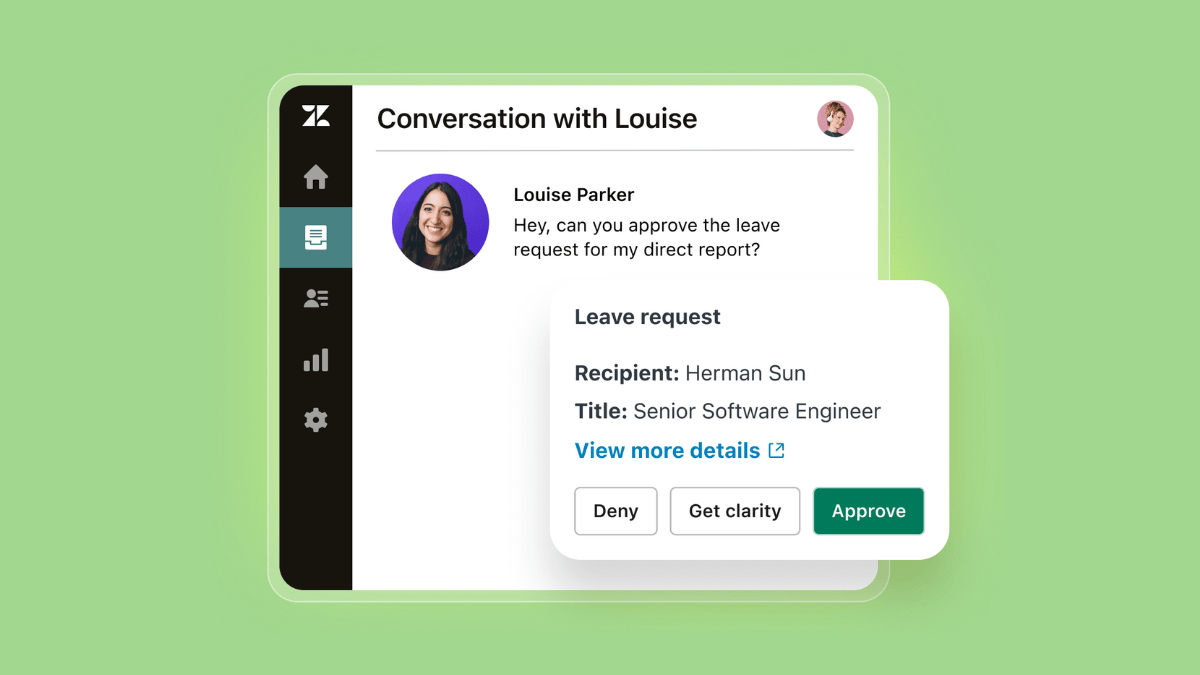
Leading the AI service industry, Zendesk earns first place in the top 7 HR help desk for delivering fast and personalized service that simplifies operations. Zendesk equips HR teams with intelligent triage, no-code workflow automation, integrated knowledge base, and other out-of-the-box tools.
Zendesk is designed to drive resolutions by streamlining key HR processes and maximizing team productivity. This is made possible by its core features, which include sophisticated autonomous AI agents and an AI-powered copilot that suggests next steps. Its ticketing system efficiently organizes service requests, while powerful workflow automation triggers and tracks tasks, making it easier to manage service requests following standardized procedures.
Flexibility and consistency is front of mind for Zendesk. The employee portal surfaces answers around the clock with generative search, but if human input is needed, HR teams can provide support across channels, including Slack, Teams, and voice. This all takes place within the intelligent workspace, eliminating the hassle of switching between apps.
As the best all-in-one HR help desk tool for large enterprises, Zendesk delivers the essential control, visibility, and compliance required to scale. It gives full visibility into operations and allows HR specialists to spot improvement opportunities using AI-powered native QA, reporting, and analytics, which includes actionable suggestions and custom dashboards.
Finally, Zendesk meets privacy and compliance obligations with enterprise-grade security and governance controls to protect employees’ sensitive data. All this makes Zendesk a trusted, secure platform that integrates seamlessly with core HR systems.
|
Pros |
Cons |
|
|
What people are saying:
- “It is easy to open and close tickets as well to call participants and communicate with other team members.”—Verified user, G2 Review
- “I feel that Zendesk is the most user-friendly interface I've worked with. I think it has a more clear interface and is less complex overall than other softwares.—Verified user, G2 Review
- “Honestly, the best part is that it lives right inside Zendesk. [...] It looks at our actual ticket data to forecast our busiest times, so I can build the team schedule with real confidence instead of just guessing. It just takes the headache out of making sure we have the right people working at the right time.”—Verified user, G2 Review
Scale your HR service delivery with Zendesk
Experience automated workflows and powerful AI.
2. HelpDesk
Best for small businesses looking for a simple solution
|
Starting price |
Free trial |
Key features |
|
$29 per agent/month |
14 days |
|
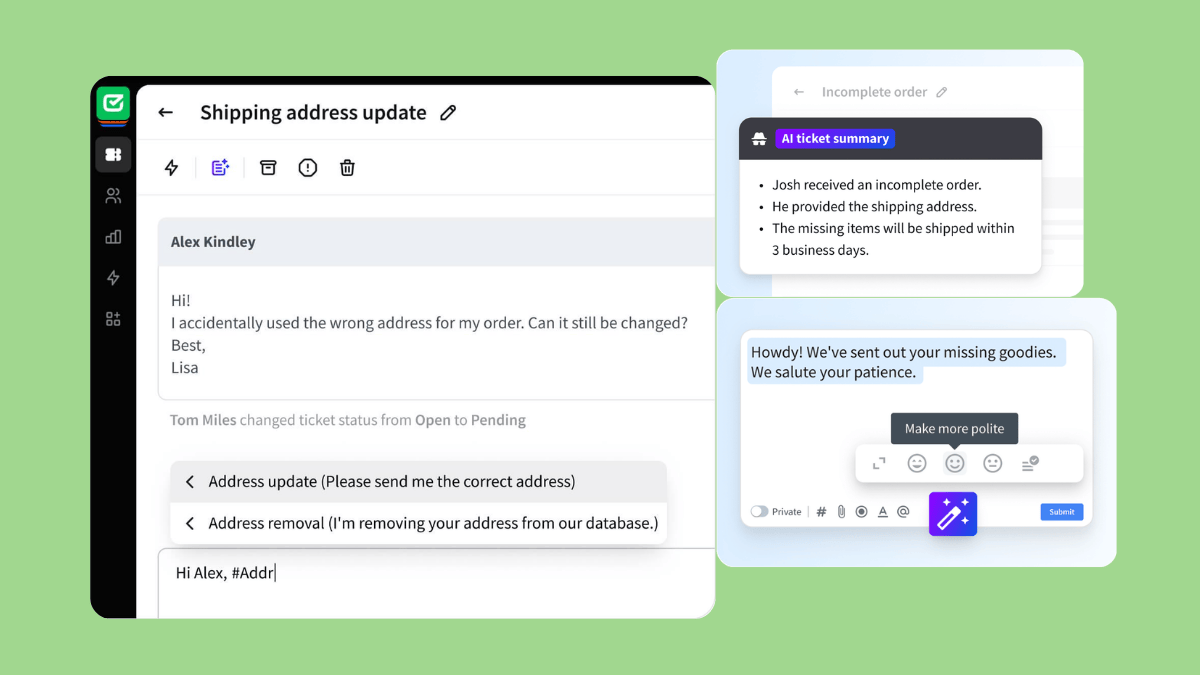
HelpDesk.com is a ticketing system that helps small to mid-sized businesses manage multiple channel inquiries from one place. It's ideal for businesses that are losing track of conversations due to increased volume. Its centralized ticketing system converts emails, contact forms, and other messages into tickets, making it easier for teams to support requests.
Although the platform doesn't offer AI agents, its AI suite can summarize tickets, suggest categorization tags, and help agents write responses. Users can also set automated workflows and integrate the system with email, social media, and LiveChat. HelpDesk.com's simpler nature makes it best for small businesses looking for a less comprehensive solution.
|
Pros |
Cons |
|
|
What people are saying:
- “It's easy to implement and use. Everyone can understand this tool, regardless of their experience.”—Verified user, G2 Review
- “What I like the most about Helpdesk is its interface. It’s very interactive and engaging.”—Verified user, G2 Review
- “[...] I find the lack of direct integration with other tools like Slack and Firebase inconvenient because I have to open multiple windows instead of having a seamless experience.”—Verified user, G2 Review
3. Oracle HR Help Desk
Best for companies running on Oracle Cloud HCM
|
Starting price |
Free trial |
Key features |
|
Available as an embedded capability within Oracle Cloud HCM |
14 days |
|
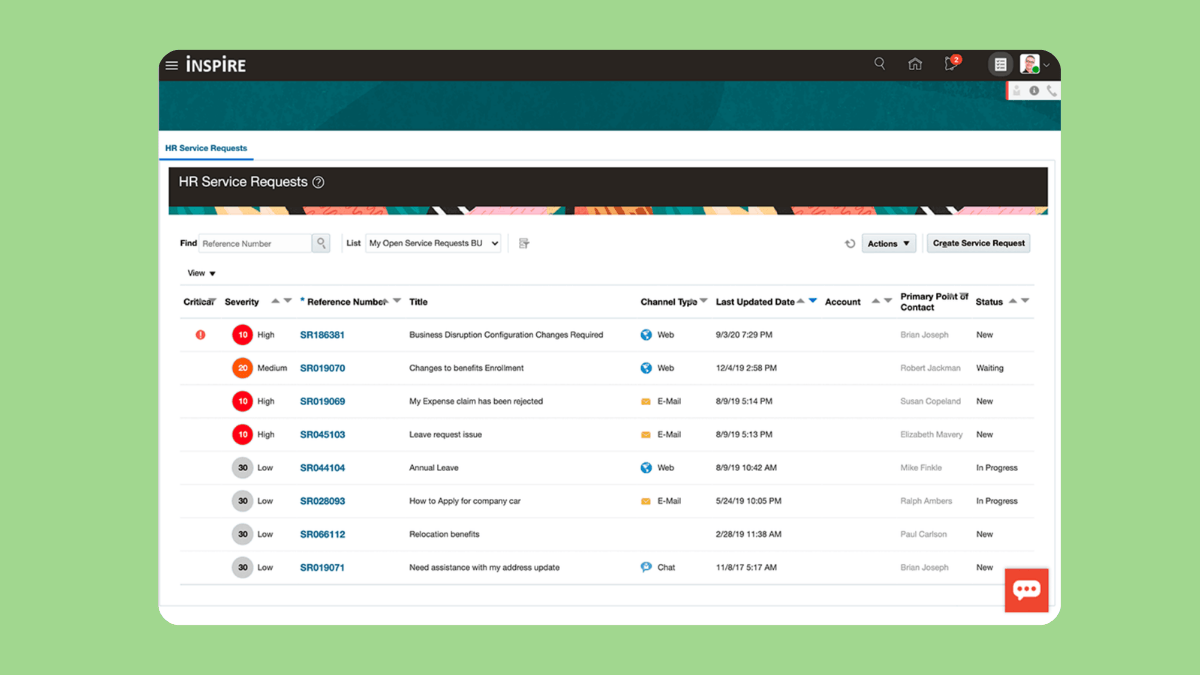
Oracle HR Help Desk is the best solution for companies already running on Oracle Cloud HCM. Designed specifically for HR departments, the solution is built in the Oracle HCM ecosystem, so users have a clear 360-degree view of employee data directly within the tickets. Its main capabilities include multichannel access (requests via web portal, email, and SMS), AI chatbots, automated ticketing, and a built-in library of FAQs and policy documents for self-service.
Additionally, reporting and analytics tools help teams identify which types of service requests, cases, and inquiries are trending. Enterprise-grade security is also available. Finally, it's worth mentioning that users praise Oracle HR Help Desk's user-friendly interface, but some report a steep learning curve and difficulties in setting it up.
|
Pros |
Cons |
|
|
What people are saying:
- “The interface is good.”—Verified user, G2 Review
- “It has a good appearance and certain things can be easily accessed.”—Verified user, G2 Review
- “It can be quite complex for those of us that just launched onto the platform.”—Verified user, G2 Review
Learn more: Discover how Zendesk vs. Oracle HR Help Desk compare.
4. InvGate Service Management
Best for unifying HR and IT service delivery
|
Starting price |
Free trial |
Key features |
|
Custom pricing |
14 days |
|
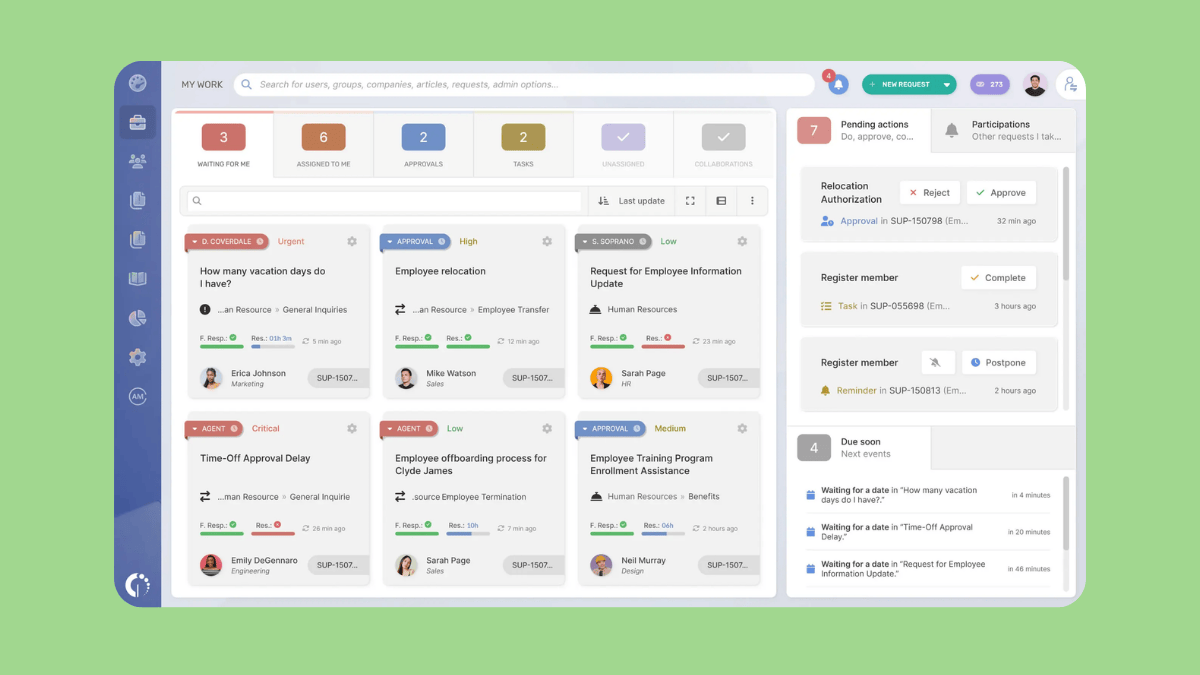
InvGate Service Management is a centralized help desk that allows organizations to manage, automate, and track service requests and internal processes. It connects employees with the IT, HR, finance, or facilities support they need. Designed to work out of the box with a no-code approach, InvGate Service Management allows HR specialists to automate processes and set up workflows without the need for technical skills or external help.
The platform ticks most of the boxes of what to look for in an HR help desk: ticketing system, AI-powered tools, AI agents, workflow automation, analytics, and integrations with other systems. AI tools are also available to support the creation of a knowledge base and a self-service portal. Although the platform is primarily IT-focused, it works well for organizations looking to unify HR and IT service delivery under a single enterprise service management platform.
|
Pros |
Cons |
|
|
What people are saying:
- “Very easy to implement and user-friendly for configuring/maintaining the product.”—Verified user, G2 Review
- “The interface is user-friendly and team members are not taking enough time to learn this technology completely which is also time saving for us.”—Verified user, G2 Review
- “It's a bit closed when it comes to personalizing it for specific business [...].”—Verified user, G2 Review
5. Hiver
Best for small teams using Google Workspace
|
Starting price |
Free trial |
Key features |
|
$25 per agent/month (billed annually) |
14 days |
|
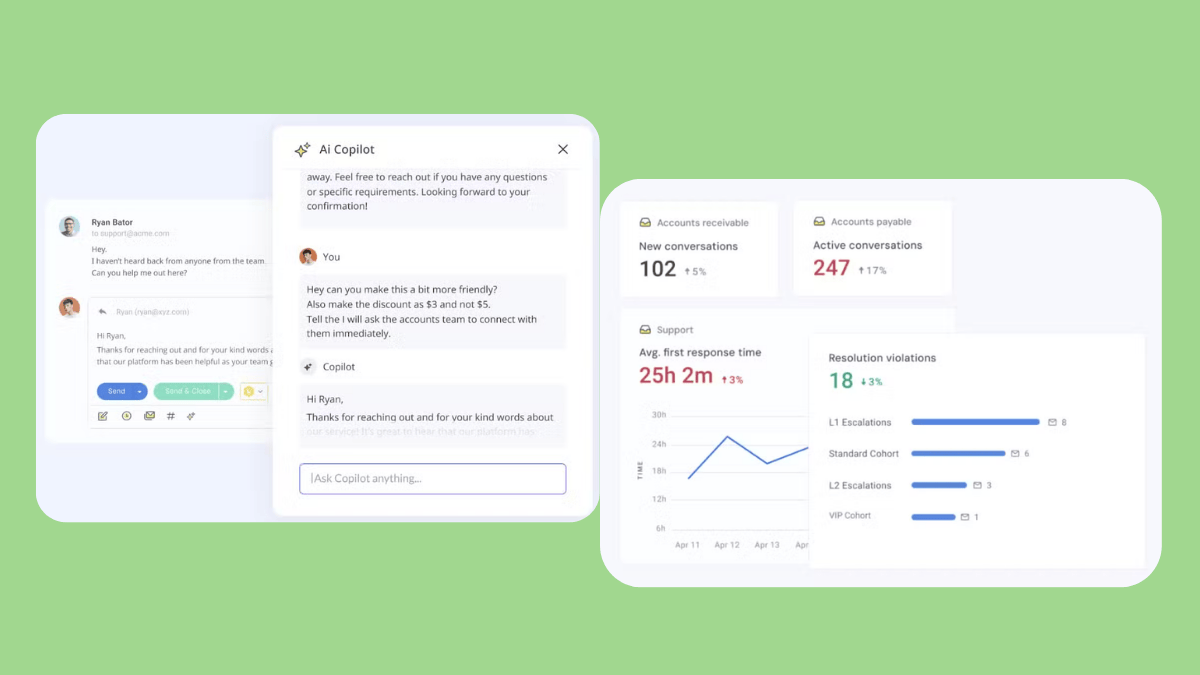
Hiver lives inside Google Workspace. Its HR version is designed to help teams manage internal employee requests directly from their email inbox. The platform provides several essential HR help desk features, including AI copilot, automated workflows, and reporting and analytics.
It integrates seamlessly with over 100 business applications, including BambooHR, Workday, and Asana. Hiver for HR is somewhere in between a simple shared email account and a legacy enterprise tool, which makes it best for small teams using Google Workspace.
|
Pros |
Cons |
|
|
What people are saying:
- “The intuitive and simple interface is another aspect I enjoy, as it ensures that even those less tech-savvy find it user-friendly to adopt.”—Verified user, G2 Review
- “Also, some deeper automation features are limited compared to full-fledged help desk tools.”—Verified user, G2 Review
- “The only downside is that it’s exclusively for Gmail, so it won’t work if you’re on a different email platform.”—Verified user, G2 Review
6. Zoho Desk
Best for companies using Zoho People
|
Starting price |
Free trial |
Key features |
|
$7 per agent/month (billed annually) |
14 days |
|
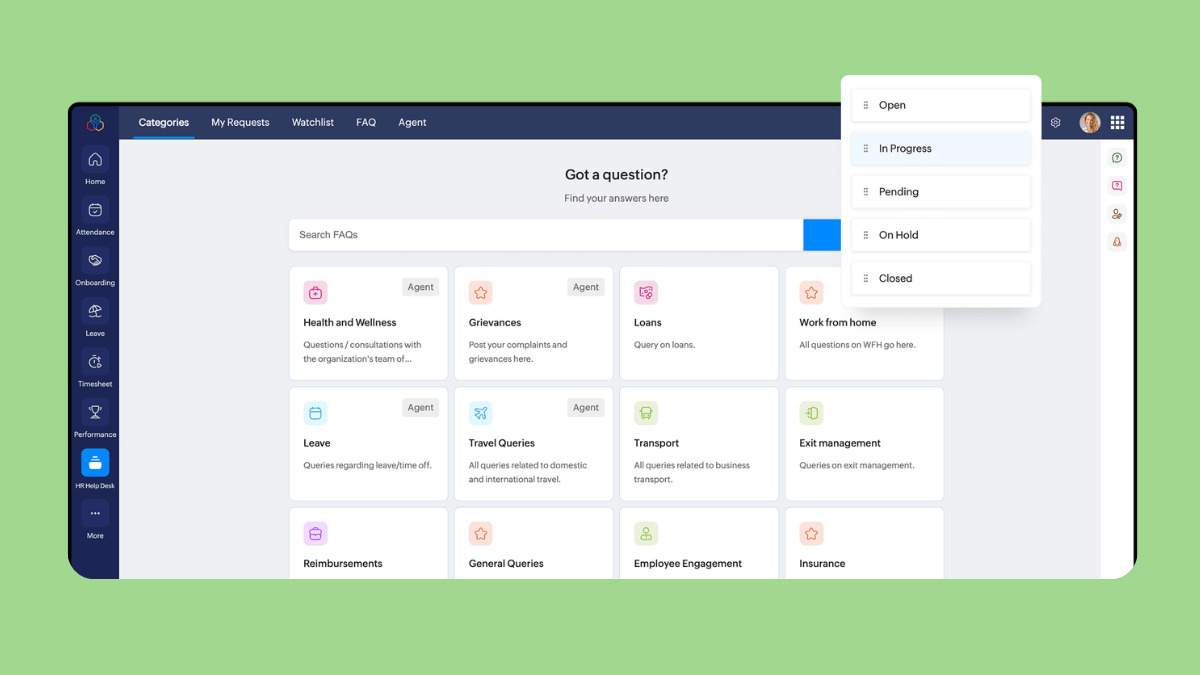
Zoho Desk is designed to help HR teams handle employee requests using automation features in a centralized space. The ticketing system converts employee queries into tickets, organized by categories. Then, automated routing assigns specific agents according to the ticket's category. When the ticket status changes, the system automatically triggers email notifications, thanks to its automated workflows.
Additionally, reporting and analytics features are available. Zoho Desk is the best option for companies already using Zoho People for attendance, leave, or payroll. Finally, while the platform has an intuitive interface, users report facing difficulties during setup.
|
Pros |
Cons |
|
|
What people are saying:
- “The interface is generally intuitive, and the customization options—such as workflows, fields, views, and automations—make it easy to tailor the system to different support models.”—Verified user, G2 review
- “There is definitely a learning curve in the beginning.”—Verified user, G2 Review
- “The main downside with Zoho Desk is the initial configuration.”—Verified user, G2 Review
Learn more: Discover how Zoho Desk integrates with Zendesk and how Zendesk vs. Zoho Desk compare.
7. Workativ
Best for creating a simple AI chatbot solution
|
Starting price |
Free trial |
Key features |
|
Custom pricing |
14 days |
|
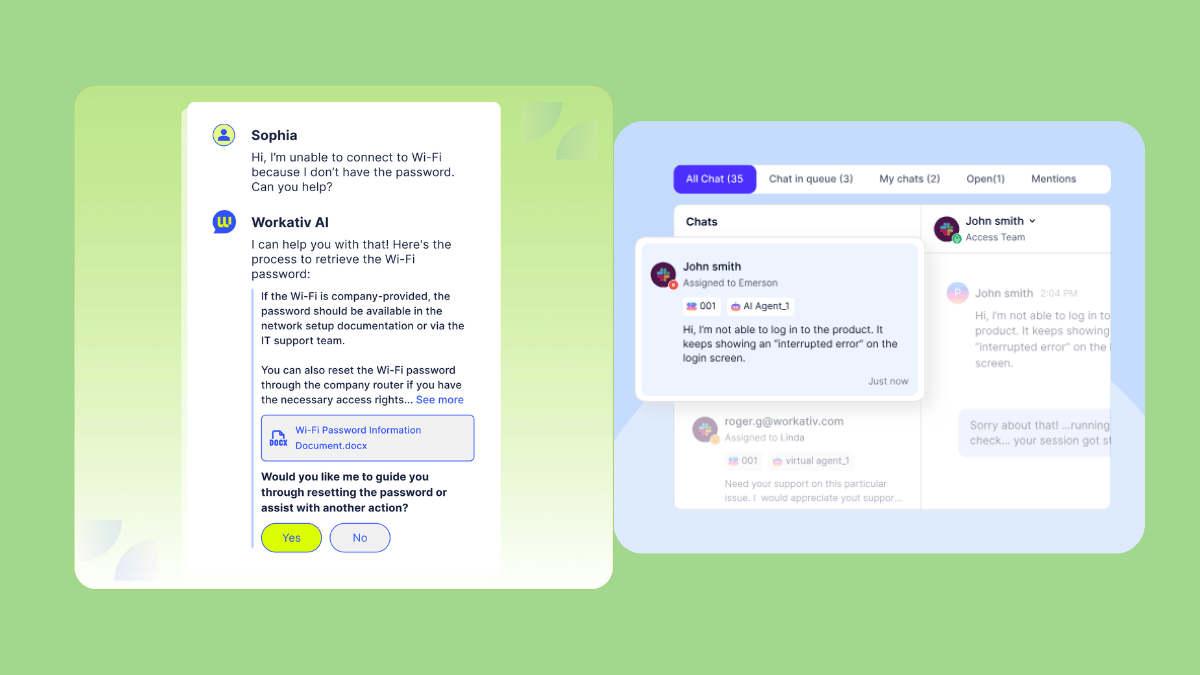
Workativ is a platform focused on automated AI agents for employee support, specifically for IT and HR. Different from a traditional help desk for storing tickets, Workativ is designed to resolve tickets automatically using AI and workflow automation. Acting as an AI agent that lives within communication tools, Workativ provides instant, conversational support to employees.
HR teams can build and customize AI agents using a no-code builder, automate tasks, and connect Workativ with HR systems like BambooHR and Gusto. Since Workativ doesn't provide standard HR help desk features like ticketing system, reporting, and analytics, it's best for companies looking for a simple right-out-of-the-box AI chatbot solution.
|
Pros |
Cons |
|
|
What people are saying:
- “The user experience is intuitive and engaging so working on the product is very positive - no major help is required.”—Verified user, G2 Review
Learn more: Discover how Workativ integrates with Zendesk.
Core features of an HR help desk
Here are some of the top features to look for when choosing HR help desk software.
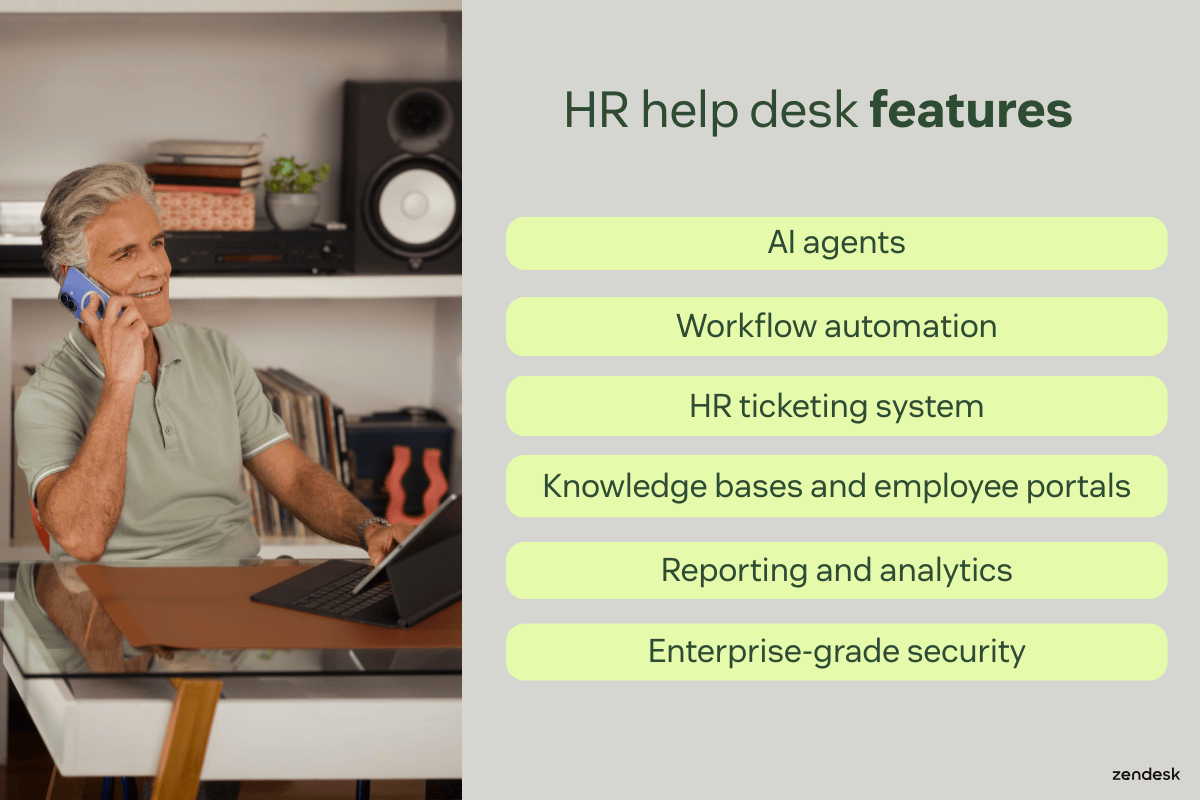
AI agents: The next generation of HR bots
The 2026 Employee Experience Trends Report's findings emphasize AI’s role in elevating employee service and support, with 80% of organizations investing in HR and IT software for improved outcomes. Zendesk AI agents are advanced AI-powered chatbots that autonomously resolve employee service requests, freeing up staff to focus on strategic initiatives and escalating issues to a human when necessary. They seamlessly integrate with your HR systems to deliver personalized responses to complex inquiries.
Workflow automation
Help desk automation can further enhance service efficiency by optimizing HR workflows. AI can classify incoming requests and intelligently route tickets to the appropriate HR representative or team based on urgency, language, intent, and sentiment. Additionally, AI can suggest pre-written responses, known as macros, to ensure fast and accurate support.
HR ticketing system
HR ticketing systems streamline case management for HR teams by consolidating all employee inquiries from various channels—including email, Microsoft Teams, Slack, web, and mobile—into a single workspace. This integration boosts productivity by giving HR specialists essential context within the ticket, such as an employee’s job title, location, manager, and past support issues. With this comprehensive view, HR teams can deliver effective support on any channel, enhancing the service experience for employees and ensuring efficiency during critical moments.
AI-powered HR ticketing systems further boost productivity by providing HR teams with full context on every issue as soon as they receive a ticket, including a summary of the request with the employee’s sentiment and intent. AI also helps ensure accurate responses to employee issues by suggesting replies and surfacing similar tickets and relevant help center articles for easy reference.
Knowledge bases and employee portals
Staffing limitations are a common barrier for HR organizations aiming to improve employee service efficiency. Adding self-service capabilities can significantly extend the ability of a lean team to assist employees.
HR staff can leverage generative AI to build an internal knowledge base quickly. These AI writing tools can expand a few bullet points into comprehensive articles and adjust the tone to match your brand voice. Additionally, AI can flag content gaps in the help center based on support data and identify outdated articles.
Reporting and analytics
HR help desks should equip HR leaders with robust reporting and analytics capabilities—they facilitate informed decision-making and continuous optimization of employee service operations.
Zendesk’s AI-powered reporting tools help measure:
- Trends in employee intent: Track key help desk metrics to identify and better understand the most common employee requests, enabling proactive issue resolution.
- Quality assurance: AI-driven QA monitors 100 percent of employee interactions, both AI- and human-led, in real time. It assesses employee satisfaction, identifies performance gaps in internal service teams, and flags upset employees.
- Automation opportunities: AI suggests which types of employee requests are best suited for automation, allowing for more efficient allocation of HR resources.
- Macro suggestions for admins: AI provides suggested macros based on common employee intentions, speeding up response times and enhancing service efficiency.
Enterprise-grade security
HR teams handle highly sensitive data, which may include everything from Social Security numbers and health insurance information to performance reviews and disciplinary records. Therefore, you should implement safeguards to make sure data doesn’t get compromised.
A data breach could have severe legal and financial repercussions for the company and damage employee trust. Features like access controls, data encryption, and secure storage help ensure that only authorized personnel can view this sensitive information.
For additional security and privacy, Zendesk has advanced capabilities for data redaction, deletion, and more. This way, compliance is never an afterthought, and Zendesk protects sensitive information from parties that aren’t authorized to see it.
HR help desk use cases
HR service desks serve multiple purposes within a company. Here are several ways companies use help desks to streamline HR workflows and improve the employee experience.
Standardize management of leave and life events
HR teams constantly deal with employee leave or significant life events, such as childbirth or a death in the family. Standardized workflows within the help desk guide the HR representative through the necessary procedures, ensuring no critical steps are missed.
The system also displays important employee information, including tenure, department, and previous leave history. This enables the HR representative to make informed decisions and provide personalized assistance, ensuring the employee’s needs are met efficiently and accurately.
Overall, HR help desks enhance employee service during critical moments by providing a seamless and straightforward process for employees.
Streamline onboarding and offboarding
HR teams can leverage help desk tools to create standardized onboarding workflows, assigning tasks to specific team members so new hires promptly receive all necessary credentials, equipment, and paperwork. Additionally, enhanced process visibility allows hiring managers to monitor the status of new hires, facilitating better planning and resource allocation.
Similarly, during offboarding, the software automates the process by guiding HR agents through all the necessary steps. If certain steps are missed during this critical phase, especially regarding final payments or removal from certain systems, risky compliance issues can arise. HR can also use the help desk to coordinate with IT to disable accounts and retrieve company devices.
What’s more, measurement and reporting tools embedded within help desk software allow HR managers to quickly identify gaps and inefficiencies in the employee onboarding and offboarding processes, enabling them to make data-driven improvements.
Scale your HR service delivery with Zendesk
Experience automated workflows and powerful AI.
How to choose the right HR help desk software
When choosing HR help desk software, features aren't the only criteria to consider. Here are a few essential capabilities to evaluate and product differentiators to look for beyond the features.
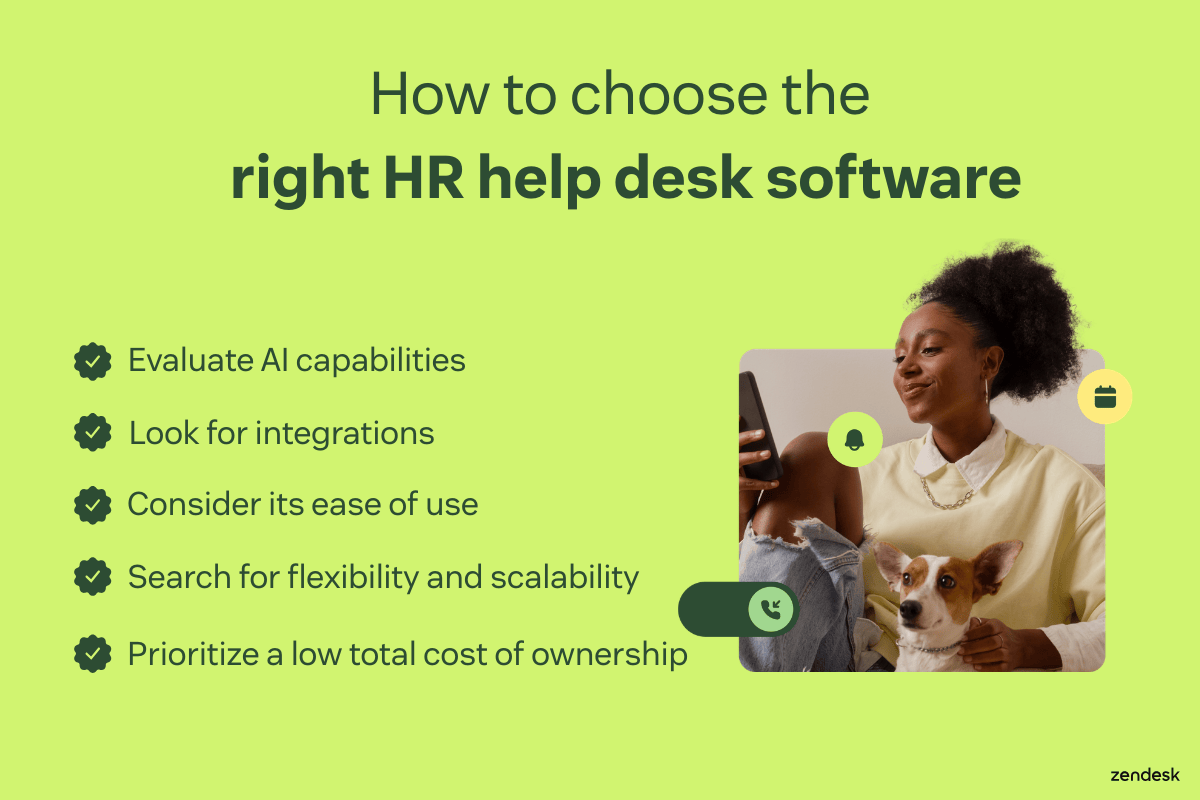
Evaluate AI capabilities
To offer your employees the smoothest HR experiences possible, capitalize on a help desk that incorporates cutting-edge generative AI into every aspect of the software. AI and automations help optimize internal operations, and HR service leaders are increasing the adoption of AI-driven tools to realize these gains.
With Zendesk, AI is infused across the entire experience, significantly enhancing HR’s ability to deliver accurate and up-to-date information. Zendesk provides AI and automation capabilities from day one—no ramp-up period required. It also comes pre-trained on HR intent models, eliminating lengthy implementation times and enabling faster, more precise employee service.
Look for integration with your other support systems
Customer and employee service are intertwined, not separate. With a “total experience” (TX) strategy, companies can integrate service delivery internally for employees and externally for customers. According to Gartner, total service strategies help companies outperform competitors by 25 percent in satisfaction metrics for employees and customers.
TX strategies don’t just unify services but also decrease the total cost of ownership for companies. Zendesk consolidates service, workforce management, and AI vendors into one easy-to-use tool that’s quick to implement, so you realize its value faster while lowering costs over time.
Consider its ease of use
An intuitive design with a user-friendly interface and simple navigation is crucial. Too many help desks are built for technical teams or require extensive onboarding and training for HR professionals. Even with that training, they’re complex and difficult to manage.
Zendesk is designed specifically for service workflows, making it easy for HR teams and employees alike to use and benefit from. Employees can effortlessly search for and access knowledge base articles and track the status of their HR inquiries, like requests for paid time off. Empowering employees to take ownership of their HR needs will reduce the burden on HR teams.
Search for a flexible and scalable system
As your company evolves, the HR help desk should scale alongside you to accommodate new needs. However, many employee service solutions are complex and difficult to use, requiring HR leaders to depend on IT support for even minor changes.
Zendesk offers a flexible, scalable solution that adapts to evolving requirements while effectively supporting businesses during periods of growth. No-code configuration tools ensure your team gets up and running quickly. Additionally, the flexibility of over 1,500 third-party integrations in the Zendesk Marketplace enables you to customize and extend the system for any function without hiring a developer.
Prioritize a low total cost of ownership
Opting for a free help desk ticketing system might initially seem cost-effective, but you could incur unexpected expenses over time. When evaluating the cost of a help desk tool, it's critical to identify any hidden fees—such as add-ons, extensive coding requirements, or scalability limitations—that could result in high switching costs as your business grows.
Choosing a scalable product that doesn't require a dedicated technical team for setup and maintenance, like Zendesk, can be a more cost-effective solution in the long run. This approach helps you avoid hidden fees and ensures smooth scaling as your organization expands, ultimately saving you money and resources.
Frequently asked questions

LATAM Airlines achieves 90% employee satisfaction with Zendesk
“We saw how our customer service team was working with Zendesk to become more efficient and improve the customer experience, and we decided to bring that magic to our internal employee operations.”
Monica Obando
Senior HR Manager
Read customer story
Try an HR help desk for free
Zendesk empowers HR teams to deliver world-class employee service with its secure, AI-powered help desk software. Our solution is designed to be user-friendly and powerful, scaling seamlessly with your organization to support employees during critical moments. With robust self-service capabilities, advanced automation, and integrated case management, Zendesk ensures top-tier service delivery while keeping operational costs low.
Sign up for a free trial to see our AI-powered HR help desk in action.
Justine Caroll
Director, Product Marketing
Justine is a product marketing leader with 15+ years of experience in B2B SaaS and consumer technology. She leads Zendesk's Employee Service product marketing team, helping departments like IT and HR deliver exceptional service through AI-powered, easy-to-use tools. Her favorite part of the job? Launching products that truly help customers and deliver real impact.
Related HR help desk guides
Keep exploring tools that improve the employee experience.
Related posts
Employee benefits: A guide for 2026
Learn what employee benefits are and why they matter, and then get ideas for programs that can improve employee retention.

Employee experience: Internal help desks and the future of work
Employers must adjust to new ways of working so that employees have the tools they need to perform and collaborate effectively. Enter the internal help desk.
Employees are customers, too: why building a better internal help desk matters
Focusing on customers' needs is crucial, but creating a rich employee experience can be just as important to a company’s long-term success
Helping HR create strong relationships
Good customer service applies to any department, and it encourages the kind of interactions that help…