Article • 7 min read
Workflow automation: What it is, benefits, and examples
Workflow automation helps teams work smarter by reducing manual tasks and speeding up customer service. Learn how to streamline your workflows in this guide.


Candace Marshall
Vice President, Product Marketing, AI and Automation
Senest opdateret January 19, 2026


What is workflow automation?Workflow automation accelerates traditional workflows, replacing manual effort with the automation of routine tasks and processes. Within workflows (sequences of tasks), agents can define automation rules so that one event triggers one, or more, actions—no human input required. In customer service, these actions may include routing tickets to the correct agent, in HR, provisioning access permissions for new hires, and in sales, assigning pipeline-specific tasks. As such, automating workflows can boost efficiency across an entire organization. |
Workflow automation is transforming the way businesses handle everyday tasks, whether it’s data entry, routing customer queries to the right team, or creating employee schedules. Employees don’t have to be weighed down by repetitive tasks, as workflow automation frees them to work on higher-value activities. This technology truly has the power to fast track workflows while drastically reducing errors.
Our guide provides a deep dive into workflow automation, including benefits, examples, and how it can contribute to more efficient customer experiences.
More in this guide:
- How workflow automation works
- What are the benefits of workflow automation?
- What are common challenges in workflow automation?
- Workflow automation examples
- 5 steps to start automating workflows for your business
- Frequently asked questions
- Level up your workflow automation with Zendesk
How workflow automation works
Workflow automation follows a simple (but powerful) process: triggers start the workflow, conditions define the logic, and actions complete the task. Together, they create an automated system that reduces manual work and ensures tasks are handled consistently.
Here’s how it looks:
- Identify triggers: You can define triggers based on specific events or conditions. These triggers can include actions like a new ticket submission, a ticket status change, or a particular keyword in a ticket.
- Define conditions: Once you set triggers, establish conditions that determine when the automation will execute. These conditions can include criteria such as ticket properties, requester information, or custom fields.
- Create actions: After setting triggers and conditions, define the actions that should occur when the automation is triggered. These actions may include sending notifications, updating ticket properties, assigning tickets to specific agents or groups, or executing custom scripts.
Conditional statements and triggers act as an automated roadmap for task completion. In short: triggers + conditions + actions = a streamlined workflow.
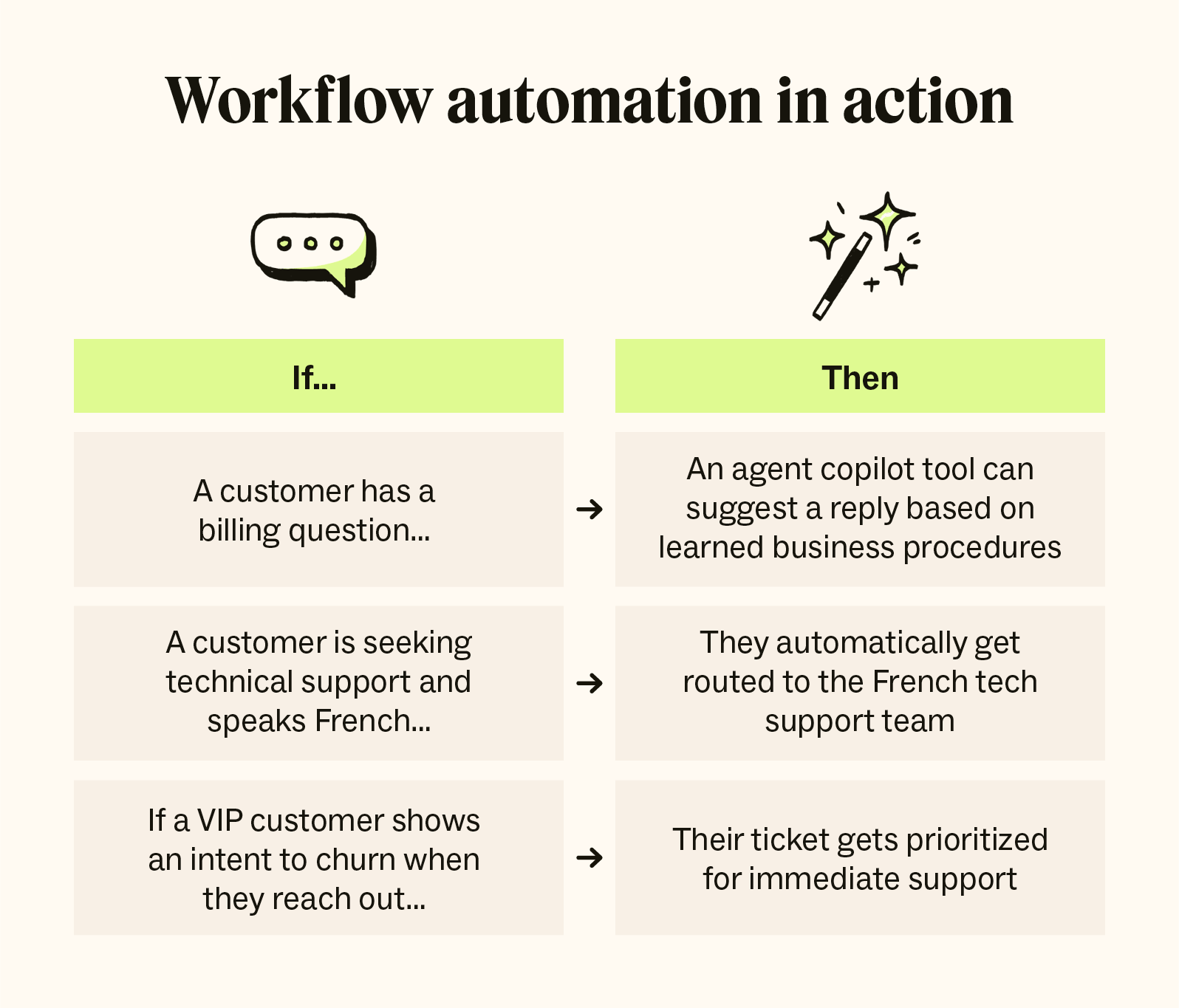
However, workflow automation doesn’t stop with singular tasks; you can string together several steps to create fully automated processes.
What are the benefits of workflow automation?
Automating cross-company workflows, from customer experience and customer service QA to employee onboarding, reaps all kinds of benefits. Let’s take a look at some examples.
Increased organizational efficiency
Workflow automation doesn’t just lighten employee workload. It also allows teams to achieve bigger goals with fewer resources, minimize human error in menial tasks, and save hiring costs.
Gitnux reports:
Companies with automated workflows experience 20-30% operational cost reduction.
Workflow automation reduces process cycle time by up to 80%.
SMBs see a 35% increase in productivity after automating workflows.
With intelligent automation (IA), teams can use AI to draft emails, create internal documents, and triage tickets—and these are only a few examples. For customer service agents, automated chatbots maintain consistent omnichannel support and Zendesk’s AI copilot acts as an intelligent assistant, suggesting contextually relevant responses and actions based on customer interactions.
Improved customer experience
With workflow automation, businesses can provide a more consistent and reliable customer experience (CX). AI-powered ticketing automationsupercharges customer satisfaction, with AI autonomously detecting the customer’s language and sentiment and connecting them with the agent most equipped to handle their requests.
Going a step further, automation tools can notify cross-functional partners about a customer’s request, making sure no ticket slips through the net. An automation-first strategy guarantees more timely and tailored responses, ultimately leading to a happier customer.
Advanced scalability
The impact workflow automation has on a business’s scalability is remarkable. Before, growth equaled increased headcount. Now, teams can handle volume spikes internally by setting automations to redirect common questions and repetitive tasks to AI. This leaves time for agents to address high-profile requests and apply the human touch where it’s needed.
Boosted employee satisfaction
Automatic escalations and notifications span across teams, streamlining internal collaboration and fundamentally reducing tedious, unenjoyable admin duties.
And it doesn’t stop there. Employees simply don’t need to spend time carrying out other unfulfilling tasks like manually triaging tickets or processing returns. With workflow automation software in place, they can reinvest their time to strategic planning, professional development, and other more meaningful ventures. In the end, both employee experience (EX) and CX is prioritized—it’s a win-win.
Reduced costs
Workflow automation can cut costs in a few ways. For instance, scaling up is more affordable because automation absorbs the workload that would otherwise require new hires.
It also lowers everyday expenses. By minimizing manual processes, which have a significant scope for human error, companies save money by reducing time and resources spent fixing mistakes. Additionally, centralizing operations with automation can filter out disjointed and low value tools, therefore decreasing licensing fees.
When implemented thoughtfully, workflow automation tools bring lasting savings and a strong ROI.
What are common challenges in workflow automation?
To give your team the highest chance of successfully automating workflows, it’s important to know the challenges you’re up against and how to combat them.
Over-automation
The temptation is to automate as much as possible, but some processes simply don’t align with automation. Actions that require thought and context should be left for employees, to avoid disconnected and impersonal decision-making. Reserve automation for workflows that include repetitive, predictable tasks that really don’t require a human touch.
Automating flawed workflows
Automation saves time and effort in the long run, but that doesn’t mean teams can afford to rush through the construction stage. The negative impact of automating a faulty process can be long lasting, as the mistake may go unchecked and cement itself into the system. Take time to carefully plan out each workflow, considering exceptions and clearly defining each step.
Disjointed integrations
Workflows often involve many different tools and platforms, which can lead to data silos and syncing issues when automation comes into play. Before setting up automation rules, take the opportunity to re-evaluate which tools are working for you and which are against you. Keeping everything streamlined, Zendesk’s Action Builder brings multi-system workflows into one interface, allowing admins to customize prebuilt actions.
Employee doubts
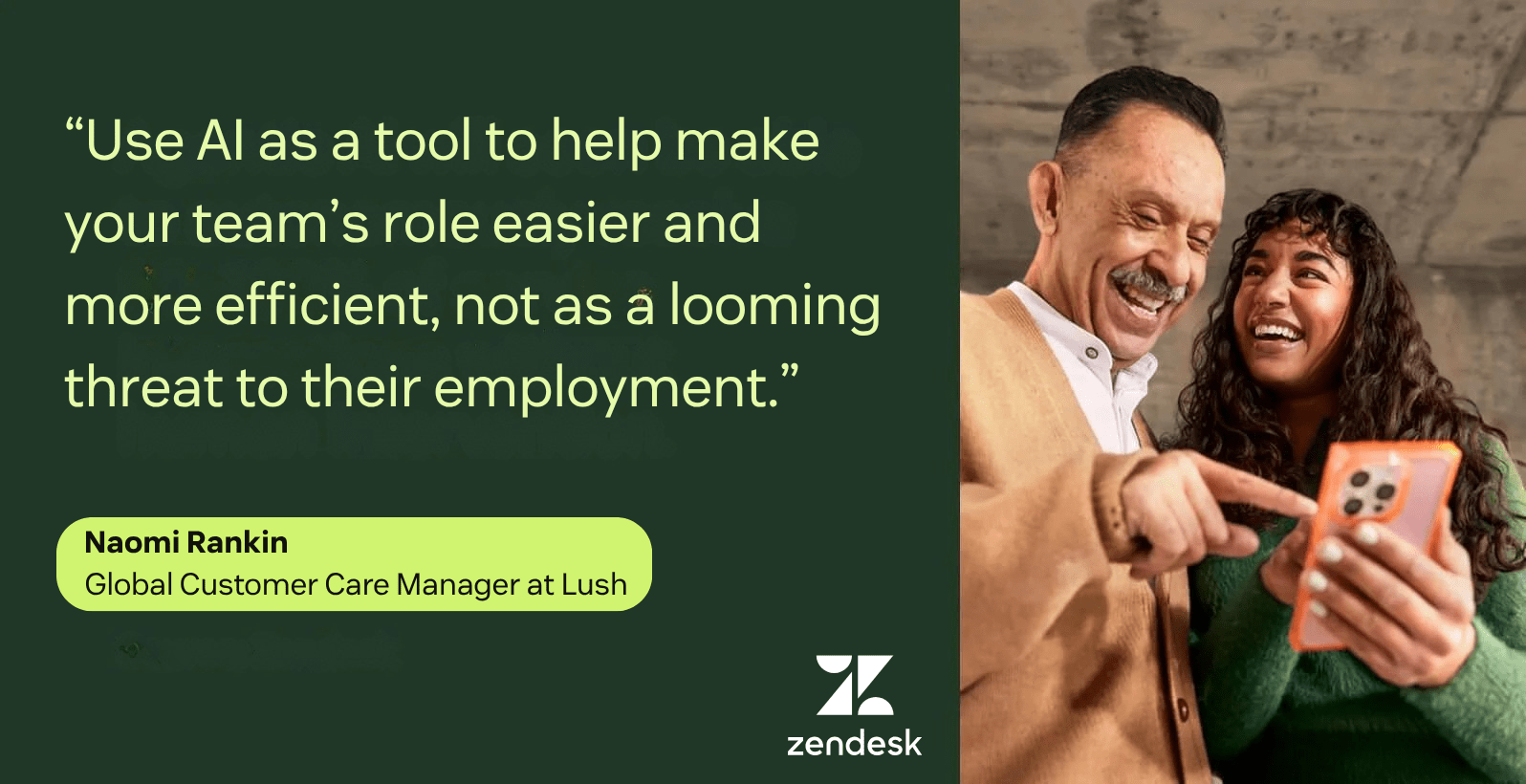
Some employees may be concerned that automation might put them out of work. These suspicions may lead to friction between teams and low adoption rates. Be clear with your team that automation will allow them to prioritize more meaningful tasks and use their skillset more purposefully—replacing existing high value staff members is not the goal.
Committing to a workflow automation tool is a big decision, and shouldn’t be taken lightly. For instance, some platforms offer fast setup but lack the flexibility companies will require when scaling up, so it’s important to plan ahead before taking a jump. Zendesk offers a perfect balance between intuitive adoption with pre-trained AI and powerful automation capabilities that can scale.
Workflow automation examples
Businesses can implement workflow automation into all kinds of operations. Here are some of the most impactful use cases in customer experience.
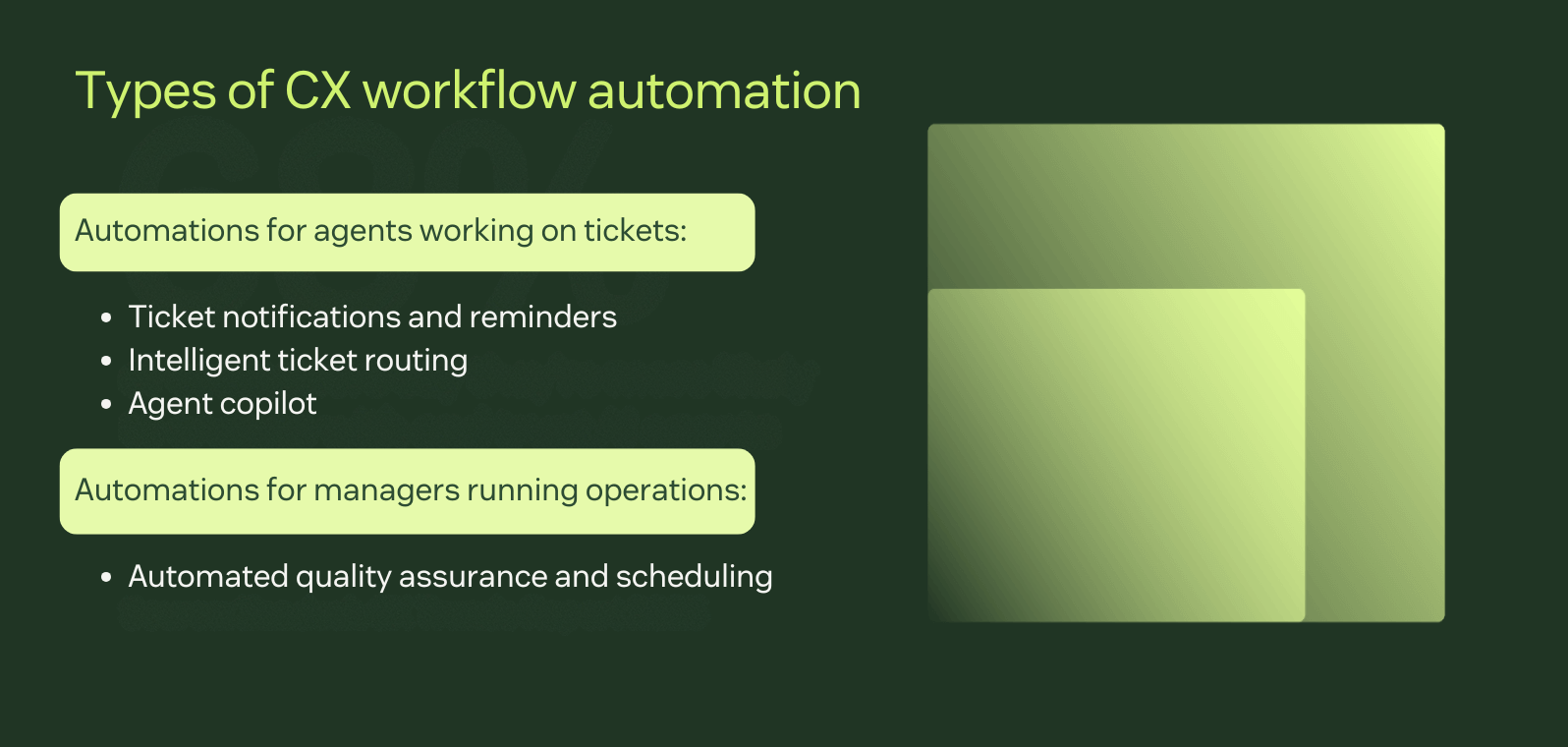
Ticket notifications and reminders
Organizations can use agent notifications and reminders to give team members real-time alerts about pending tasks, upcoming deadlines, or required follow-ups. With Zendesk, for example, you can notify:
Agents when an assigned ticket remains unresolved for x number of hours.
Agent groups when a new ticket remains unassigned for x number of hours.
An assigned agent after x number of hours when a pending ticket has been updated by the requester.
These notifications keep workflows on track and reduce the likelihood of missed actions, enhancing the customer service experience.
Automated notifications also contribute to EX, as cross-functional teams, like finance, IT, sales, and HR, can also be kept in the loop about tickets. With the Slack integration, the platform can even update non-Zendesk teams when a ticket is created or modified. The result is smooth-flowing collaboration that isn’t weighed down by conflicting systems.
Intelligent ticket routing
When a customer contacts a business with an inquiry or problem, that creates a support ticket. Intelligent routing can send those tickets to the most qualified agent based on customer sentiment, intent, and language. You can combine it with omnichannel routing to direct support tickets based on agent skill, status, capacity, availability, and conversation priority. Together, they give you a powerful, automated system for customer requests.
As an example, let’s look at Liberty, a UK-based premium department store retailer. Around 2015, the company had grown its online presence to account for nearly 50 percent of total sales, and it needed a partner to manage the rise in customer service requests. Liberty partnered with Zendesk to get customer issues routed to the right place so the team could solve them quickly. This change helped the company achieve a 73 percent decrease in first reply time and a 9 percent increase in customer satisfaction.
Agent copilot
Zendesk agent copilot is an advanced AI-driven assistant that supports customer service agents in two ways:
Agent copilot mode: It acts as an intelligent assistant, suggesting contextually relevant responses, actions, and workflows based on customer interactions. Agents can use these suggestions to approve, modify, or execute tasks, streamlining ticket resolutions.
Autonomous mode: It operates independently to resolve specific high-volume, routine tickets—such as order cancellations or status updates—without agent intervention.
These modes create a seamless blend of AI and human expertise, improving the speed and quality of customer service.
Automated quality assurance and agent scheduling
In addition to providing automations for agents working on tickets, workflow automation tools can streamline processes for managers and administrators running operations. This saves them time to focus on more productive tasks.
For example, with an automated customer service quality assurance solution like Zendesk QA, AI automatically generates QA scorecards for every single support interaction. These contain key data on agent accuracy and tone, plus customer churn risk and other pre-set criteria, allowing managers to spot outliers early.
Furthermore, AI-powered WFM tools like Zendesk WFM can forecast staffing requirements using historical data on volume trends. These insights are then used to create optimized schedules automatically, reducing the risk of understaffing and surging customer waiting times.
5 steps to start automating workflows for your business
Now that we’ve explained workflow automation, we’ll dive into how you can harness it in your CX organization. Here are our five top tips for customer support workflow automation.
1. Set clear goals and objectives
First, you must establish clear goals and objectives. Define what you want to achieve, whether that be increased efficiency or scalability, cost reduction, or faster customer resolutions. Set these in stone with tangible success metrics like savings made from licensing fee cuts and time reductions per automated workflow.
Consider creating service level agreements (SLAs) to guide your goal-setting. These written agreements help define your standards for customer support, reflecting your support quality, availability, and timeliness.
2. Identify repetitive tasks
Next, find repetitive and time-consuming tasks suitable for automation, such as data entry, approvals, routing, ticket tagging, and other similar actions. You can identify these by reviewing bottlenecks in current processes, analyzing your support data, and asking relevant stakeholders for thoughts and suggestions.
3. Embrace AI and automation
You can’t effectively conduct workflow automation without embracing automation, AI, and intelligent automation (IA). Incorporating automated technologies can help you handle complex tasks, make data-driven decisions, and create more efficient workflows. For example, you can implement intelligent routing to speed up agent response times and increase customer satisfaction.
Also, be mindful of the quality of AI and automation you use, as not all systems have the same capabilities. At Zendesk, our AI is built on billions of real-life customer service interactions so you can instantly deliver effective and personalized support.
4. Select the right workflow automation software
Choosing the right workflow automation tool is crucial. When evaluating the options, consider the following questions:
In online reviews, is it praised for its ease of use?
Does it offer an extensive library of integrations? Does it integrate with the tools you already use?
Do the subscriptions scale up in an affordable way?
What are its reporting capabilities?
- What are the tool’s data privacy protocols? CX teams need automated privacy tools, so this should be a key consideration.
Zendesk is purpose built for customer service. It’s the market leader in advanced AI for CX and EX, while providing no-to-code tools that are suitable for non-technical admins and developers alike. We can help you operate at scale, eliminate repetitive tasks, and always meet the varied needs of your customers.
5. Review and improve
Assess your workflow automation regularly to ensure it’s performing effectively and helping you reach your goals. Conduct regular audits to identify bottlenecks and inefficiencies and monitor customer service metrics. You can also get input directly from your employees to evaluate how your system is helping them.
Zendesk integrates AI-powered analytics directly into workflow automations, making it easy to speed up optimization and neatly track KPIs.
Frequently asked questions
Level up your workflow automation with Zendesk
Workflow automation can help you streamline your CX processes and eliminate repetitive work for your support team, leading to faster resolutions for customers. But not all workflow automation software is created equal. Only Zendesk AI is built on billions of real customer service interactions, powering intelligent workflows that assist your support agents in real-time, help you operate at scale, and optimize your entire customer experience operations. It’s fast to set up and easy to use yet powerful enough to scale to meet any level of complexity that your business demands.
Try Zendesk for free today.


.jpg)