IT help desk: A complete guide to internal support
Boost productivity and resolve issues faster with intuitive, AI-powered IT help desk software built for modern employee support.



Mozhdeh Rastegar-Panah
Senior Director, Product Marketing
Last updated June 24, 2026
IT help desk for professional tech support
IT departments play a critical role in keeping modern businesses running smoothly. They manage access, reset passwords, and troubleshoot technical issues. Their work ensures employees have the tools they need to stay productive. As request volumes grow, teams can struggle to keep pace with limited resources. An IT help desk brings structure, visibility, and automation to internal support.
A modern, AI-powered IT help desk enables fast, reliable employee support. It provides the structure and automation needed to scale efficiently while maintaining cost control. Zendesk is built to deliver that balance without adding unnecessary complexity.
In this guide, we’ll explore how an IT help desk can streamline internal service delivery and equip teams with the tools needed for effective issue resolution.
More in this guide:
- What is an IT help desk?
- How does an IT help desk work?
- IT help desk features
- Benefits of IT help desk services
- Why choose Zendesk as an IT help desk solution
- IT help desk vs. other solutions
- IT support desk best practices
- Frequently asked questions
- Try AI-powered IT help desk software for free
What is an IT help desk?An IT help desk is a centralized system for managing employee technical support requests. It allows IT teams to track, prioritize, and resolve issues efficiently. Most help desk software includes ticketing systems, knowledge bases, self-service portals, and automation tools. These features help reduce response times, improve visibility, and maintain productivity across the organization. |
How does an IT help desk work?
An IT help desk is the central point of contact for technical support within an organization. Here's a step-by-step overview of how it works:
- Issue reporting: Employees submit requests through email, phone, chat, self-service portals, or collaboration tools like Slack and Microsoft Teams—without leaving their workflow. The help desk software automatically logs each request as a support ticket. AI can assist by capturing key details or suggesting solutions before a ticket is even submitted.
- Ticket categorization: The help desk software categorizes and prioritizes the tickets based on the issue type, severity, and urgency. This ensures that agents address critical problems promptly, and AI can automatically tag, classify, and prioritize requests to reduce manual triage.
- Assignment and routing: The system assigns tickets to appropriate IT team members or departments. Automation tools within the software can route tickets to the right personnel based on pre-defined rules. AI-driven routing can direct complex issues based on intent, historical data, or workload.
- Issue resolution: IT teams resolve issues using centralized ticket data and internal knowledge bases, while AI-powered assistants like Copilot can recommend solutions and next steps. Teams can collaborate seamlessly and update ticket status in real time, reducing resolution time and manual effort.
- Communication: The help desk software facilitates communication between IT staff and employees. Employees receive updates on their ticket status, and IT staff can request additional information if needed. AI-generated responses can help maintain speed and consistency.
- Monitoring and escalation: The software monitors the progress of each ticket. If an issue remains unresolved within a certain timeframe, the system can escalate it to higher-level support or management to ensure timely resolution. AI can also help by flagging potential SLA risks before they occur.
- Closure: Once an issue is resolved, the ticket is closed. The system documents the resolution details for future reference and may ask employees for feedback on their experience.
- Reporting and analysis: The help desk software generates reports and analytics on various metrics, such as response times, resolution times, and user satisfaction. This data helps the IT team identify trends, improve processes, and enhance overall support quality, with AI surfacing insights and anomalies automatically.
Not all IT help desks operate the same way. Zendesk AI is trained on billions of service interactions, including millions related to IT and employee support. It delivers value from day one by automating routine support, assisting IT teams in real time, and optimizing workflows to improve resolution speed.
IT help desk features
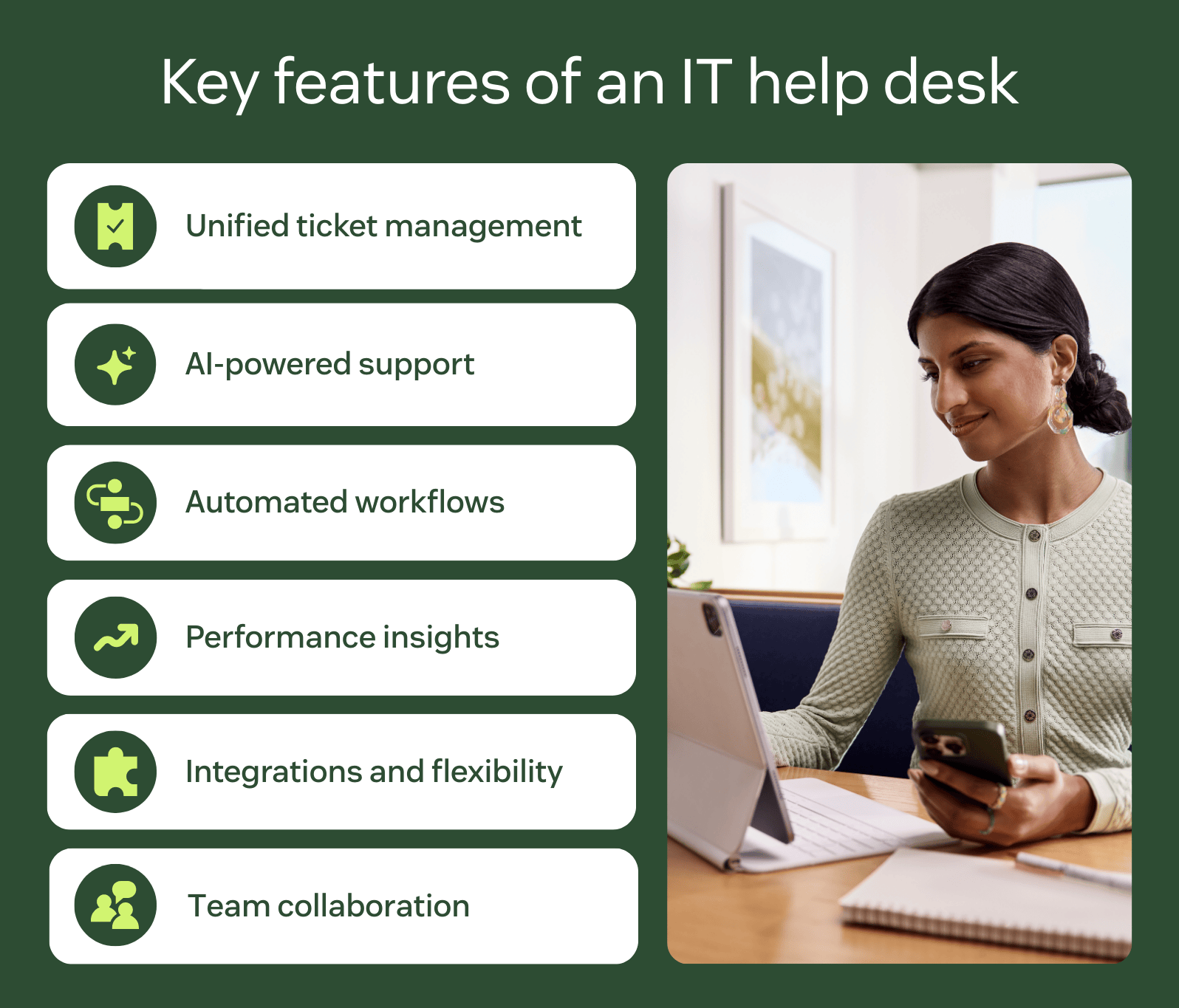
The right IT help desk features can boost productivity, expedite issue resolution, and reduce operational costs for IT service teams. Here are six key features to consider when choosing an IT support help desk solution for your business.
Omnichannel ticketing system
An omnichannel ticketing system allows users to submit IT service requests and incidents through their preferred channels, such as Slack, Microsoft Teams, self-service portals, email, live chat, WhatsApp, and the phone. This approach consolidates all requests into a unified workspace, enabling IT teams to manage everything from one place without losing context or conversation history.
AI-powered assistance and automation
AI enhances modern IT help desks by supporting both IT teams and employees throughout the resolution process.
For IT teams, AI tools like Copilot provide real-time assistance directly within tickets. Copilot can summarize requests, detect topic and sentiment, surface similar tickets, and suggest relevant macros for faster issue resolution.
Additionally, AI can suggest relevant pre-written replies or knowledge base articles tailored to the specific issue, helping agents respond faster and more consistently.
For employees, AI agents can resolve common requests, such as password resets, access questions, or basic troubleshooting, instantly—without manual IT intervention. By resolving repetitive requests automatically, AI agents reduce ticket volume and free IT teams to focus on complex issues.
Workflow automations
Workflow automations are among the most essential IT help desk features, enhancing service efficiency in several ways:
- Setting alerts and notifications for overdue or escalated tickets, ensuring your team addresses them promptly.
- Intelligently tagging and routing tickets to the appropriate team based on intent, sentiment, and language, further improving service efficiency.
- Managing outages with SLA policies by automatically prioritizing outage tickets and keeping agents informed of their remaining resolution time.
For example, The Wharton School’s IT support team set up triggers to route tickets to the relevant subgroup so that requests go to the right team and are prioritized properly.
Reporting and analytics
Reporting and analytics tools are crucial for uncovering trends, gathering insights, and improving your IT support operations. Real-time reports provide immediate insights on help desk metrics and key performance indicators (KPIs), such as your most common issues and incidents, when they occur, and how quickly your team resolves them. You can customize dashboards to highlight the metrics that matter most to you and share them with relevant stakeholders.
Additionally, AI-powered reporting can further enhance decision-making and service optimization. For example, intent suggestions can inform admins about what to automate.
AI-powered quality assurance tools can even monitor user sentiment and highlight areas needing improvement. With those powerful analytics, businesses can help employees get more satisfaction from their roles and perform better overall.
Apps, integrations, and customizations
Apps and integrations connect your existing business tools to your IT help desk. They centralize data and enable more efficient, scalable workflows.
For example, integrating ticketing systems with tools like Workday surfaces relevant employee details, such as roles, title, and location, directly within the workspace. This context helps teams resolve issues faster while delivering more personalized and accurate support.
Zendesk offers over 1,800 pre-built integrations in the Zendesk Marketplace. These integrations make it easy to connect critical systems without heavy development.
No-code tools like Zendesk Action Builder extend this further. They automate processes across systems, such as provisioning access, updating employee records, and triggering approvals. Open APIs provide additional flexibility, allowing organizations to tailor the system to their specific needs.
Collaboration tools
IT help desk software enhances team efficiency with collaboration tools. For example, Zendesk enables side conversations within support tickets, keeping discussions focused and organized. You can also follow or CC tickets to ensure everyone stays informed.
This seamless collaboration extends beyond the IT team. You can easily invite other departments into the conversation by incorporating the necessary expertise to facilitate faster resolutions.
Benefits of IT help desk services
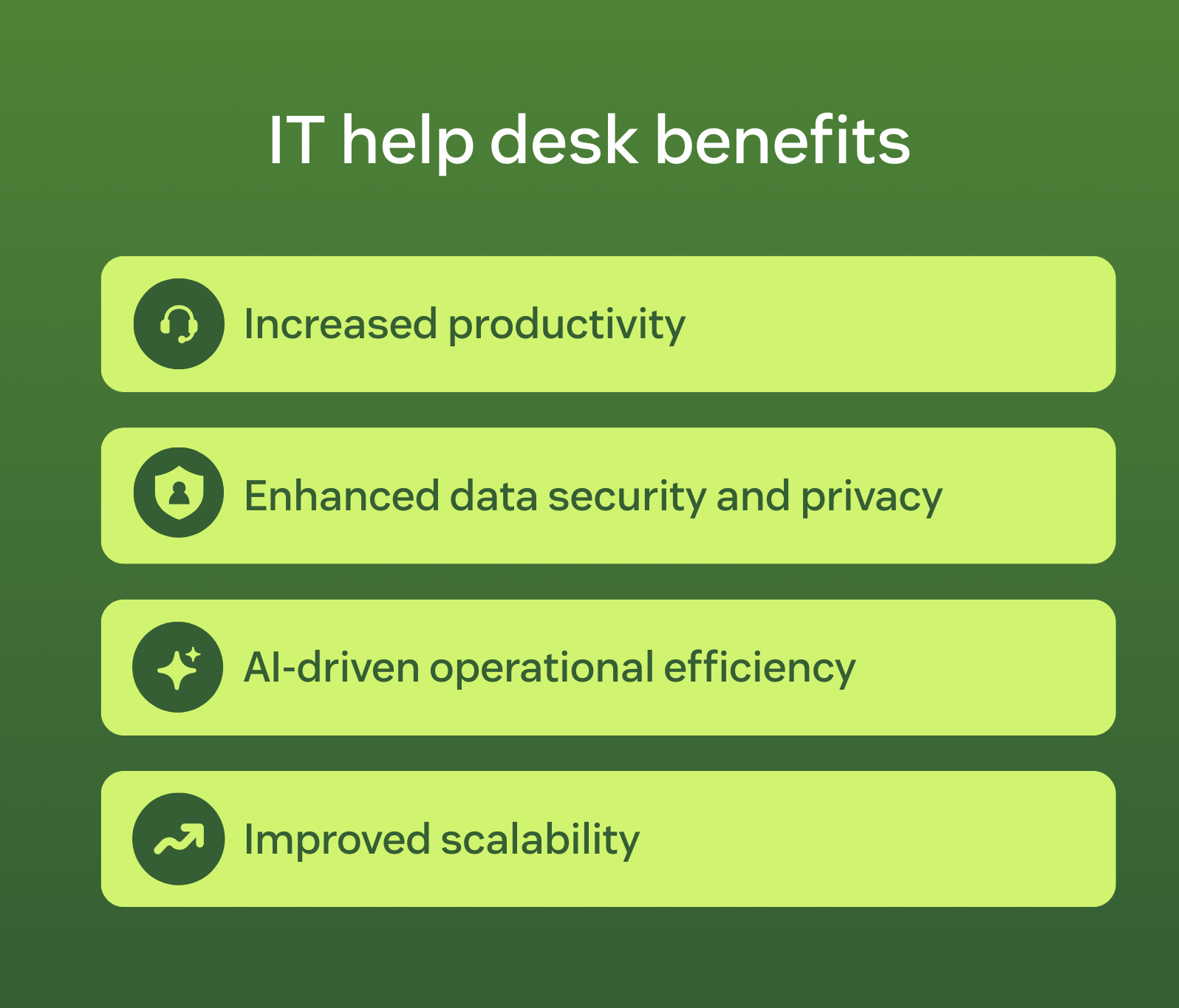
The right IT help desk can significantly enhance your IT operations, improving agent efficiency and boosting employee satisfaction. It also enables organizations to support distributed and hybrid teams with remote help desk software that keeps employees connected wherever they work. Here are some common benefits of IT help desk systems.
Boosts productivity
IT help desks boost productivity by centralizing and streamlining the management of technical issues, enabling faster and more efficient resolutions. They implement automation to handle routine tasks, prioritize and route tickets, and send notifications for urgent matters, reducing the workload for IT staff.
Providing a single point of contact for all technical support allows IT help desks to minimize downtime and ensure that employees can focus on their core responsibilities, leading to overall enhanced productivity.
Protects sensitive employee data
IT help desk software with enterprise-grade privacy and security features can safeguard employee and business data. Choose a solution that offers robust data protection, such as single sign-on and configurable password rules. Ensure it encrypts sensitive data and adheres to industry security standards for peace of mind.
For instance, Zendesk provides granular access control within a single platform, allowing departments to have separate access to tickets and minimizing data exposure. Additionally, two-factor authentication for both IT specialists and employees adds an extra layer of protection against cyber threats.
Streamlines operations with AI and automation
Businesses constantly strive to optimize internal operations, and IT services are a prime candidate for AI and automation. AI-powered IT help desk solutions can streamline your operations in several ways, including:
- Deflecting tickets to AI agents that can resolve common IT requests independently in multiple languages.
- Automatically routing tickets to the appropriate team, improving service efficiency.
- Providing AI-powered guidance via Copilot to help IT teams resolve requests more efficiently.
- Creating help center content using generative AI tools, enabling employees to find answers on their own quickly.
These tools help improve agent performance and therefore boost employee satisfaction.
Scales quickly and efficiently
IT help desks enable IT teams to scale quickly and efficiently by centralizing and automating support processes, streamlining ticket management, and improving resource allocation.
Features such as automated ticket routing, AI-powered responses, and self-service options allow IT teams to handle a higher volume of requests without increasing headcount. Real-time analytics and reporting provide insights into performance and areas for improvement, facilitating proactive management and continuous optimization. By leveraging these capabilities, IT help desks ensure that teams can maintain high service levels and adapt to growing demands effectively.
Why choose Zendesk as an IT help desk solution
Zendesk is a unified, AI-powered platform built to deliver fast, scalable employee service across an organization. Instead of managing disconnected tools, organizations can centralize employee service, AI, automation, analytics and governance in one place. This unified approach also extends beyond IT, enabling teams like HR to deliver support through an integrated HR help desk within the same platform.
Built on the Zendesk Resolution Platform, it helps reduce operation complexity and total cost of ownership by consolidating workflows across departments. AI agents resolve common employee requests automatically, while AI Copilot guides IT teams to the next best step in real time. Together, they accelerate resolution, improve operational efficiency, and enhance the employee experience.
Enterprise-grade security, role-based access controls, and compliance certifications ensure sensitive employee data remains protected. At the same time, flexible integrations and no-code automation tools allow teams to adapt quickly without adding technical overhead.
As organizations grow, Zendesk scales from core ticketing and knowledge management to advanced IT service management capabilities. The result is faster time to value, stronger cross-functional collaboration, and a platform built to support today’s needs and tomorrow’s IT strategy.
IT help desk vs. other solutions
IT help desk, service desk, ITSM, and desktop support are often used interchangeably, but they serve different purposes. For example, a help desk differs from a service desk in scope and purpose. Understanding these distinctions helps organizations determine which approach best fits their needs.
|
Solution |
Primary focus |
Scope |
Typical capabilities |
|
IT help desk |
Resolving employee technical issues |
Centralized internal support |
Ticket management, troubleshooting, self-service, automation, reporting |
|
IT service desk (ITSD) |
Managing the full lifecycle of IT services |
Broader operational oversight |
Incident, problem, and change management; service catalogs; governance processes |
|
IT service management (ITSM) |
Framework for delivering IT services |
Organization-wide strategy |
Defined processes for incident, change, asset, problem management, and request management |
|
Desktop support |
Hardware and device troubleshooting |
Device-level support |
Fixing laptops, desktops, peripherals, and on-site technical assistance |
In practice, modern IT help desk platforms often include many service desk capabilities, such as automation and self-service. The key difference lies in scope: service desks typically operate within a formal ITSM framework, while help desks focus on efficiently resolving employee issues.
IT support desk best practices
Effective IT support desks rely on clear processes, automation, and the right technology. These best practices outline how to implement or optimize an IT help desk successfully:
- Leverage AI agents to deliver answers faster: Zendesk AI agents can deliver personalized, 24/7 support all on their own.
- Build a help center: Create a help center or self-service portal to empower employees to resolve issues independently, reducing the task load on your IT team.
- Support preferred channels: Enable users to reach support through their preferred communication channels, such as Slack or Microsoft Teams.
- Optimize onboarding and offboarding: Streamline onboarding and offboarding with automated workflows, cross-team collaboration, and integrations with HR systems. Trigger approval flows, provision access automatically, and ensure tasks are completed on time without manual follow-ups.
- Choose easy-to-use yet scalable software: Complex IT help desks often have long implementation timelines and require technical teams for deployment and maintenance, which can be costly. Opt for solutions that prioritize both ease of use and scalability, allowing you to start reaping the benefits from day one and onwards.
Integrating employee and customer service operations into a unified platform can further reduce costs, simplify vendor management, and decrease operation complexity. This helps organizations move faster while maintaining consistent service standards.
Frequently asked questions

Agoda connects travel partners and employees with effective service
“Thanks to Zendesk, we know that all employee tickets are routed to the right places, according to different workflows or approval flows. Plus, we have all the data we need to know how well we’re serving our employees and how we can improve.”
Roland Wang
Director of People Technology, Planning & Analytics
Read customer story
Try AI-powered IT help desk software for free
Zendesk offers a modern IT help desk solution powered by cutting-edge AI. It streamlines IT service operations, boosts support team efficiency, and elevates employee satisfaction and productivity through fast, intuitive, and personalized service.
Zendesk is purpose-built for service teams and designed to enable seamless support. As your needs evolve, Zendesk scales from core ticket management to advanced capabilities like incident, change, and asset management—without adding unnecessary complexity. AI and automation optimize nearly every aspect of employee service.
With industry-leading AI pre-trained on millions of real IT and employee interactions, you can deliver exceptional AI-powered employee service from day one.
Mozhdeh Rastegar-Panah
Senior Director, Product Marketing
Mozhdeh Rastegar-Panah is a seasoned customer experience leader and the Senior Director of Product Marketing at Zendesk. With over 12 years at the forefront of customer service innovation, Mozhdeh specializes in translating complex AI and CX technologies into impactful, scalable solutions for global businesses. Her work focuses on elevating customer support through messaging, automation, and omnichannel strategies. She brings a unique blend of strategic vision and hands-on expertise to the future of customer service.
Related IT help desk software guides
Keep exploring the world of IT help desks, service desks, and software that can take your support to the next level.
Related Posts

63 employee engagement ideas to boost morale and retention
These 63 employee engagement ideas can help you boost morale, retention, and productivity. Start improving engagement today with our guide.

What is employee service management? Complete guide
Employee service management is a strategic initiative aimed at elevating employee support by streamlining HR and IT services, automating routine tasks, and empowering employees with self-service capabilities.

What is employee self-service? Benefits + tips to implement
Leverage employee self-service to provide 24/7 support to your workforce and enable your HR and IT teams to be more productive.

What's the difference between a help desk and a service desk?
Don’t know the difference between a help desk vs. a service desk? While these IT tools share similarities, they have distinct approaches to solving problems. Read our comparison guide to learn how they differ.